Up next in 10



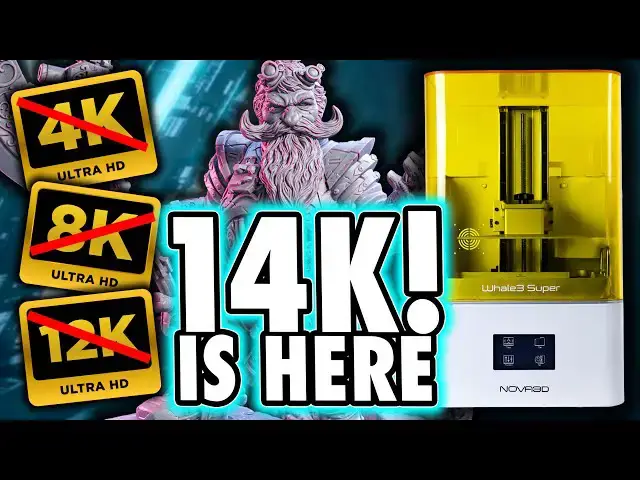
Buy the Nova 3D Whale 14k Ultra here: https://shrsl.com/4d2yy
Sandisk USB 5 Pack - https://amzn.to/3ZxobJr (like all links, this is an affiliate link, and we will earn a commission on any qualifying purchase you make, at no cost to you. Thank you)
Get any printer working easily with the Photonsters XP Range Finder - https://www.thingiverse.com/thing:6023738 (watch my video for full instructions https://youtu.be/Gm0-z971tgY)
Join this channel to get access to perks:
https://www.youtube.com/channel/UC_9Jsf3SP8aMJgn0xv5jHjA/join
Buy WARGAMER - The best Resin for Miniatures https://yesthats3dprinted.com/pages/wargamer?ref=FauxHammer
3D Printer Cleaning Mat: https://geni.us/3DPrinterCleaningMat
This Video is part of our series looking for the Best 3D printer for Miniatures; https://www.fauxhammer.com/top-10/the-best-3d-printer-for-miniatures-models/
Special thanks to the following Creators who provided models
Rider of Despair - Creature Caster - https://www.myminifactory.com/users/Creature%20Caster
Dredge Marines - Mezgike - https://mezgike.com/
One Page Rules - https://www.onepagerules.com/
Wolverine - Drafnir Studios - https://cgtrader.sjv.io/3eJyqv
Show More Show Less View Video Transcript
0:00
I honestly don't know how to conclude on
0:01
this printer it tis a lot of boxes and
0:04
it has a ton of features that I should
0:05
like and I do like it I think but then
0:10
the way most things have been
0:11
implemented com across is cheap but
0:14
actually are these simpler engineering
0:16
choices for the better as they make a
0:18
more cost-efficient product but then
0:20
there's some marketing BS that I
0:22
absolutely hate but you already know
0:24
that if you know me if you don't hi I'm
0:27
Ross and this is fire Hammer videos and
0:29
I think I'm going to need your help with
0:31
this one let's get into it so I've
0:34
already reviewed Nova 3D's whale SE
0:36
printer and I mentioned in that video
0:38
that they also had the super and Ultra
0:41
versions of the same thing each adding
0:43
some extra features I said back then
0:46
that their original whale 3 Ultra could
0:48
have been the first real Contender
0:50
against the gk2 and this whale 3 Ultra
0:53
is more than that whale 3 Ultra this is
0:57
the whale 14k Ultra and the whale 14k
1:00
Series has two versions the whale 3
1:03
super 14k and this one and I want to
1:06
spell this out because it's a first
1:08
taste of the odd jankiness from this
1:10
brand when you browse the website you
1:13
select the different models from a tiny
1:15
thumbnail below the text super 14k Ultra
1:18
14k But whichever image is selected
1:21
brings that thumbnail to the left rather
1:23
than leaving it where it is and putting
1:25
the Highlight around it so when you have
1:28
the ultra selected it's now below the
1:30
text which says Super 40 ink when you
1:32
have the super selected it's the same
1:35
you can't easily tell unless you pay
1:37
close attention to the header text even
1:40
the main image of the printer isn't
1:42
distinctly different enough that you can
1:44
tell look I know this is minor stuff but
1:46
here's my view on things if this brand
1:48
wants to be taken seriously with a
1:50
printer like this they need to do better
1:53
and I gave them this feedback and More
1:55
in my wsse review none of it's been
1:57
addressed and it's all very easy stuff
2:01
and we're a couple of minutes into this
2:03
video already and all we've talked about
2:05
is the bloody web page but the reason is
2:08
this pretty much sets the precedent for
2:10
what we'll see from this printer going
2:12
forward it's a lot of ooh followed
2:14
swiftly with some oh here's another
2:17
example this should excite you if you
2:20
didn't know it has a built-in heater
2:22
there's your first proper ooh and I'll
2:25
come back to the ah later this is a
2:28
10-in printer with a build area of 223
2:31
by 126x 250 mm and as for the claimed
2:36
14k resolution well I'm going to come
2:39
back to that when we talk about print
2:40
quality and for those of you who know my
2:42
content oh boy are we going to come back
2:44
to that and you know what I mean it's
2:46
going to be another ah moment first
2:49
because it's a review I have to go
2:51
through some of the advertised features
2:53
some parts are Innovative some are smart
2:55
some are as I said really cheap it's an
2:58
odd J to position of quality elements
3:00
that leaves me wondering just how good
3:02
this printer potentially is in the long
3:04
term so diving into different things the
3:06
print bed isn't anything special it's
3:08
just machined and looks roughly swn from
3:10
a larger sheet of metal there's no sexy
3:12
laser etching here but again it works so
3:15
do you even care bed movement is
3:18
controlled by a large ball screw
3:19
typically smoother than printers with
3:21
normal lead screws only premium printers
3:24
tend to use these but when moving the
3:25
bed itself with the printer's UI
3:28
movement is incredibly slow the handle
3:31
for tightening the bill plate is now a
3:32
small black knob rather than the old
3:34
asymmetrical lever that they had on the
3:36
whale SE in my opinion it's a step
3:38
backwards that was so much easier to
3:41
ensure a good tightness it does have an
3:43
integrated heater as I said which you
3:45
can see embedded into the chassis with a
3:47
cable running into the base of the
3:48
machine once again it works but the
3:51
visibility of this cable also looks
3:53
cheap and I'll come back to the
3:54
functionality of this heater shortly I'm
3:57
not trying to drag it out it just goes
3:58
more into the actual function section of
4:00
the video it makes more sense later but
4:02
some of you'll complain that's what the
4:04
comment section is for go complain I
4:05
promise I'll read it but yeah go winge
4:08
there the vat is very large in fact it
4:10
holds over a liter of resin before it
4:12
gets to the max fill line and the good
4:14
thing is there's no sign of ACF which is
4:17
a blessing and this strange outward
4:19
protrusion in the corner is for the
4:21
resin refill mechanism and I'll talk
4:23
about that more shortly the vat has
4:25
handles and unlike others I've tested
4:27
before these are comfortable to grip and
4:29
large enough for average size hands and
4:31
they don't get in the way of the bolts
4:34
but if for some reason you aren't a fan
4:35
of the handles you can't really remove
4:38
them because the bolts for them are used
4:39
to guide the vat into place these bolts
4:42
though also keep the vat raised off a
4:44
flat surface so should you ever need to
4:46
put it down somewhere else to perform
4:47
maintenance this stops the Fe from
4:50
touching your worktop and that's quite
4:52
smart when putting all this together
4:54
though cuz there is a little bit of
4:55
building to do make sure you put the VAP
4:57
bolts through the VAP before you attach
5:00
the handles because they won't fit once
5:02
the handles are in place and One Premium
5:05
feature that I've never seen before is
5:06
that these vat screws are incredibly
5:08
comfortable with large rubber covers now
5:11
whilst you do get an up and over lid one
5:13
thing to be aware of is that you have to
5:15
install the hinges yourself and the
5:18
instructions aren't the clearest but I'm
5:20
just more wondering why wasn't this done
5:22
at the factory it does stick a little
5:25
bit proud of the back of the machine so
5:26
you will need to keep it slightly away
5:28
from the wall just so you can lift this
5:30
up also because this lid is PPC rather
5:33
than thin plastic it has sharp edges on
5:36
the back corners and it's heavy it's got
5:39
no handle either so when you lower it
5:40
down do it carefully because letting it
5:42
drop makes one hell of a bang but again
5:46
yeah those are negatives but you do get
5:48
an up and over lid which is a plus do
5:51
you see what I was on about like there's
5:52
a lot of up and down with this printer
5:54
power socket placements on the back of
5:56
the printer and there are two USB ports
5:58
on the side of the back along Ong with
5:59
an Ethernet socket all of these are
6:01
located further to the rear than the
6:03
power switch and I found it odd that
6:05
this machine doesn't come with a USB
6:07
drive or any instructions for that
6:09
matter but instead it comes with a USB
6:12
Wi-Fi dongle so you can remotely access
6:14
the printer's internal memory as a
6:16
folder on your PC there's also a vent
6:18
hole on the back but this is covered by
6:20
the heater it's odd that this even
6:22
exists as I haven't actually seen any
6:24
whale 3 Series printer with any kind of
6:26
extractor or filter in it and that's
6:28
quite unfortun because the resin they
6:30
sent me absolutely
6:33
stinks now I did want to like the resin
6:35
filling mechanism I liked it on the Ws E
6:38
I think it's smart because it's so
6:40
simple instead of an electromechanical
6:42
pump to slowly feed resin in and out
6:44
this is just a spring-loaded valve which
6:46
replaces the caps on resin bottles but
6:49
only these specific resin bottles there
6:52
is a frame in the back right corner of
6:54
the printer body which holds these
6:55
bottles inverted into the protrusion of
6:57
the VAP which then feeds the resin in
7:00
there's no automated way to extract
7:01
resin but this would still keep the vat
7:03
topped up during large long prints
7:06
however the only way to stop the flow is
7:08
when the resin volume in the vat Rises
7:10
to meet the lowest point of the bottle
7:12
cap this is probably fine mid print but
7:15
were it this fall before subsequent
7:16
prints it' surely overflow as soon as
7:19
the build plate enters the full vat I
7:21
don't want to test this Theory because I
7:23
don't fancy another resin cleanup but
7:25
please tell me how I could be wrong here
7:28
now before I came to start print on mine
7:30
I thought I had a damaged LCD because
7:32
only half of it was lighting up it turns
7:34
out I just needed a firmware update and
7:36
because of this releveling now I say
7:38
leveling but this is actually leveled
7:40
from the factory and that's another good
7:42
thing all I had to do was adjust the
7:44
base height of the build plate so this
7:46
is where we come to the UI leveling is
7:50
somewhat unintuitive and poorly
7:52
translated well it's not wrong it's just
7:54
not right either and for some reason the
7:57
height settings are in a separate menu
7:59
from the typical level
8:02
settings I'm genuinely confused why this
8:04
couldn't have just been a single screen
8:06
with a button that says set zero here to
8:09
level it or as I said set the zero
8:11
position you need to click reset wait
8:13
for the bed to slowly go into its
8:15
current home location then lower it or
8:17
raise it by 50 Micron increments and
8:20
when you tap this for some reason it
8:22
tells you reset tips and then asks you
8:24
whether you want to confirm or not does
8:26
this mean reset confirmed start moving
8:28
to reset the position what anyway it
8:31
turns out it was the latter but when
8:33
saving too it says save tips before
8:36
asking if you want to save tips what
8:39
what are you going on about I mean I
8:42
obviously get what it kind of means you
8:44
can easily work past it but it's just
8:46
another small Mar on this printer's
8:48
quality Ledger and please bear in mind
8:50
this is just the first impression of the
8:52
UI to now it's worth noting before I go
8:55
on that the screen is non-capacitive so
8:57
occasionally you will miss button
8:59
presses or you'll press a button only
9:01
for the printer to think you've clicked
9:03
something else nearby like you can click
9:05
play to start a print but the printer
9:07
registers it at pressing somewhere else
9:10
on the screen so instead of printing the
9:11
model like you wanted it just closes the
9:13
menu and then there's a further couple
9:16
of functions that I find odd after you
9:18
print a file from the internal memory it
9:20
deletes the file why for some reason it
9:23
also wants you to clear the vat after
9:25
every single print with the highlighted
9:27
button being confirmed and this often
9:30
led me to absent-mindedly cure a thin
9:32
film at the bottom of the vat that I
9:33
didn't need but yeah I suppose you would
9:36
get used to this if it was your only
9:37
printer like I'm negging on it a bit too
9:40
hard but the UI does feel just odd it's
9:43
not fully unintuitive but it's also not
9:45
intuitive functions like the LCD screen
9:48
if you want to perform it manually and
9:50
things like the LCD check are under the
9:52
settings menu even though they're
9:54
functions not settings they would make
9:57
more sense being within the printer
9:58
controls menu but in here you have
10:00
things like manual control to raise and
10:03
lower the bed which makes sense but then
10:05
you have leveling setting which to me
10:08
should be part of the settings menu due
10:10
to the word setting and then there's
10:13
temperature control which again should
10:15
be a setting but due to how this works
10:18
it kind of does make sense being in here
10:21
because it's not a setting I'm sorry to
10:23
say it's a function so this is where I
10:26
talk about the heater I stressed it many
10:29
videos now the importance of heaters in
10:31
resin printers the gk2 has a heater in
10:33
the chamber below the screen because
10:35
uniformation realized that this was
10:37
better than heating the chamber itself
10:39
because if you did that it would also
10:41
heat the cured model and it would heat
10:43
the model before the resin in the vat
10:45
the Apex maker X1 has an actual vat
10:48
heater which is the best implementation
10:50
of a heater that I've seen yet the whale
10:52
3 Ultra 14k has a chamber heater so it's
10:56
already not the best way to put one in
10:59
and the way it works here is by going
11:00
into the printer controls menu and
11:03
choosing your desired temperature from a
11:05
range of 20 to 30° C and then you press
11:08
confirm it will then heat to temperature
11:11
but as soon as you leave this menu the
11:14
heating
11:15
stops so yeah that's right the heater
11:18
does not function whilst the printer is
11:20
printing you can preheat the chamber but
11:23
as soon as you start printing everything
11:25
begins to cool and considering that
11:27
having a consistent temperature during
11:29
your print is the most important aspect
11:32
it makes this feature entirely
11:35
pointless this could have been a gk2
11:38
contender it could have potentially
11:40
obliterated it thanks to its price point
11:43
but the most important comparable
11:45
feature has not only been poorly
11:47
implemented but starting a print at 25°
11:50
to then have it drop to a much lower
11:52
environment temperature a few hours into
11:54
your print will ruin the print supports
11:57
that worked when your res was warm would
11:59
begin to fail layers would peel due to
12:02
temperature relative underere exposure
12:04
so this heater is beyond
12:07
redundant so yeah there's that but it's
12:10
not over yet remember this is a 14k
12:12
printer and does this printer at least
12:14
print super high quality models thanks
12:16
to its 14k resolution does it bollocks
12:20
first up the printer has a cob light
12:22
source for more even distribution of UB
12:24
light but as clearly shown in this XP
12:26
finder test I always print when you
12:28
balance the exposure this is unable to
12:30
render details as sharp as most 8K
12:33
printers but how can that be it's a 14k
12:37
printer if you're wondering I'm glad
12:39
you've asked because it's something I've
12:40
talked about in every single video for
12:43
the last 6 months and I'll Echo it more
12:45
here because this resolution claim is
12:47
more ludicrous in this instance than
12:49
anything we've seen before since 12K
12:52
screens introduced us to displays with
12:54
rectangular pixels things have been a
12:56
little weird in terms of resolution you
12:59
see 12K printers aren't even 12K
13:01
resolution they are on the x-axis but
13:04
not on the Y AIS with this a TV you
13:06
wouldn't care what shape the pixels are
13:09
but when creating a three-dimensional
13:11
model where some details will always be
13:13
oriented towards the weaker axis yes it
13:16
probably matters to you in the case of a
13:19
14k printer it's the same thing no I
13:22
mean it it's the exact same thing the
13:25
resolution of this screen is 13 320x 51
13:28
20 and for those of you who've paid
13:30
attention in my previous videos yeah
13:33
that's the exact same 5120 pixels on the
13:35
Y AIS all the 12K printers have so
13:40
where's the upgrade yes the x-axis now
13:43
has a pixel width of 17 microns but the
13:46
Y AIS is still 24 technically 24.8 if
13:49
you want to be pedantic what this means
13:52
is that there's a greater difference
13:54
between the X and Y AIS pixel size on
13:57
this printer than there is between the Y
13:59
AIS on this 14k machine and A Lash gen
14:02
8K machine so that's the theory
14:05
explained what's it like practically
14:07
well to show it I printed my usual
14:09
selection of test models facing forward
14:12
from the front so that you can see them
14:13
in their highest possible resolution as
14:16
you look directly at them but then I
14:18
printed the same plate again with
14:20
everything facing from the side can you
14:23
see a difference when we zoom in can you
14:26
see a difference honestly
14:29
I'm hoping you see what I see and the
14:31
answers are resounding no because
14:33
otherwise my next point doesn't really
14:34
work so assuming you can't see a
14:37
difference on the one hand this tells us
14:39
that the difference in the X and Y AIS
14:41
pixels are so negligible no matter how
14:43
you Orient your models you shouldn't
14:45
worry that one side will be worse than
14:47
the front but on the other hand this
14:49
also tells us that the difference in the
14:51
X and Y pixel sizes are negligible and I
14:54
know I just said that but in this case
14:56
what I'm saying is it also means there's
14:58
no no discernable benefit in the 14k
15:01
resolution from the Y AIS of the 12K
15:03
resolution which isn't that much better
15:06
than the 8K resolution and this should
15:08
be unsurprising because I've said for
15:10
the last 6 months that there's no
15:11
discernable benefit between 8K and 12
15:14
either and in some cases 12K is actually
15:16
worse than 8K which kind of seems the
15:20
same here so to finish our Echo
15:23
statements have been making for over a
15:24
year now we are far beyond the screen
15:27
resolution playing any significant part
15:29
in print quality and to me consistency
15:32
is key which is why consistent
15:34
temperature Matters by reducing
15:36
variables in printing it leads to
15:38
repeatable and expected results but with
15:40
14k like 12K before it we no longer have
15:43
consistency in the size of the pixels
15:45
rendered on our
15:47
models is it bad print quality no is it
15:51
better than 12K yes technically on paper
15:54
and only in one dimension but is it
15:56
better than a consistent sharp and equal
15:58
8K screen where you can apply things
16:00
like anti-aliasing evenly across each
16:04
orientation no it really isn't so to
16:07
conclude if Nova 3D want to be taken
16:10
seriously as a contender in this
16:11
industry then they need to learn that
16:13
the devil's in the details and sort out
16:15
all of these really simple yet stupid
16:17
errors that shouldn't even exist on a
16:19
serious product in 2024 and that
16:22
includes the website and I know it's not
16:24
even a lot of big things aside from the
16:26
issue of the heater not working mid
16:28
print it's all tiny minor irritations
16:32
and I understand that some people would
16:33
look at this and go me I'll put up with
16:35
some jankiness for those features where
16:37
others would see this as a list of
16:38
reasons not to have faith in the brand
16:40
where they can't care enough about the
16:42
little things either way is fine my job
16:45
is to just show you it it's your
16:47
decision so maybe this is the one for
16:49
you maybe this is death by a Thousand
16:51
Cuts I honestly don't know it's truly up
16:53
to you and time will tell if this is a
16:55
successful product overall if these Fe
16:58
feates scream out to you as something
16:59
you want I hope I've at least shown you
17:01
how they work and now you can understand
17:03
them more than just the flat claims from
17:05
the product page and please don't take
17:07
my overall disinterested attitude in
17:09
this printer as me talking it down
17:11
because I'm not saying it's bad at all
17:13
like the whale SE before it it's okay
17:17
but it could have easily been great so
17:20
again if you want the features that it
17:21
actually has definitely go buy it just
17:25
please don't buy it because you think
17:27
14k is automatic Ally better than 12 or
17:30
even eight I want to say thanks for
17:32
watching and thanks to our members who
17:33
make it possible for us to make these
17:35
videos they get priority comment replies
17:37
exclusive update videos and their name
17:39
in the credits if this video was helpful
17:42
fun or educational then please hit that
17:44
like button drop a comment and subscribe
17:46
until next time I ain't afraid of no
17:48
ghosts F hammer
17:50
[Music]
17:57
out
17:58
[Music]