Up next in 10



Order the Phrozen Arco Here: https://geni.us/PhrozenGlobal
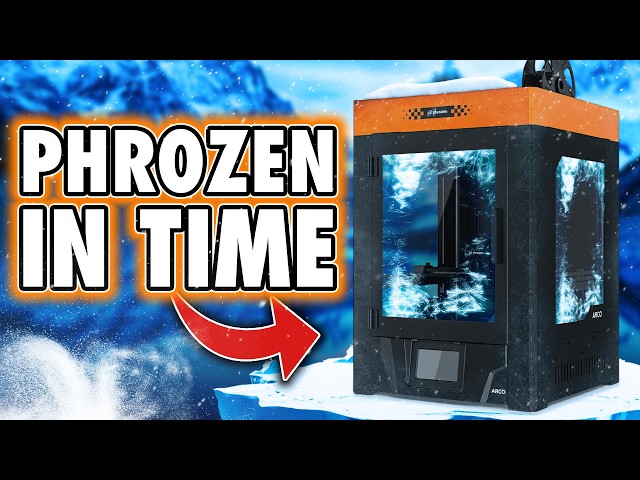
If your background in 3D printing is mostly FDM, there’s a good chance you’re only just hearing the name Phrozen. That alone is why the Phrozen Arco has sparked so much interest. Phrozen built their reputation in resin printing, not FDM, and the Arco represents their first serious attempt to enter a crowded, highly competitive FDM market. That raises some immediate questions. What does a resin-first company bring to FDM, and does that background translate into something meaningfully different from what’s already out there?
A lot of people searching for the Phrozen Arco are trying to understand its unusual design choices. This is an open-frame CoreXY printer with a flying gantry rather than a moving bed, which changes how Z movement works and how tall prints are handled. Buyers want to know whether this offers real mechanical advantages, how stable it is in practice, and whether the large physical footprint makes sense for a 300mm cubed build volume.
There’s also significant interest in the optional Chroma-Kit multi-material system. Questions around colour changing, filament handling, purge behaviour, third-party filament compatibility, and how the system deals with filament runout are all common. Just as important is how well the hardware and software work together, especially for users expecting a modern, integrated multi-material workflow rather than manual intervention.
Software support is another major area people are researching. Buyers want to know what slicer options are available, how Phrozen’s Orca-based workflow compares to other ecosystems, and whether features like network printing and multi-material jobs behave reliably in real-world use. These workflow questions often matter more than raw specs when choosing a printer meant for everyday use.
The enclosure is another point of curiosity. Many people are looking at the Arco for materials like ABS and want to understand what the enclosure actually enables, how well it retains heat, and whether its design compromises temperature stability once accessories are added.
This video looks at the Phrozen Arco through hands-on use rather than marketing claims, focusing on how the printer, accessories, and software behave in practice. The aim is to give you the context you need to decide whether this machine fits your space, your workflow, and the way you actually print.
If this video helps you make sense of the Phrozen Arco or multi-material FDM printing, please consider using the affiliate links below. It directly supports the channel and helps keep these long-form, independent reviews going.
⭐️ Usual Link Block
Support the channel and fuel your hobby addiction
Grab a 3D Printer Cleaning Mat – https://geni.us/3DPrinterCleaningMat
Show More Show Less View Video Transcript
0:00
If your 3D printing history lives
0:01
entirely in the world of FDM, you might
0:04
be wondering who the hell frozen even
0:06
are. The name is a portmanto of Photon
0:09
and Frozen. Doesn't actually mean
0:11
anything in particular, but it sounds
0:13
cool, and that's basically the point.
0:15
These guys were once the undisputed
0:17
kings of resin, dropping the Sonic Mini
0:20
8K, my first ever 3D printer review on
0:22
this channel. And with that one release,
0:24
they cemented themselves as the market
0:26
leader, offering the highest print
0:28
quality you could get at the time and
0:30
hardware solid enough to justify the
0:32
higher price tag. Then about 2 years
0:34
ago, they started designing their first
0:36
FDM printer, launched it on Kickstarter,
0:39
and pulled in just shy of $1.5 million
0:42
from over 1,400 backers. And now,
0:45
finally, it's here. So why should you,
0:48
or shouldn't you care about this machine
0:51
when there are so many others? flooding
0:53
the market. Well, I'll show you. Hi, I'm
0:56
Ross and this is Fauxhammer Videos. So,
0:59
let's talk about what this thing
1:00
actually is. In its standard form, the
1:02
Arco is an openframe Corexy FDM printer
1:05
with a 300 mm cubed build volume.
1:08
Nothing wild there. Where it does differ
1:10
is how it handles the Z movement.
1:12
Instead of lifting the bed, the Arco
1:14
uses a flying gantry. The bed stays
1:17
fixed and the entire hotend assembly and
1:19
mechanics move up and down. In theory,
1:22
that gives some mechanical advantages,
1:24
especially for tall prints because
1:26
you're not throwing a heavy bed around
1:27
and introducing Z wobble. Now, the
1:29
trade-off is size. This thing is big,
1:32
and I don't mean big for its class. I
1:34
mean physically large relative to the
1:36
build volume. Frozen don't list the
1:38
external dimensions on the product page,
1:41
but it's about 490x490x
1:43
620 mm. That's before you add the
1:46
enclosure or the multimaterial unit. So,
1:49
you end up with a printer that takes up
1:50
a lot of space without giving you more
1:53
print volume in return. That's not
1:55
necessarily a deal breaker, but it's
1:57
something you need to know going in.
1:59
Now, build quality-wise, it feels solid.
2:02
The frame is stiff, everything feels
2:03
well put together, and this is very much
2:06
in line with Frozen's reputation on the
2:08
resin side. I was told the units RQC
2:11
tested before shipping and whilst I
2:13
can't obviously verify that across all
2:15
machines, nothing about this one feels
2:18
rushed or flimsy. Now, because it's an
2:20
open frame flying gantry design, the
2:22
belts are exposed along with some of the
2:24
cabling being visible at the rear.
2:26
Again, not inherently bad, but it does
2:28
reinforce that this is a very
2:30
mechanical, very industrial feeling
2:32
machine, not a sealed consumerfriendly
2:34
box. Now, around the back, we've got a
2:37
power and a USB port, and that's there
2:40
specifically for the multimaterial unit,
2:42
not for files. File transfer happens on
2:44
the front. At the bottom of the printer,
2:46
there's a large opening. And this is
2:48
intentional because the hotend moves up
2:50
and down while purging. Waste filament
2:53
is never in the same place, so it gets
2:55
wiped and then dropped straight down and
2:58
out of the base. It looks odd at first,
3:00
but it's basically the only place this
3:02
can go due to this style of design. On
3:05
the front, we've got the screen. This is
3:07
embedded and low down in the frame. It's
3:09
bright, it's clear, it works well, but
3:11
if you're stacking these or putting them
3:13
on low shelves, it's not the most
3:15
ergonomic placement, and you can't
3:17
rotate it. The hotend is easy to access
3:20
thanks to a magnetic cover, which I
3:22
like. Nozzle changers, though aren't
3:24
quick swap like most other machines.
3:26
Now, this is more of a traditional
3:28
setup, but maintenance access in general
3:30
is good, including the extruder gear,
3:32
which is reassuring if you ever need to
3:34
deal with a clock. So, yeah, overall,
3:36
the hardware feels like Frozen doing
3:38
what they're good at. Solid engineering,
3:41
conservative choices, and prioritizing
3:43
rigidity over convenience. Whether that
3:46
trade-off makes sense in today's FDM
3:48
market is something we'll come back to.
3:50
Setup is straightforward. You lift the
3:52
printer out of the box by the frame,
3:53
remove the packaging, undo a few
3:55
transport screws, cut some cable ties,
3:57
and that's basically it. The screen, as
3:59
I said, is built into the body, and the
4:01
cables are already connected. The
4:03
onscreen guide walks you through the
4:05
remaining steps without any drama.
4:07
There's a few small things you have to
4:09
attach yourself. The filament spool
4:10
holder mounts to the back corner. The
4:12
PTFE tube runs to the hotend, and
4:15
there's a guide coupler for that tube.
4:17
None of this is difficult, and you don't
4:19
need to tear half the machine apart to
4:20
do it. The initial on-creen setup covers
4:23
filament loading, basic checks, and
4:25
calibration. The translations are mostly
4:27
fine, but there are a couple of steps
4:29
that aren't explained as clearly as they
4:31
should be. There's one manual head
4:34
positioning step over the nozzle wiper
4:36
during extrusion setup that I've never
4:38
seen this on any other printer. I don't
4:40
know why we need to do it. And the UI
4:42
doesn't really do a good job of
4:44
explaining what you're actually aiming
4:45
for or why this is needed. But once you
4:48
pass that screen, it then offers to
4:50
print a beni. Mine printed fine. I did
4:53
run into some first layer issues
4:54
afterwards, but it turned out to be my
4:56
fault because I didn't clean the build
4:58
plate. Once I'd sorted that, adhesion
5:00
improved, although I still had signs of
5:02
it being a little too close to the bed,
5:04
and I couldn't find a direct Z offset
5:06
adjustment function on this machine. So,
5:09
meaning this is as good as I can get it.
5:12
Now, overall, the setup experience was
5:14
fine. It's not slick. It's not
5:16
especially modern, but it gets you to
5:18
printing without too much friction. The
5:20
bigger issues with this machine don't
5:22
really show up here. They start once you
5:24
move beyond the basics. And that's why
5:26
we need to talk about the chroma kit.
5:28
Now, this is Frozen's optional
5:30
multiaterial system, and it's very
5:32
clearly meant to be one of Arco's
5:34
headline features. Unfortunately, it's
5:36
also where a lot of the practical issues
5:38
start to show. First up, installation.
5:41
You can't just bolt this on or plug it
5:44
in because the PTFE tube lengths and the
5:46
way the filament hub mounts on the
5:47
hotend, the chroma kit has to sit on top
5:50
of the printer. And to do that, you need
5:53
printed mounting brackets. So, even if
5:55
you buy this printer and the chroma kit
5:57
together, if you don't have another
5:59
printer, you're still going to have to
6:01
set up the printer without it first and
6:03
just have a reel on the side so that you
6:05
can print the parts needed in order to
6:07
install it. Now, Frozen do provide
6:10
pre-slliced files ready to print, but
6:12
they're split into two jobs for no good
6:15
reason. I just printed them together,
6:17
and this still took over a day and used
6:20
nearly a full reel of filament. And once
6:22
installed, this may or may not be a
6:24
problem for you, but the machine gets
6:26
very tall. I'm 5'9, the printer was on a
6:28
worktop, and even then, it wasn't
6:30
exactly comfortable to access. As I
6:33
said, this isn't a dealbreaker, but it
6:34
is a real ergonomic consideration that
6:37
you need to think about. Now, the Chroma
6:39
kit itself has its own power input, and
6:41
it does need to be powered separately.
6:43
Without power, it doesn't function at
6:45
all. All the connections are on the
6:47
back, including USB to the printer, and
6:49
there's also an extra USB port, which
6:51
looks like it's intended for daisy
6:53
chaining additional units, but at the
6:55
time of recording, that isn't an active
6:57
or promised feature. The filament feeds
6:59
are handled via four PTFE tubes running
7:02
directly to the hub on the hotend. And
7:04
yeah, I've actually come to like this
7:05
approach. In my experience, it reduces
7:07
friction and clogs compared to a single
7:09
shared tube. And it slightly speeds up
7:12
color changes slightly. This also has a
7:15
built-in heater. And importantly, unlike
7:17
other machines, you can control this
7:19
directly from the chroma kit itself. In
7:22
fact, you have to even without the
7:24
printer running. Now, in theory, that
7:26
makes it useful for drying filament. But
7:28
in practice, there's no airflow vents.
7:31
So any moisture you drive out of your
7:33
filament just sits there in the chamber,
7:35
ready to be reabsorbed as soon as the
7:36
heater turns off. But now for the bigger
7:39
issues. There's no RFID reading in
7:42
Frozen's ecosystem, neither on the unit
7:44
itself or on the reels. So, there's no
7:47
way for it to automatically tell the
7:48
printer what material is loaded. But the
7:51
issue is there's also no way to tell the
7:53
printer what material or color is loaded
7:55
in each slot at all. And that's got
7:58
knock-on effects everywhere. The printer
8:00
can't sync material info back to the
8:02
slicer, and the advertised filament
8:04
runout behavior doesn't really work the
8:07
way you would hope. What actually
8:09
happens is when the reel runs out, the
8:11
printer just moves to the next slot from
8:13
left to right regardless of what
8:15
filament is loaded there. So, if you
8:17
want this to work reliably, you need to
8:19
just load multiple spools of the same
8:21
material and remove everything else. And
8:24
even then, when I tested this, it did
8:26
switch reels, but it left a visible line
8:28
in my print, and it was a decent gap of
8:31
a few layers between changes, and that
8:33
forced me to cancel the print entirely.
8:35
And filament compatibility also seems to
8:38
be more of an issue here. With Frozen's
8:40
own filament, it was mostly fine. But
8:42
with third party spools, and I mean both
8:44
plastic and cardboard, I ran into
8:47
repeated timeout errors where the system
8:49
struggled to pull or retract filaments
8:51
reliably. And this became a real
8:53
limitation once I ran out of the
8:55
filament that froze and supplied. And
8:57
even with the filament frozen supplied,
8:59
these are once again reusable plastic
9:02
spools with bundles of filament that get
9:04
sandwiched between. But for some reason,
9:06
the black filament they sent me just
9:08
would not go in any of the spools,
9:10
suggesting that it wasn't wound or taped
9:12
tight enough, and I've now lost a whole
9:15
spool of their filament because of that.
9:17
And then there's the purge waste. Now,
9:19
because of the flying gantry design, as
9:21
we said, the purge filament drops from
9:23
the nozzle and is caught and falls out
9:25
the base of the printer. and then comes
9:27
out the back, but it's really low, so
9:29
you can't put a bucket there to catch
9:31
it. Now, to deal with that, Frozen have
9:33
included this small motorized filament
9:36
traveler that carries the waste along,
9:39
lifts it up so it can drop into a nearby
9:42
bucket. And yes, it looks ridiculous.
9:45
Yes, it it's overengineered, and yes,
9:48
you're absolutely allowed to laugh at
9:50
it. But annoyingly and amusingly, it
9:53
does work. It's magnetically mounted. It
9:55
does solve the problem and I've
9:58
struggled to decide whether I love it or
10:00
hate it. So, I think I'm going to land
10:02
squarely on indifference. Overall, the
10:06
Chroma kit feels like good hardware
10:08
wrapped around unfinished logic. The
10:11
physical system mostly works, but the
10:12
lack of material awareness, the filament
10:14
handling issues, and the rough edges in
10:16
how it behaves make it feel far less
10:18
mature than everybody else who makes
10:21
these. And a lot of that comes down to
10:24
the software integration, which is where
10:26
things are going to get messier. We'll
10:28
come back to that shortly. The other
10:30
major accessory though is the Pent
10:31
Shield, which is Frozen's enclosure kit.
10:33
It's made up of three panels, a front
10:35
door, a metal lid, plus magnets for the
10:38
door. Installation is fairly
10:40
straightforward, but there is one thing
10:41
the guide doesn't tell you. You need to
10:43
move the gantry right up and out of the
10:45
way before you start. Otherwise, you
10:47
simply can't reach some of the internal
10:49
screw points. Once you've done that, the
10:51
panels go on easily, and the door just
10:53
snaps in place magnetically. The lid is
10:55
a bit more involved because it mounts
10:57
using brackets like the door, but you
10:59
also have to install two gas struts to
11:02
support the weight. Now, to be fair,
11:03
once they're on, they work well, and
11:05
there are rubber corners to stop the lid
11:07
slamming shut. Visually, I actually
11:10
quite like it, but it's orange. I always
11:12
like things that are orange. The Frozen
11:14
logo has now got this squared and I
11:16
think it's meant to be like digital
11:18
look, but it looks almost like a racing
11:20
team. I'm not sure it screams 3D
11:22
printing, but I do think it looks cool
11:24
and it does make the machine feel a
11:26
little more premium. But the problem
11:28
with this pent shield is it doesn't do
11:31
exactly what it's meant to do because
11:33
the whole point of an enclosure is to
11:35
retain the heat for materials like ABS
11:37
and this just doesn't manage that
11:39
properly at all. There's a large opening
11:42
at the back of the lid, not to mention
11:43
the big open shoot at the base of the
11:45
printer to let waste filament out. And
11:47
if you're using the Chroma kit, you also
11:49
have to remove an acrylic panel on the
11:51
lid entirely, leaving a massive hole
11:55
right where you want to keep the heat
11:56
in. Now, there is this rear fan that
11:58
runs for PLA and basically turns off for
12:01
ABS. So the intent is clearly there, but
12:05
with this many gaps, there's just no
12:07
realistic way for the chamber to hold
12:09
temperature in any meaningful way. And
12:12
that becomes important when we get to
12:14
ABS printing because this enclosure just
12:17
isn't doing enough to support it. Now
12:19
coming to the software on the printer
12:21
itself, the UI looks nice, but it's very
12:23
much style over substance. There are
12:25
basic quality of life features missing
12:27
that most other modern machines just
12:29
handle automatically. Okay, for example,
12:32
there's no proper filament load routine
12:34
when you're not using the Chroma kit.
12:36
You're back to heating the nozzle
12:38
manually, pushing filament in by hand,
12:40
and tapping extrude like it's 2023.
12:43
There's an unload function, but instead
12:45
of actually doing anything, it's just a
12:47
sequence of onscreen images telling you
12:49
to cut the filament and pull it out
12:51
yourself. I mean, yeah, it works cuz
12:53
it's just images, but it it's
12:55
documentation pretending to be software.
12:57
And speaking of software, okay, out of
13:00
the box, when I got this, it shipped
13:02
with Frozen's own slicer picks up. And
13:05
to be blunt, that's just not good. It's
13:07
stripped down to the point where it
13:09
removed genuinely useful modern
13:11
features. And if this had been the only
13:13
option, this review would have gone very
13:16
differently. The good news is that
13:18
Frozen appear to have realized this
13:20
because Pix has already effectively been
13:22
abandoned. The bad news is that in
13:25
developing this at all, they clearly
13:27
burned time that should have been spent
13:29
elsewhere because the slicer you
13:31
actually want to use is the new frozen
13:33
Orca, which is basically their fork of
13:36
Orca slicer. And in comparison, this is
13:38
the right decision. It immediately
13:40
improves the experience. You get the
13:42
tools, controls, and workflows that
13:44
people already understand. And for basic
13:46
single material printing, it does the
13:49
job. But here's the big problem. right
13:51
now at the time of recording. So
13:53
hopefully this will change and I'll
13:55
update the description when it does. If
13:57
you're using the Chroma kit, the Frozen
13:59
Orca software integration simply isn't
14:02
finished. There's no way to tell the
14:04
slicer to engage the Chroma kit for
14:06
remote jobs. If you send a print over
14:08
the network, the printer will happily
14:10
start printing without pulling any
14:12
filament from the chroma kit at all.
14:15
It'll print using whatever was left in
14:16
the extruder since the previous job.
14:19
There's no warning, no error, no pause
14:21
to say that no filament's coming out. It
14:24
just carries on printing nothing. And
14:27
that isn't the small bug. That's a
14:29
system level failure. It makes remote
14:31
printing with the Chroma kit effectively
14:33
unusable right now. So, I hope that's
14:35
fixed between me recording this and me
14:38
publishing it. But all of this ties back
14:40
to the earlier issues. There's no
14:41
material awareness, no color assignment,
14:44
no proper sync between hardware and
14:45
software. and everybody else does that
14:48
individually. These things are annoying
14:51
together. They undermine the entire
14:53
point of having a multimaterial system
14:55
in the first place. Now, Frozen have now
14:58
made the right call in moving to Orca.
15:01
But again, at the time of recording, the
15:03
software simply hasn't caught up with
15:05
the hardware they're selling, and it's
15:07
got a long way to go. Now, after all
15:09
this, when it comes to overall print
15:11
quality, the results are fine. PLA and
15:14
PETG generally good. Single material
15:17
prints came out clean, consistent, and
15:19
exactly where you'd expect a machine
15:21
like this to land. I printed the usual
15:23
test pieces along with some larger
15:25
models, and mechanically the printer had
15:27
no trouble handling them. Multimaterial
15:29
printing is where things started to
15:31
wobble. Simple jobs with a small number
15:33
of color changes worked well enough. A
15:36
basic fourcolor print completed without
15:38
drama, and when everything lined up, the
15:40
results look decent. As soon as things
15:42
got more complex, the cracks started to
15:44
show. Once I ran out of Frozen's
15:46
filament, I struggled to get reliable
15:48
results using any third-party spools.
15:51
The Chroma kit regularly threw up
15:53
timeout errors when trying to pour or
15:55
retract filament regardless of whether
15:57
the spools were plastic or cardboard.
15:59
And for this review, that made longer,
16:01
more involved multimaterial prints
16:03
simply impossible. And not because the
16:05
printer couldn't physically do it, but
16:07
because the filament handling just
16:09
wasn't consistent enough. ABS was more
16:12
disappointing. The results weren't what
16:14
you'd expect from a machine with this
16:16
kind of hardware. This didn't look like
16:19
classic enclosure or temperature issues
16:21
either. It looked like poor extrusion,
16:23
which points to profile problems rather
16:25
than a fundamental hardware limitation.
16:28
So again, we're back to software stuff.
16:30
And this time it's kind of the basics.
16:32
The pattern here is pretty clear. The
16:34
hardware is capable. When everything
16:36
behaves, the printer produces good
16:38
results. But once you move beyond
16:39
straightforward use cases, you start
16:42
fighting the system more than working
16:43
with it. And that brings us to the
16:45
verdict. Where does that leave the Arco?
16:47
In a lot of ways, this feels very
16:49
familiar for modern Frozen. The hardware
16:51
is solid, well engineered, and clearly
16:53
built by people who care about doing
16:56
things properly, and I want to champion
16:58
that. The frame is rigid, the mechanics
17:00
are sound, and nothing about it feels
17:02
cheap or rushed. But that's only half,
17:06
if not less than half the equation
17:08
nowadays. It genuinely feels like about
17:11
2 years ago, Frozen stepped away from
17:13
resin printing to focus on FDM. And what
17:16
they've delivered in that time here is a
17:18
machine that would have made a lot more
17:20
sense 2 years ago. And since then, the
17:23
FDM market hasn't stood still. Not at
17:25
all. It's moved fast. It's moved hard
17:28
towards convenience, integration, and
17:30
workflow. And that is all of the places
17:33
where the Arco struggles. The Chroma kit
17:36
feels unfinished. Not because the
17:38
hardware is bad, but because the
17:39
software simply isn't there yet. No
17:41
material awareness, unreliable runout
17:43
behavior, an incomplete slicer
17:45
integration that all stack up to what
17:47
functionally is now a baseline feature
17:51
set for most other brands. And this is
17:54
the part Frozen need to take away from
17:56
this whole thing. In today's market,
17:59
software isn't secondary to hardware. In
18:01
many cases, it's more important. That's
18:04
something we've been saying since the
18:06
Revo was released, and it's never been
18:08
more true than it is now in Resin and
18:11
FDM. That's how we're going to move
18:13
forward. The issue isn't that the Arco
18:15
is badly built, it's that it doesn't
18:17
meet the same functional baseline as its
18:19
competitors. And good hardware alone
18:22
doesn't make up for that gap. If Frozen
18:25
want to charge more, then they need to
18:26
meet those functional standards first
18:28
and then exceed them in ways customers
18:31
actually care about. Right now, that
18:33
balance isn't there. It feels like
18:35
premium engineering wrapped around a
18:37
platform that hasn't caught up. Now,
18:39
with time, they might get this to where
18:41
it needs to be, but even then, that's a
18:44
maybe. And even in the best case
18:46
scenario, the ceiling here is par with
18:49
other enclosed multimaterial systems
18:51
while the rest of the market is already
18:53
moving on to tool changes. I don't hate
18:56
the Arco. I wanted to like it, but I
18:58
can't give you a strong reason to choose
19:00
this over the alternatives unless you
19:03
already know exactly what you're looking
19:05
for here. And that's the real issue. I'm
19:07
not entirely sure who this printer's
19:10
for. If for some reason you do decide
19:12
this is a machine for you, there's an
19:14
affiliate link in the description that
19:15
I'd appreciate you using. I want to say
19:18
thanks for watching with a huge thanks
19:19
to our members who are on screen now.
19:21
They help keep the lights on, get early
19:23
access and exclusive videos along with
19:25
Discord rolls. Until next time, Orange,
19:29
you going to click subscribe? No, I
19:31
can't even finish that. Faux hammer out.