Up next in 10



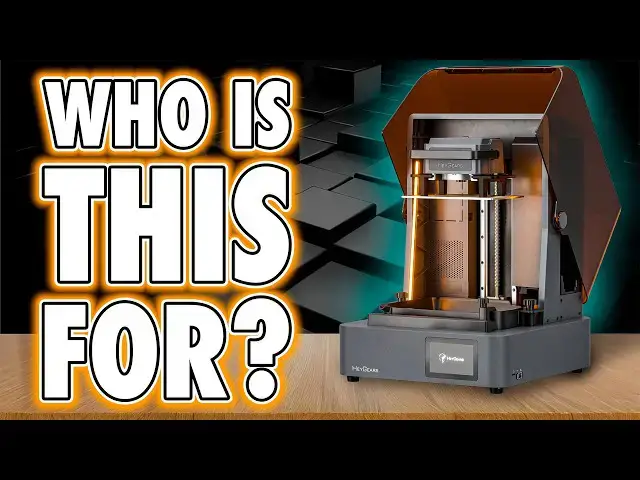
🛒 Check out the *HeyGears UltraCraft Reflex 2* Here: https://geni.us/HeyGears
_Use code_ “FAUXHAMMER” _for a discount_
Need a *THERMAL CAM*? - Check out the ThermalMaster P3: https://thermalmaster.com/FauxHammer
REVIEW UPDATE: Due to the potential splashing issue highlighted in this video and shown in @greedy3d480 's video below - Heygears have advised, they have now disabled the wiper arm moving between layers! - leaving meto wonder - other than heating, What is the actual point of this now?
OTHER REVIEWS OF THIS PRINTER YOU SHOUKD WATCH.
@ElevatedSystems - https://youtu.be/kbGlStkToZ0
@greedy3d480 - https://www.youtube.com/watch?v=vd5o_DaW8QA
@RisingApe - https://youtu.be/-SRvKGeuf0w
*IMPORTANT* I''m currently away on holiday and had this prepared in advance, The release Date/Time (along with the title and thumbnail) is currently Subject to Change, I'm awaiting confirmation from HeyGears - make sure you click *"Get Notified"* on this video, to get a notificaton when it goes live
🔥 *FEATURED PARTNERS & RECOMMENDATIONS*
✅ Loot Studios – Massive STL Library
Sci-Fi: https://geni.us/LootStudiosSciFi
Fantasy: https://geni.us/LootStudiosFantasy
Freebies: https://geni.us/LootStudiosFreebies
Show More Show Less View Video Transcript
0:00
First off, huge thank you to Heyge Gears. And I don't just mean for sending me the reflex 2, but for also finally
0:06
giving me a chance to prove I'm not a shill. Because if you're new here, you need to know some Heyge Gears history.
0:12
The brand comes with baggage. When the original Reflex dropped, the hardware blew me away. But the resin pricing, the
0:19
machine pricing, straight up insane. Then came Part 10. Then the new cheaper
0:24
RS model, and suddenly the workflow clicked. premium, yeah, but also smooth,
0:30
simple, and really bloody good. The problem was, hey also have more lockown
0:35
machines, no custom resing settings, no real freedom, and the vocal community
0:41
hated it. Me and other creators who said, "Actually, this is a good printer," got roasted as if we'd sold
0:47
our souls for affiliate cash. But fast forward and the new RS Turbo, new resins, cheaper resins, realizing we can
0:55
use our own resins in it. more users and guess what? People finally started seeing what many of us initial users
1:01
saw. It's fantastic. These are now the only resin printers I use and others are
1:08
loving them just as much. And this brings us here to the Reflex 2. So
1:13
again, thanks Heygears. Hi, I'm Ross and this is Fauxham Hammer Videos. Now,
1:19
yeah, drama aside, it's fair to say that Heygears operate in a bit of a league of their own. Some people call it
1:24
anti-consumer, but honestly, if that's your view, it probably more just means
1:29
this isn't a business model you want to support. And that's totally fine. It's no different than choosing between
1:35
Android or the less open iPhone. These printers sit right in that space between
1:41
your everyday consumer printer and the more accessible end of industrial machines. Keep that in mind. Now, with
1:48
this machine, I'm mostly going to compare it back to the original Reflex. And coming straight off the growing
1:54
popularity of the RS line, I was so excited to be one of the first to test this and see what new innovations
2:00
Heygears have brought to the table. So, let's start where we always do, the style of the machine. Now, the Reflex
2:07
had sleek lines, a professional shell, a big central LCD, and that solid metal
2:13
rear frame. This, by comparison, is a big aluminum slab painted gray with
2:19
plasticky panels up top. And the only familiar touch is that dark orange cover. Now, I'll leave it to you in the
2:25
comments to decide exactly how it looks, not just against the Reflex, but also
2:30
against even cheaper consumer machines. But I also need to ask, does its look
2:36
even matter? That's a serious question. I want you to tell me. Anyway, onto the ports. On the back, you've got the power
2:42
socket and rocker switch for the internal PSU, plus connections for the PRM or new PRM2. Yep, officially both
2:50
will be supported on this printer, but at the time I tested it, only the PRM2 was actually compatible. The older PRM
2:57
will need a software update before it can run, and that's not going to come until after I've had chance to make my
3:03
video. The PRM2 though, yeah, it's a big improvement. Mainly because it's finally
3:09
quiet enough to not drive me mad. For anyone who doesn't know what these do, the PRM or pulsing release module is
3:16
basically an air compressor. One that pushes air between two layers of release film when the bill plate lifts. And that
3:22
reduces suction, which lets you run smaller contact points for supports, which in turn cuts down on scarring, and
3:29
this should also help prints succeed more often. It works for me. It's bloody expensive, but now that I've got one
3:35
that isn't screaming in my ear, I'll actually use it. Would I recommend it? Honestly, it's still hard to say. In my
3:42
limited experience of using the last one, it made a minimal difference in support tip size. And also, I have to be
3:50
conscious that I got mine for free. So, I guess ask me again in about 6 months.
3:55
I do need to point out that unlike the RS machines, though, resin heating in this one doesn't depend on that special
4:02
PRM VAT. The method they've gone for for heating is actually really clever in this machine. I'll show you later. Back
4:09
to ports. On the right side, near the front, you've got micro SD, USB, and Ethernet. The micro SD card slot should
4:16
expand the onboard storage, which is already nearly 19 gig to whatever size
4:21
card you drop in it. But at the time of testing, just like with the original RS and even the RS Turbo, this didn't
4:28
actually work. They haven't put the software in it yet. Now, it does now work on those older models after I did
4:34
both reviews, so it will come here eventually. I just don't know when. But 19 gig on board, that's still pretty
4:41
decent. And also Ethernet is nice to see, but sticking it on the back would have made more sense. USB is handy if
4:49
you want to use it offline, but I just send files to it wirelessly. Also, same
4:54
as the older Heyars printers, you can send files to the machine, but you still can't start the jobs remotely. Yep, you
5:01
still have to kick them off by walking over to the printer itself. and the community has been asking for that for
5:06
ages and it's still not here. Some more external details to talk about. The base has adjustable rubber feet to keep it
5:12
level and there's also these perforated markings both externally and internally
5:17
where some extra accessories could mount later. Now, I do know there's a Reflex 2 Pro launching alongside this one.
5:24
Unfortunately, I don't have it yet. And to talk about its differences now would just spoil the rest of the video. So,
5:30
I'll summarize the changes in the Reflex 2 Pro as we get towards the end. But I have to point out that in both cases,
5:37
this is another Heygears printer that doesn't have a dedicated exhaust port. You need to cut this hole out yourself.
5:43
But as standard, yeah, these are holes in the chassis, which will allow both VOCC's and heat to escape. And these
5:49
aren't the only ones because I also need to talk about the changes they've made when loading the resin bottles. So, this
5:55
resin port, they've actually dropped the top loading design in favor of now a
6:01
sidemounted port. Now, the good part is you can now confirm the resin stopped dripping before you fully remove the
6:07
bottle, which was a pain for RS users. The Reflex had a neat little button that
6:12
you could actually press when you lift the resin, and then this puts a little lock in place, so it holds it there
6:18
while it's settling, and that hopefully stops the drips before removing. Honestly, I like that better. And I
6:24
preferred the top loader in general for the same reason I don't like USB ports or cables hanging off the sides of
6:30
printers because it eats up horizontal space on your workbench. Now, Hers have also said they will be doing 2,000 g
6:37
bottles of resin twice the size of these ones, but to be fair, they also said that with the original reflex, too. Now,
6:43
personally, I've got to call it out. I think the top loader with a simple window to check drips would have been a
6:48
smarter call. And the way this fills the tank is the bottles themselves have spring-loaded valves. There's a peg in
6:54
the back corner of the vat that presses the spring and then resin flows until it balances at the neck. Now, I actually
7:00
prefer this gravity-fed system to overengineered resin pumps. And speaking of overengineering, I'm glad they
7:06
ditched the mechanical slle skate from the original reflex. It's just a shame they didn't stop the budget cuts there.
7:13
You'll see what I mean in a minute. But I also have to call out that they're now updating the caps to have bigger
7:18
openings, which lets the vat fill faster for current resins. But it's also necessary for thicker materials. And
7:25
that bit is important. Really important. I'll circle back to it. For now, let's
7:30
jump inside. First up, the build plate. Like all Hyear's printers, this one's steel, not aluminium. And that's a
7:37
genuine tangible benefit as to why these printers cost more. Because it'll last
7:43
longer. It won't get scraped as easy. A problem that you commonly see on soft aluminium plates on typical consumer
7:49
machines. And the holes are back too. Same as on the original reflex. There's just not as many here or they're not as
7:56
frequent. Now, those do help. They relieve pressure on the plate, which is especially important on early layers to
8:02
avoid compression. And the plate itself slides in and locks down with a big lever on the head, which is much nicer
8:09
than the RS's little latch. That's the good stuff. Anyway, on the flip side, those holes do leave bumps on the bottom
8:16
surfaces of prints. And yeah, that only matters if you're printing directly on the plate without supports. Not many of
8:22
you will, but it's worth mentioning. And like with the RS, the flat top design of this rather than a taper means it
8:29
collects resin on top. The holes help a bit so long as there isn't a resin model the other side of them because then they
8:36
just fill as well. So, just like the RS, you'll probably want to scrape this clean before removing it, which is
8:42
already awkward, but with the larger mechanical head above the plate, it's now trickier here. Now, personally,
8:48
since the Saturn 4 Ultra's terrible plate design, I've more often just been
8:54
covering my vat with a silicon tray and then scraping prints off with a blade and then a scraper whilst leaving my
9:00
build plates attached. Yeah, it's probably not the smartest move, but it's worked for me now for the best part of
9:06
well, over a year. Moving down the Z axis, we've got a ball screw in the mechanics with dual linear rails, and
9:12
mechanically the whole system looks solid. This is proper OG Hey Gears quality. It's just unfortunate that this
9:19
is sandwiched inside so many plasticky elements that yeah, compared to the older models, it just cheapens the whole
9:26
feel. Now, the VAT. This comes with a clear PFA film as standard. There's a recess in the back right corner for
9:32
resin to flow in from the bottles and a pore spout on the front left corner. The maximum fill is 900 ml, which is about
9:40
the same as a full bottle, which remember are measured in grams, not liters. You get 1,000 g of resin, not
9:46
one liter of resin. Anyway, the PRM VAT is exactly the same, but this has two
9:52
PFA layers with the bottom one having perforated holes so that air can pass in between the two layers. Now, it's worth
9:59
noting that neither of these vats has a heating element because the heating element in this machine is clever as
10:05
hell, but it still we're not there yet because what I have to say first is something that did disappoint me and
10:11
this is the loss of VAT latches. They were super convenient on the original Reflex, but now we're back to bolts here
10:18
and it does feel like a downgrade. Okay, the LCD positives first. This is a 10.7
10:25
in panel, much bigger than the 9.6 6 in 16K screens that we see now in most
10:30
consumer printers. So the build area is 230x 144 mm. Whilst we're talking about area,
10:38
we may as well cover volume. The print height is also 230 mm. That little bump
10:43
in size does mean that I can fit more minis or larger models on the plate without the whole printer being so large
10:50
that it's unwieldly like your typical 13-in monster. But it's only a 6K
10:56
screen. Now, I I've inferred this because Hers haven't told me the resolution. They've just told me that it's got a 40 micron pixel size, which
11:04
works out at roughly 5,750x 3,600 pixels. So, yeah, basically a 6K
11:11
panel. As for how that actually impacts print quality, we'll get to that shortly. One big plus is that the screen
11:19
is so easily swappable. This is the best I've seen on a printer yet. It's got six
11:24
rubber grommets hiding the same number of torque screws. Unscrew them, lift it out. No flex cable fuss because the
11:31
interface is solidly mounted into the frame. Old panel out, new panel in, screw it back into place. Job done. The
11:38
drawback, however, is that there's a recess around the panel once it's fitted. Even with the vat installed, the
11:44
front edge of this recess is exposed, which practically invites resin drips straight into it. And speaking of resin
11:51
drips, Heygears have borrowed from another brand's playbook. And I'm sure many of you know exactly who I'm talking
11:57
about because the Reflex 2 now comes with a wiper arm. And this does come as an optional accessory. If you don't feel
12:04
you need it, don't buy it. If you want it, you can take your pick between a standard plastic arm or a metal one with
12:11
a built-in heater. Now, its job is to sweep across the vat between layers, keeping resin mixed and helping detect
12:18
when cured bits stick to the film in theory. Now, what I do love is that they
12:23
put the heating element into the wiper because this keeps the resin warm, but without heating the entire chamber. That
12:30
also helps keep the LCD a little cooler, helping its lifespan. And this also
12:36
heats up the resin super fast, like within minutes. I checked this using my
12:41
new thermal camera, the Thermo Master P3. I'm showing this because they sent me one out to show off here. And yeah,
12:48
if you want one of these, it plugs into your phone with either USBC or a lightning adapter. It runs in their app.
12:53
It's got multiple color modes and it lets you mark different points on the screen to track temperatures. You're
12:58
going to be seeing more of this in future videos, but here's its first appearance on my channel. I'll put a link in the description. Anyway, I think
13:05
the heated wiper is incredibly smart because yeah, it keeps the resin mixed and it keeps the heat distributed evenly
13:12
and it works fast. It's brilliant. But downsides, well, first of all, the wiper
13:19
connects with another bolt. And where I've seen this before, I've seen clips, so it feels cheap in comparison. But we
13:25
have to respect that maybe Heygear's hands are tied by other brands patents here. The worst thing though is the
13:32
cover over the wiper mechanics. Next to it is a sign that literally says do not remove. And you'd probably think you can
13:38
remove it because this is one of the flimsiest bits of flexible plastic I've ever seen on a printer, never mind a
13:45
high-end printer. It looks and feels just like the sort of plastic used for the RS's drip tray. And it is way below
13:53
the premium standard we'd expect from Heygears. And honestly, whilst I love the ingenuity of putting the heater
14:00
inside this wiper arm, honestly, it terrifies me. I actually tested this by
14:05
simulating a fail by dropping a support into the vat mid print. And instead of detecting it, the wiper just plowed
14:12
straight through, carrying on as if nothing happened. If the vat had actually been full instead of half
14:17
empty, it would have flung resin everywhere, including into the internals
14:22
through the wide open gaps behind this wiper arm cover. Yeah. However, I do
14:28
have to be clear and say I do have a pre-release printer that Heyars are still tweaking. And towards the end of
14:34
my testing period, they actually sent me some printable parts to be used as side guards to prevent overspill. And this
14:41
also functions as a build plate runoff holder. And they've also advised they are still working on the wiper motion
14:47
mechanics and this is going to be changed significantly before release. Now personally I think they should be
14:54
producing and shipping these parts with machines rather than users print their own solutions. But at least they provide
14:59
it officially rather than rely on community solutions like so many other brands. As for where the motion
15:05
mechanics are going to end up, as always, please check the description of my video for updates that come out after
15:11
this review is live. Moving on to software, the UI is basically the RS interface, but now in dark mode. The
15:18
front screen shows you a job list, print history, a settings menu, and then file access from USB. And that job list is
15:25
cool because you can actually queue up subsequent jobs on these machines from the slicer. But just like before, this
15:32
settings menu order is a nonsensical mess. The important stuff you actually use buried at the bottom. The pointless
15:39
things sit at the top. Now, they have added two collapsible headings, but even those make less sense than the lists
15:46
underneath. Hey, Gears, this is the third review I'm saying this in. This is
15:51
an afternoon's work. Get a UX designer to do nothing more than prioritize the menu based on frequency of use. Hand it
15:59
to a dev. Reorder the damn list. Done. Oh, and while we're speaking of nonsensical software, I've got to bring
16:06
up the accessories again. The wash station. Smashing bottles around a vat of IPA is dafted. I can't recommend this
16:13
to anyone. The dual bucket idea, rinsing from one to the next, is good in theory
16:18
until you use it and realize that you're going to get drags and that's just going to drag IPA across your desk making more
16:24
mess. Personally, I don't see an issue with a bucket using a strong magnet powered impeller or an ultrasonic
16:31
cleaner. But if you use the latter of those, just be cautious how those handle IPA fumes before dialing in. Anyway, the
16:37
Cure Station though, yes, it's stupidly expensive, but honestly, by far the best
16:43
Cure Station I've ever seen. The reason I'm bringing these back up is the firmware on this Cure Station. Now, the
16:50
firmware you need to do this doesn't seem to be publicly available. I had to ask Hey Gears for it because the
16:56
overtheair updater that's built into it doesn't seem to work to update it to this version. But once the firmware is
17:03
there, you can now select cure profiles directly for each of Hear's materials.
17:09
That is so much better than having to send your print file wirelessly across to the print station every time you want
17:16
to use it back and forth from computer to printer. But the execution of these profiles on the device is laughable. The
17:24
first page of the menu is truncated. You don't even know what half of it says. The options themselves are in no logical
17:30
order. And even the wording is inconsistent. Like every single one should be pap, pop 10, piss 10, whatever
17:38
10. You know, the name of the material we're using at the beginning. Hey use
17:43
stupid naming conventions for their resin. They can't even make it simpler for us here by having that thing front
17:51
and center. The first thing you read and the list be in the order of that alphabetically within these menus. So,
17:59
I'm going to warn the viewers here. If you've got kids around, please mute me for the next 10 seconds. Hey, Gears, is
18:06
this aing joke? Clearly, this simple stuff just isn't a priority to you. That
18:12
tells me and therefore us viewing you as a brand don't care enough to get the
18:17
basics right. And this makes you look lazy. The reason why this is a problem
18:22
is how can people trust you on the serious stuff when you can't even sort
18:28
out a menu. If you're charging $700 plus for this Cure Station, at least put the
18:34
profiles in a sensible order. Back to the printer. The front UI panel is now flat, unlike the older models that had a
18:40
slight tilt. Now, I know it's a small thing, but yeah, this makes it harder to read without bending over and cranking
18:47
your neck. annoying. Even if it's a mild issue, it's something that is less
18:52
convenient than it was on the previous machines. Now, Blueprint as a software, I'm still going to stand up and say this
18:59
is one of the main reasons I still use Heygears machines. The workflow once you get used to it, which is different to
19:05
the third party ones, in my opinion, is fantastic. And coupled with the printers themselves, I no longer feel limited to
19:13
pre-supported or well pre-supported models. Whatever I throw in this, I drag
19:19
it in, hit repair, orient manually to keep support scars facing the plate, and I also avoid flat surfaces sitting
19:25
parallel to the plate, and then I auto support it if I need to after removing spheres as anchors. Add a bit of
19:32
anti-aliasing and image blur, click print. It's a great UI that goes from left to right. You go through the
19:38
process, it makes sense. And by doing that, across all the Hege Gears printers I've owned, in the hundreds of prints
19:45
I've made, I've had fewer than 10 failed prints ever. But with that being said,
19:51
the software development just hasn't kept pace with other brands slowing resin releases this year, Hyear's had a
19:58
real chance to leap ahead. Instead, the only notable update this year was the auto layout with overlap feature. And I
20:05
called this out back in the RS review, the ability to auto layout models on the plate, but allow the supports themselves
20:12
to overlap, keeping the models clean. But sometimes, rarely, supports would
20:17
overlap model geometry, too. Now, Hears told me back then they're working on it. And what we've got as a result of that
20:23
work is a warning in the UI that tells you this might happen. And honestly, it
20:29
seems to happen more frequently. Now, the question is, hey Gears, why would we use a feature if it can't reliably do
20:38
the one thing that it exists for that its name says it does. Yeah. Right.
20:45
Anyway, moving on. Print quality. Hey lower resolution screens than the
20:51
competitors, yet they've managed to match their quality. This time though, there is some detail loss. Side-by-side
20:57
exposure test using PAP 10 resin, which is what they said is their sharpest detail resin, shows more blooming on the
21:04
Reflex 2, compared to the much cheaper RS Turbo. The results now look more like a typical 30 to 40 micron printer and
21:11
closer to machines that use matrix LED arrays rather than Cobb light sources. Cobb is sharper, but less uniform. And
21:19
this machine does use more of a matrix LED array. this time in the form of multiple independent LED zones that
21:26
light up individually only where the model is per layer. And I've seen this approach before. The idea is to reduce
21:32
heat and UV intensity whilst letting more light penetrate in the areas you need it. That's why hgeears choose lower
21:40
resolution panels because it allows them to get stronger UV transmission. And
21:45
they tell me that this will actually extend the panel life quite dramatically. The reserved estimate is
21:51
6,000 hours compared to the 2,000 hours most brands claim, which let's be honest is often optimistic, as anyone with one
21:58
of these new 16K panels is likely to tell you. But if this 6,000 hours claim is true, that is a huge win. They've
22:05
told me they're still stress testing, so we will see. And this unfortunately isn't something I can verify in a month
22:12
of using it, but they're saying that's the conservative estimate as well. So fingers crossed. And we also have to
22:19
call out that like the original reflex, these LEDs run at what they call 385
22:24
plus nanometer light. And I think that plus means it's not exactly 385, but
22:30
it's close. What we know is that 385 nanometer light is better for transparent parts. The shallower
22:36
penetration of that wavelength keeps internal voids cleaner. And both Heygears along with other brands say
22:42
it's also better for curing engineering grade resins for toughness, too. And I've heard this enough times from
22:48
various different brands to accept that yes, this is probably true. But as somebody who isn't really printing for
22:54
engineering grade reasons, I honestly don't value the benefit. But again, this
23:00
all comes into the conclusion. But yeah, I've got to say the print quality is
23:05
visibly measurably not as sharp here. But miniatures still come out fine. Like
23:11
I've been saying this for ages. It's difficult to rate these printers in a place where everyone's going, "Which
23:16
one's the sharpest? Which one's the sharpest? Which one's the sharpest?" When since we've got like 40, 35, I
23:22
think 35 was the sweet spot. And this is this is easily comparable to a 35 micron
23:27
printer. 35 and below, we've had more than passible quality on miniatures and
23:33
things like that. So yeah, as soon as you stick out anti-aliasing and fuzzing options, this cleans up voxil lines.
23:39
I've had no issues printing, but I, like I'm sure you do as well, have this thing
23:46
in the back of my mind that after three years of printing and seeing sharper and sharper results, it is incredibly hard
23:54
not to notice this as not technically a step back, but it just very much feels
24:01
like a bit of a practical step back, even though I know that this is still
24:06
more than accept. Am I making sense or am I just talking at this point? What I'm trying to say is, and this
24:12
isn't to you, this is me trying to tell it to myself. I know this is more than acceptable for all the miniatures I
24:19
print, but I'm also looking at this sharpness result and going, it's worse,
24:26
and I am struggling to reconcile that in my head. That's what I'm trying to say.
24:32
Does this reduction in print quality matter? Probably not. Do I know it's
24:37
there and does it bother me? Yes. Now, while we're talking about prints, I always like to do some featured models
24:43
and shout out what I'm printing. These are scaledown versions of wearable cosplay helmets from a creator I wish I
24:50
could promote. But unfortunately, they got hit with an NDA forcing them to wipe their files, ask us to delete them, and
24:57
remove all the content they've made about them in the history of their channel. And in support of them
25:02
complying with that NDA, I'm not going to sit here and out them. But I would be remiss not to say that all of the
25:08
helmets I'm showing here that aren't based on the Warhammer IP are by Galactic Armory. I just shrank them down
25:14
and auto supported them on this printer. So please go and support Galactic Armory if you want helmets that aren't based on
25:20
the Warhammer IP. But speaking of people in or around or involved with the Warhammer thing, I can't wrap this up
25:27
without crediting two amazing sculpts from El Miniaturista. This is Sebastian Highway and Diego Ramirez. Two busts
25:34
that he's run as online crowdfunding campaigns. And both come with full PDF painting guides from a creator who's so
25:41
good, so engaging, I can't help but hate him through sheer envy of his skills.
25:48
Again, links in the description. These sculpts are fantastic. They came out fantastic. He is fantastic. How is he
25:55
that How is anyone that good? So, yeah, cards on the table. And I did start with thanksgeears for this opportunity to
26:03
prove that I'm not going to BS people. I was disappointed when I first got this printer. I'm still disappointed.
26:10
Disappointed enough that I actually asked for a call with Hey Gear's CEO just to figure out what the hell they
26:15
were going for with this thing. And I'm going to paraphrase him. This isn't exactly what he said, but as he pointed
26:22
out to me, this isn't a hobbyist machine. It's not even close. It's not aimed at hobbyists. They've poured so
26:29
much into the custom screen and light engine, which to be fair, the former of which I've not seen on another
26:34
commercial printer, but they put so much into that that compromises had to be made elsewhere. Not in performance, but
26:41
in those conveniences and polish. No latches, no springs, no visual flare,
26:46
none of the original Reflexes sex appeal. That's how they kept it far cheaper than their main competitor. And
26:53
speaking of that competitor, yeah, I think this is quite obviously HIA's chasing the Formlabs market, right? This
27:01
is a super accurate commercial workhorse with a growing resin library built
27:06
around specific material properties. This is well beyond overkill for most people. Now, when we think about resin
27:12
printing, the majority of us, me included, are in this to get detailed models, typically for our hobbies. But
27:19
so rarely are resin printers used to make parts that have much practical use. I'm talking brackets, connectors,
27:25
flanges, widgets, and such. The Reflex 2 was designed to change that by making practical printing more accessible than
27:32
the near 4K you'd have to pay to get this from another brand. And yes, this printer is still incredibly expensive.
27:40
But I also think Heygears have probably intentionally positioned this to price it out of the hobbyist market. And if
27:47
you think this one's expensive, there's also the Reflex 2 Pro. Now, as I said, I don't have one yet. I've asked for it
27:53
ASAP, but at launch, they told me there were no prototypes ready. And from what I've seen, it fixes some of the Reflex 2
28:00
issues that I personally have. Some Okay, one. Anyway, here's the
28:06
differences. It's the same base machine in terms of style and build, but the height's been cranked up from 230 mm to
28:13
350. That's going from 9 in to nearly 14, which depending on who you ask is
28:18
either perfect or far too much. The screen is identical, so the XY area
28:23
hasn't changed. The difference is in the light zones. The Reflex 2 has 161, but
28:29
the Pro has 1,032. That's a big jump. And you also get the
28:34
heated scraper as standard with the Pro model. Now, I mentioned earlier my concerns with that wiper, specifically
28:40
about how much resin is going to be sloshing in the tank. But on the Pro, that's actually managed. There's a pop
28:46
out resin sensor on the left side, and the flow is mechanically controlled. On all of the vats, the release post
28:53
actually moves up and down, but the Pro contains mechanics to control it. This
28:58
means two things. First, the resin levels are properly regulated, releasing smaller amounts into the vat. Second, it
29:05
highlights the fact that the normal Reflex 2 doesn't have resin level detection at all. And that's quite a
29:11
staple on most current consumer machines, even if just to check at the start of a job that you've got enough
29:16
resin to finish a job. Honestly, I just presumed that the RS printers had that feature, too. But it turns out they
29:23
don't, and I just never noticed in all the time I've been using it. So, I guess
29:28
that's a testament as to how little the lack of that feature has actually impacted my daily use in what nearly a
29:35
year. But yeah, that's the pro. Taller with way more light zones and controlled resin feeding. Hey, Gears have said it's
29:42
built for high performance engineering materials, damping elastimas, formed elastimas, and anti-static compounds.
29:48
And I'll be honest, I've no idea what most of those even are. For me, the Reflex 2 Pro just looks like a taller
29:54
Reflex 2 where I'm less worried about a resin spill. But I am genuinely curious to see whether or not those extra light
30:01
zones would actually make prints any sharper. The point is, and I think everything about both of these machines
30:07
make it clear, these are very much aimed at the proumer. The RS is the hobbyist
30:13
friendly one, and they've kept dropping the price on that whilst winning more and more people over. The Reflex 2 is
30:20
more for people who start with what resin properties do I need and then they buy the compatible printer around it. Me
30:28
though, I'll use it over my other Hegears printers for no more than the build volumes a touch bigger and that
30:34
means I can fit more models on a single print. But again, I got mine for free. I'm fully aware of the privilege I have
30:41
and I can't sit here with a straight face and go, "Oh, wow. This is amazing. Everyone has to buy it." because that
30:48
would be such obvious bollocks. I'll be honest, I miss those nice conveniences
30:53
from their older machines. There's also things that they could have added here that many of us wanted and they didn't
31:00
and that's why I'm still disappointed. It works great, but it feels stripped back. That said, I was disappointed in
31:07
the original Reflex 2 and that grew on me over time. Maybe this will as well,
31:12
so ask me again in 6 months. If you do want the latest Hey Gears printer or the
31:17
pro version, which yeah, I'll be begging to review as soon as I can now that you know what this is and probably more
31:24
importantly what it isn't. Is it acceptable to you? Do you want it or do
31:29
you see it as a misstep? Please let me know in the comments. I've told you what I think. What's your take? If you are
31:35
thinking of buying one, please consider using my affiliate links in the description before you do. that really
31:41
helps these reviews coming and it's also how I can afford to run this channel. As always, thank you for watching with a
31:47
massive thanks to our members on screen. Now, if you like this video, hit like. If you like the channel, hit subscribe.
31:53
If you didn't like it, then hit what you need to. But please tell me why. I'm a big boy. I can take it. Please consider
32:00
becoming a member to get early access, exclusive videos, and more. And until next time, I'm in a glass case of
32:06
emotion. Fauxhammer out.
32:13
[Music]