Up next in 10



*GET THE SATURN 4, 4 Ultra or 4 Ultra 16k Here * - https://geni.us/ElegooSaturn4Ultra16k
*SEE THE NEWER - SATURN 4 Ultra 16K here:* https://youtu.be/rpcsXHTAt0w?si=kZLWlb7T1LCbw8h6
Please support us by Subscribing to Loot Studios (Good Luck not finding models you want!)
👾 *Loot Studios Sci-Fi* - https://geni.us/LootStudiosSciFi
🐉 *Loot Studios Fantasy* - https://geni.us/LootStudiosFantasy
🆓 *Loot Studios Freebies* - https://geni.us/LootStudiosFreebies
Get any printer working easily with the Photonsters XP Range Finder - https://www.thingiverse.com/thing:6023738 (watch my video for full instructions https://youtu.be/Gm0-z971tgY)
Join this channel to get access to perks:
https://www.youtube.com/channel/UC_9Jsf3SP8aMJgn0xv5jHjA/join
Buy WARGAMER - The best Resin for Miniatures https://yesthats3dprinted.com/pages/wargamer?ref=FauxHammer
3D Printer Cleaning Mat: https://geni.us/3DPrinterCleaningMat
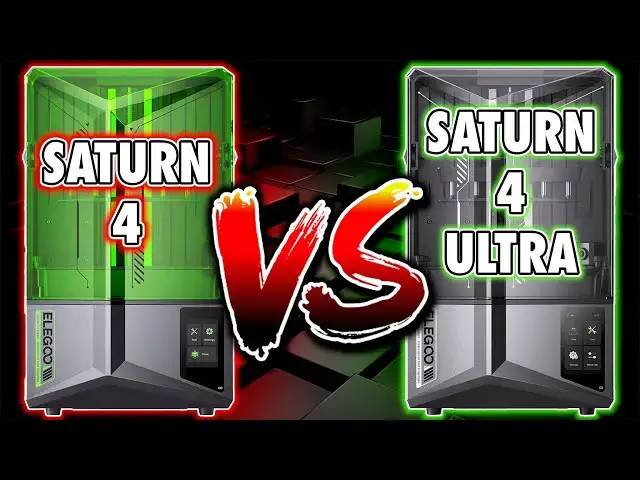
This Video is part of our series looking for the Best 3D printer for Miniatures; https://www.fauxhammer.com/top-10/the-best-3d-printer-for-miniatures-models/
Artis Opus FauxHammer Essentials Set: https://store.artis-opus.com/products/fauxhammer-mixed-brush-set-5-brush-deluxe
Show More Show Less View Video Transcript
0:00
right then am I correct to assume that
0:02
you're thinking about the satin 4 or
0:03
satin 4 ultra as your next printer if so
0:07
good both for you and for me it's good
0:09
for you because both of these machines
0:11
are excellent I love both but neither is
0:13
without its quirks but for the price
0:15
versus the feature set both came out of
0:18
the gate at launch with incredibly
0:20
competitive price points and I would say
0:23
are worth every penny but should you
0:26
spend more Pennies on the bigger more
0:28
feature Rich model or will you be
0:30
happing saving a few notes for the
0:32
cheaper model let's compare the
0:34
differences hi I'm Ross and this is f
0:37
Hammer videos now I'm not going to cover
0:39
every detail of each machine because
0:41
I've already done that in individual
0:42
reviews for both printers please check
0:44
those out if you want more info to
0:46
solidify your purchase decision though
0:48
as I said in either case it's not a
0:50
waste of money the point of my videos
0:53
are always for you to find the right
0:55
printer for you there is no best just a
0:59
best for each individual so let's kick
1:01
this off quick both printers have 12K
1:03
screens which aren't really 12K and I've
1:06
got another video on that but they call
1:08
them 12K and they both have the same
1:10
screen resolution of 11520 by 5120 and
1:14
for anyone who hasn't seen my individual
1:16
review videos and are turning their nose
1:18
up at these being 12K screens when we
1:20
have 14k screens in the wild please
1:23
don't 14k is measurably no better than
1:26
12K with elegu using 12K they've done
1:29
the smart thing by not charging you
1:31
extra for a display resolution that you
1:34
really don't need both printers have
1:36
chip on board or cob light sources and
1:39
fenel lenses meaning the UV output is
1:42
both consistent and sharp on both
1:45
machines but simply the quality of
1:47
prints from both machines is the exact
1:50
same where things start to look
1:52
different is externally obviously the
1:54
base satin is green and the ultra is
1:56
black the power socket is in the same
1:58
place on both printer which is on the
2:00
right hand side at the back above this
2:03
is the power switch and above that is
2:05
the USB port but on the ultra there's
2:08
also a connection for a Wi-Fi antenna
2:10
now USB socket and power placement may
2:13
not matter to some but if you're
2:14
deciding between these machines it's
2:16
worth pointing out because it might
2:18
matter to you switching the machine on
2:20
and off is annoying as you need to reach
2:23
down the side to access the switch where
2:25
many other printers have the switch or
2:26
at least a secondary switch on the front
2:29
what an me most though is the USB port
2:31
placement having to reach awkwardly down
2:33
the side of a machine to plug this in is
2:36
a mild annoyance you can't even see
2:38
which way round the USB drive needs to
2:40
be but at least on the ultra you have
2:42
the option of Wi-Fi chitu Box's
2:44
implementation of Wi-Fi functionality is
2:47
still a bit buggy and if you get issues
2:50
you do need to restart both the app and
2:52
the printer but it's still handy and
2:54
having this more often than not saves
2:56
you having to go to the printer to well
2:59
do anything thing you can send and
3:01
delete files remotely and monitor the
3:03
progress of a print or even view live
3:05
video or download time-lapse footage
3:07
from the machine it's a great bunch of
3:10
Handy modern features that I'm honestly
3:11
surprised took this long for any brand
3:13
to implement though now we've stepped
3:15
into the new era it's worth noting
3:17
there's no eligo phone app and something
3:20
with the ability to just monitor prints
3:21
on the go would have been a nice to have
3:24
but again these helpful though slightly
3:26
limited Wi-Fi features are only present
3:29
on the ult ra both printers have an up
3:31
and over lid which you can easily remove
3:33
if you want to rack mount either machine
3:36
but after this we're back to a load of
3:37
the same features the bill plates the
3:39
same the Vats the same the PFA release
3:41
films the same both printers have dual
3:43
linear rails and a basic lead screw but
3:46
the similar build play on these two
3:48
printers is still a rather unique design
3:51
amongst the crowd of 3D printers in that
3:53
it's got two levels the bottom is the
3:55
bill plate itself and the top is a box
3:57
which houses the springs for the struts
3:59
connecting both levels and both printers
4:02
are advertised as Auto leveling but just
4:04
like every other resin printer which
4:06
advertises Auto leveling at the moment
4:08
it isn't for more info on this please
4:10
see my individual reviews both printers
4:13
do have pressure detection features to
4:15
tell you if there are obstructions in
4:17
the vat or if you have too much or too
4:19
little resin for your print where the
4:21
printers first significantly differ is
4:24
in the print mechanics the satin 4 is
4:27
the very traditional approach cure a
4:28
layer slowly raise up so the release
4:30
film can peel away that layer lower back
4:33
down and cure the next layer this
4:35
typically takes several seconds between
4:37
each layer and this is dependent on the
4:39
sharpness and stretchiness of your
4:41
chosen resin the higher detail ones
4:44
typically need slower speeds now last
4:47
generation manufacturers swapped over to
4:49
something called ACF release film to
4:51
increase print speed this softer
4:54
frostier material peels away from your
4:56
cured resin layers much easier allowing
4:58
you to print about 30 % faster using the
5:01
same up and down mechanism but ACF
5:03
bloats print quality leaves horizontal
5:05
lines on prints and doesn't last
5:07
anywhere near as long as PFA in my
5:10
personal experience which is something
5:11
that some people have echoed but others
5:13
have said theirs lasts forever so the
5:15
question is how do you increase print
5:17
Speed without reducing print quality and
5:20
it turns out with a tilting vat and yes
5:23
I know elu didn't invent this technology
5:25
it's existed in consumer printers before
5:27
and in industrial printers long before
5:30
that but elu made it affordable what
5:33
this mechanism does is peel away the
5:35
release film from one side rather than
5:37
try and peel a whole layer at the same
5:39
time think of it as you would a plunger
5:41
on a smooth surface pull it straight up
5:44
and the force is super powerful but peel
5:47
it from the side and it's quite easy and
5:49
this method has some amazing benefits
5:52
first the time between layers is reduced
5:55
on the satin 4 ultra it takes only two
5:57
to three seconds between layers in fast
5:59
mode and I use this mode on some of the
6:01
most detailed resins I have without a
6:03
single issue this makes the printer
6:06
about three times faster than equivalent
6:08
machines using the lift and retract
6:10
method without any quality loss this
6:13
reduction in peel Force also allows the
6:15
release film to last much longer before
6:17
you need to replace it and additionally
6:20
because the speed is controlled by the
6:21
printer itself where you can select fast
6:23
mode or slow mode in the UI there are a
6:26
ton of settings gone from the slicer
6:28
relating to lift retract speeds and
6:31
these are some of the most confusing
6:32
settings in any resin printer setup
6:35
removing them entirely makes the ultra a
6:37
much better printer for beginners
6:39
because well there's just less to mess
6:41
about with for anyone actually
6:43
interested in understanding lift and
6:45
retract settings I cover them and all
6:47
slicer settings in one of my videos
6:49
which well hardly anyone watched because
6:52
well it's slicer settings and they're
6:54
kind of boring but if you actually want
6:56
to understand how a printer works and
6:57
what all of the settings actually do
7:00
then I thoroughly recommend you check
7:01
out that video because it'll help you
7:04
become a printing Pro in like 10 minutes
7:07
but as I alluded to are you actually
7:09
going to watch that video do you even
7:11
care to understand what these settings
7:12
do and how they work I'm going to assume
7:15
for most of you it's a no you just want
7:17
a printer that does as much of the job
7:19
for you as it can well that's kind of
7:22
the point again with this tilting
7:24
mechanism the ultra does a bit of that
7:27
anyway the most incredible benefit for
7:30
me is that with a straight lift and
7:31
retract your final layers can sometimes
7:34
introduce tiny air bubbles right on the
7:36
top surfaces of your prints with this
7:39
tilting mechanism I haven't seen a
7:41
single one now this mechanism does have
7:44
a slight drawback there is a gap around
7:46
the whole that area which you could
7:48
spill resin in just as I did you do get
7:51
a crappy plastic bib for the machine for
7:53
when you want to remove the drippy vat
7:56
and if you do get a small amount of
7:57
resin down here there is a bit of a brim
8:00
in the display area to prevent it
8:01
dropping straight into the mechanics and
8:04
it's relatively straightforward to
8:06
remove the front panel and just clean
8:07
this out but still I would like to see
8:10
future printers using this mechanism
8:12
having some kind of rubber gasket here
8:14
to prevent such an accident alt together
8:17
but that's the biggest difference in
8:19
these two machines and one that I would
8:20
say is definitely worth the extra
8:22
expense alone in fact I think elu could
8:24
have charged $150 more for the satin 4
8:27
ultra and it's still would have been
8:29
worth it not that I'm encouraging them
8:31
to do that in the Next Generation the
8:34
remaining differences come mostly from
8:35
the UI but before we get to this it is
8:38
worth mentioning that the AI camera only
8:40
comes in the satin 4 ultra as I
8:43
mentioned earlier you can access this
8:45
via chitu box and the printer
8:46
automatically creates time lapses of
8:48
every print when the features turned on
8:51
though it actually only does this for
8:53
prints that are tall enough for you to
8:54
well see anything printed rais out of
8:57
the vat cuz the first many layers the
9:00
plates just in the vat you'd see that
9:02
slowly raising up it's pointless but for
9:04
taller prints it's it's it's it's a
9:06
feature but this feature simply doesn't
9:09
work at night because there's no light
9:11
and the camera doesn't have a night
9:13
vision function elu have also advis not
9:15
to install a light yourself because this
9:17
will mess with the AI function of
9:19
detecting print failures but this
9:21
function can only see what's on the
9:23
plate directly in front of it anyway
9:25
it's unlikely to detect a fail from the
9:27
opposite corner of the build plate from
9:29
the corner that it's at and I honestly
9:32
just don't care about the AI function so
9:35
I plugged a light in but I do have to
9:37
turn this off at the start of every
9:39
print or the AI camera will tell me
9:41
there are issues that actually don't
9:42
exist so elegu are right the light
9:45
messes with the AI function a function
9:47
that I don't find particularly helpful
9:49
but moving on the UI the ultra also has
9:52
some great extra options and features
9:54
and I've seen a few comments saying that
9:56
this is paywalled and it isn't this
9:58
isn't just locked behind a pay wall
10:00
where elu have decided not to give you
10:02
these features the control board in the
10:05
satin 4 ultra is much more powerful it
10:09
needs to be just to control things like
10:11
the AI camera and this more powerful
10:13
board also gives us a few extra features
10:17
and a slightly prettier UI the main
10:19
extra feature is the exposure tester in
10:21
the ultra to use this you need to create
10:24
a slice far with four six or eight
10:26
models evenly spread on the build
10:27
surface you need to imagine there are
10:30
invisible lines of a 2X two 2x3 or 2x4
10:33
grid across the surface and if your
10:35
model crosses these lines the process
10:37
won't work and you can pick any model
10:40
you like so long as it fits within this
10:43
grid from bottom to top of that model
10:46
from here just slice your file as normal
10:48
with your intended layer height for all
10:50
prints and then load it into the printer
10:52
using the UI you can select the print
10:55
exposure test button a few times to
10:57
change between the modes for 4 six and
10:59
eight prints across the plate select the
11:01
one that you sliced your file for
11:03
whether it's got four six or eight
11:04
models on it and import that file then
11:07
set the exposure time for each model in
11:10
the grid you can even make sure it's
11:12
working by removing your vat and build
11:14
plate then watch the printer with the
11:15
lid closed after it exposes the number
11:18
of base layers you chose in your slice
11:20
file you should see each model disappear
11:23
in sequence if this is working do it
11:26
again with your build plate and B back
11:27
in then boom done now you have multiple
11:30
exposure times tested in one print this
11:33
will allow you to quickly narrow down
11:35
the best exposure time settings at the
11:38
fastest possible speed this is a great
11:40
feature to get you started but also for
11:42
people who change resin types often so
11:45
as I said both printers are great but as
11:48
I've mentioned in my individual reviews
11:50
the lack of an integrated heater is a
11:52
bit of a let down here elu do have a
11:54
chamber heater but this is a completely
11:57
separate device and blows hot air or po
11:59
into the chamber rather than heating the
12:01
resin which well it's a bit of a let
12:03
down I know a lot of people say I don't
12:05
need a heater I live in a warm climate
12:08
but guys I've said this so many times
12:10
consistent resin temperature is far more
12:13
useful than just warm during the day
12:17
even in hot climates it cools at
12:19
nighttime if you're in a hot climate and
12:21
you're happy that's that's totally fine
12:24
I just want to make sure I'm spreading
12:25
the right information about the
12:27
importance of keeping resin temperature
12:30
consistent rather than just saying well
12:32
it's hot where I live like I'm just
12:35
trying to help people understand why
12:36
this has value again though if you're
12:39
happy and you don't want to consider
12:40
that this might improve your prints
12:42
totally fine you do you I'm just here to
12:45
tell you what these printers do and
12:46
ideally why they do it but otherwise
12:49
what I still personally feel is an
12:51
Omission on this printer I care much
12:53
more for something like a heated vat as
12:56
I said and I've repeated both printers
12:58
are great now I would normally go on to
13:02
this machine cost this much and that
13:03
machine cost that much but as my
13:05
previous reviews have proven prices of
13:08
these machines are irrelevant Because by
13:10
the time you watch it they'll be
13:11
completely different anyway so what I'd
13:13
suggest is whenever you watch this click
13:16
the affiliate links in the description
13:17
and check out the prices of both
13:19
printers if the features of the satin 4
13:21
ultra are worth it to you for the price
13:24
difference get it if you are looking at
13:27
the satin 4 basic model check check the
13:29
prices but I'd also recommend you check
13:31
out my review of the Basse satin 3 and
13:34
see if you can get that a bit cheaper
13:36
because again the print quality is the
13:38
same and the differences are minor to
13:42
negligible should I do a Saturn 3 versus
13:44
Saturn 4 comparison video let me know in
13:46
the comments a couple of people have
13:48
said yes but I don't know that enough
13:50
people actually want that but if this
13:52
video helped you deciding a printer
13:54
please let me know which one and what
13:56
your reason is there's no wrong answer
13:58
all my videos are I've said are
14:00
dedicated to you getting the right
14:02
printer for you I want to finish with
14:04
thanks for watching and a huge Thanks
14:06
goes to our members who are on screen
14:08
now please consider joining them they
14:10
get benefits like Early Access exclusive
14:13
videos Discord roles and I think there's
14:15
some other things oh yeah their name up
14:17
in credits you can see it right now if
14:19
you want to find something cool to 3D
14:21
print check out loot Studios there's
14:23
affiliate links in the description and I
14:24
make a commission for your sign up at no
14:27
cost to you but there's also freebies
14:29
down there so make sure you click those
14:31
and check them out you'll probably sign
14:32
up when you realize how awesome the
14:34
models are and what they give you every
14:37
month it's it's incredible value like
14:40
I'm not just saying that guys I'm still
14:42
paying my subscription even though they
14:44
kind of sponsor me with affiliate links
14:47
but I'm still paying because it's worth
14:49
it until next time A friend in need is a
14:51
friend indeed but a friend with is
14:53
better faux hammer out
14:57
[Music]