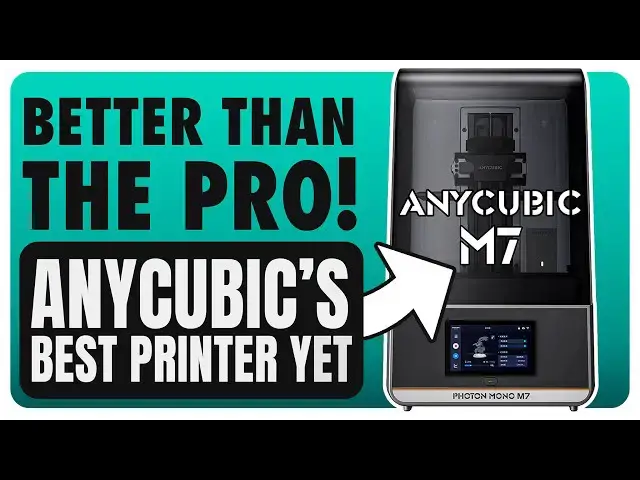
Up next in 10



Order the Anycubic M7 here: https://geni.us/Anycubicm7
*($25 off with code 'FAUXHAMMER at store.anycubic.com')*
Amazon: https://geni.us/AnycubicM7
*RERF Explained*: https://www.youtube.com/watch?v=kMjHbv7-INk
Please support us by Subscribing to Loot Studios (Good Luck not finding models you want!)
*Loot Studios Sci-Fi* - https://geni.us/LootStudiosSciFi
*Loot Studios Fantasy* - https://geni.us/LootStudiosFantasy
*Loot Studios Freebies* - https://geni.us/LootStudiosFreebies
*If you love hearing me waffle on about hobby stuff, you can listen to more on* @thepaintingphase
Get any printer working easily with the Photonsters XP Range Finder - https://www.thingiverse.com/thing:6023738
- Watch my video for full instructions https://youtu.be/Gm0-z971tgY
Join this channel to get access to perks:
https://www.youtube.com/channel/UC_9Jsf3SP8aMJgn0xv5jHjA/join
Buy WARGAMER - The best Resin for Miniatures https://yesthats3dprinted.com/pages/wargamer?ref=FauxHammer
Show More Show Less View Video Transcript
0:00
did anyone know this printer was coming
0:01
out did anyone know it it is out I saw
0:06
no launch or Fanfare for this machine
0:08
and I only spotted it when I heard about
0:10
the upcoming mono 4 series of printers
0:13
and at that time I was browsing the
0:14
website and caught this in an errant
0:17
corner I reached out to my any Cubit
0:19
contact regarding all of them and heard
0:22
nothing back whatever the case I feel
0:24
it's at least a suggestion of either
0:27
mismanagement or a lack of understanding
0:29
of their own machine's value because
0:31
this is probably any cubic current best
0:35
product offering hi I'm Ross and this is
0:38
fmer videos so yeah in lie of them
0:41
sending out this printer I just bought
0:43
it so I could bring you relevant content
0:46
about it but I did get this call free 3D
0:49
printer shaped speaker with it so
0:50
there's something however because this
0:53
basic M7 printer now exists it also
0:56
means I need to go back and redo my M7
0:58
Pro versus satin for Ultra video to now
1:01
include the satin 4 and this M7 as a
1:04
full four-way head-to-head of directly
1:06
competing printers or maybe I'll just do
1:09
the normal satin 4 versus this what
1:10
would you prefer let me know in the
1:12
comments the basic any cubic M7 is a
1:15
sexy machine I like the look of it but
1:17
I've said many times gray and orange are
1:19
my colors they're the ones I selected
1:21
for my own branding so I'm always happy
1:23
to see them on products unboxing is as
1:26
easy as it can be you just slide the
1:28
printer out on a desk and remove the
1:30
happy foam love this style or hate it
1:33
but it seems that gone are the days of
1:35
any cubic cheaper looking Affairs of
1:37
yellow and blue casings now we have a
1:40
rather neutral colorway with a black lid
1:42
I certainly think this is a more
1:43
professional looking product than what
1:45
we've seen from them before this lid is
1:48
a liftoff lid and it's got a couple of
1:50
gaps in the back but I'll come back to
1:51
those later ports wise you've got an
1:53
rj11 port on the back for an optional
1:56
resin feed pump and next to this is a
1:59
port for the WiFi antenna and again I'm
2:01
going to come back to Wi-Fi
2:02
functionality shortly as well the
2:04
machine's got an internal power
2:05
transformer with the power socket on the
2:08
rear next to the Main's rocker switch
2:10
also on the rear is a face plate which
2:12
covers a port for an extraction hose
2:15
this channel can vent fumes from the
2:16
inside of the machine when the lid's on
2:19
but this hose Outlet looks to be some
2:21
kind of proprietary connector due to the
2:23
recess catches around the opening but
2:25
I've got no idea what device we should
2:27
or could connect to it and as far as as
2:30
I can tell any cubic haven't told us of
2:32
one the USB port is on the right side at
2:35
the front which I like and these m7s
2:38
also have a secondary power button below
2:40
the screen which you actually need to
2:41
hold in order to power on and power off
2:44
the printer I didn't realize this at
2:46
first and thought my printer wouldn't
2:47
turn on when I was tapping it several
2:49
times inside the machine we've got an
2:51
advertised 14k display which again isn't
2:55
14k the resolution is
2:58
13,320 by 51 120 I've got a video called
3:01
12K printers are irrelevant to explain
3:03
how this isn't 14k if you're absolutely
3:06
brand new to resin printing watch the
3:08
whole video but if you've been around a
3:10
bit skip to about 7 Minutes in the
3:12
beginning is just me covering every
3:14
possible angle you could be considering
3:16
this from to help every absolute
3:19
beginner that I can the printing build
3:22
area of this machine is 223 by 126 mm
3:26
with a build height of 230 mm and like
3:30
with any printer if you want to know if
3:31
this is big enough for your prints just
3:33
download any of the slices for free add
3:35
the printer and drag your prints in you
3:37
can virtually test the build volumes of
3:40
pretty much any printer by doing this
3:42
the build Plate's got a really nice
3:44
laser etched surface and a taper on the
3:46
top now if you leave this a few minutes
3:48
after a print most of the resin should
3:50
flow off and back into the vat but I'm
3:52
impatient so often during reviews I'll
3:54
scrape it off to save time this has a
3:57
solid grip on the handle and connects to
3:59
The Zed arm with a large bolt and this
4:01
Zed arm has pressure sensors in it used
4:03
to detect pressure on the plate this can
4:06
and does and it does it quite well
4:08
detect obstructions resin level and its
4:11
most strongly advertised feature is
4:13
automatic leveling or as the any cubic
4:16
website says it leveling free but in
4:19
case you don't know I've got to alert
4:21
you and I say it in every video this is
4:24
the same absolute bollocks that most
4:27
brands are spouting the printer is not
4:29
leveling free at all it's not Auto
4:31
leveling what it is there's Springs
4:33
behind the LCD which can compress when
4:36
the plate presses on it but even when
4:38
the plate and Screen are parallel Under
4:40
Pressure the screen position isn't
4:42
locked here so if the plate isn't level
4:44
when you get it as soon as the bed lifts
4:46
again the screen will return to its
4:49
nonparallel position so all it does
4:52
automatically is detect when the plate
4:55
is in the zero position that's it if the
4:57
bed's unlevel you need to level
5:00
now to adjust the leveling you need to
5:01
unscrew the four bolts on the side of
5:04
the Plate's arm send the bed to the zero
5:07
location which is the bottom and tighten
5:10
the bolts as you hold the screen flat
5:12
now I trusted any cubic had leveled this
5:15
for me but after my first test print
5:17
showed me I had poor adhesion on the
5:19
back Edge I had to relevel and I did
5:22
this with the resin in which is messy
5:24
but it's doable moving down the Z rail
5:27
has a basic lead screw and two linear
5:30
rails now when it comes to the vat
5:32
there's something I really like it can
5:34
hold a whole 1,000 G bottle of resin in
5:37
here with room to spare and I personally
5:40
feel this should be a basic requirement
5:43
of all Vats on all 10-in printers
5:47
however on the flip side the porw spout
5:49
is terrible and resin just runs down and
5:52
under the vat itself which means messy
5:56
and cleaning one of the most common
5:58
questions have in printers and it's
6:00
still quite a polarizing debate is the
6:03
type of release film that is used in the
6:05
bat now not only is this film ACF but
6:09
according to any cubic website this
6:12
isn't just any ACF this is improved ACF
6:18
but improved in what way does it reduce
6:20
the bloating issue we've seen before
6:22
does it stop the horizontal lines on
6:23
prints well let's talk about that when
6:26
we see the print results when it comes
6:28
to additional featur of this machine
6:31
there is basically one you get a USB
6:34
powered air filter which plugs in inside
6:37
the chamber and this does cover the air
6:40
extraction vent grate on the surface of
6:42
the printer but that's okay because you
6:45
surely wouldn't extract air and try and
6:47
filter it inside the machine at the same
6:49
time so it makes sense that it's one or
6:52
the other but this plugs in where the M7
6:54
pro has a resin pump and that automatic
6:58
auto feed unit it is actually available
7:00
and works with this printer as a cheap
7:03
extra if you want it but that resin pump
7:06
is also why the lid of this printer has
7:09
a big hole in it the resin pump actually
7:12
aligns with that hole and fills the Gap
7:15
here you have a gap which I was planning
7:17
on making a complaint about until I
7:19
spotted a stick on cover that you
7:20
actually get in the box now on the other
7:22
side of the lid there is still a small
7:24
circular hole and this looks like it's
7:26
for a power cable which makes sense but
7:29
because it' be perfect to install any
7:31
cubic heat and pure unit which we first
7:34
saw with the m5s pro that also had that
7:37
hole in the lid again this is a decent
7:39
cheap add-on it's just without this this
7:43
hole is just a hole with with no cover
7:45
stick some blue tack or something in it
7:47
I do need to quickly mention the case
7:49
fan which comes out the right side of
7:50
the unit because just like the M7 Pro
7:53
this unfortunately is one of the louder
7:56
resin printers that I have now moving on
7:58
to the UR I've got to say again this is
8:01
good I really like any Cubix UI they've
8:03
stepped this up again since the m5s and
8:06
it's decent here too it's mostly well
8:09
translated you'll understand everything
8:12
and it's got quick access to your
8:13
different control sections down the left
8:16
hand side the readout during prints is
8:19
fairly decent though I personally prefer
8:21
a UI to show remaining time large enough
8:25
so that I can see it across the room but
8:27
the progress bar is just about visible
8:29
enough you can do things like edit
8:32
numerous print settings on the fly so
8:34
let's say you've got a print issue and
8:35
you know a quick setting change could
8:37
fix it there's no need to reslice just
8:40
clean out your bed and print the thing
8:42
again but change the settings on the
8:43
printer it's a handy feature to have and
8:46
it's nice that there's even a monitor
8:48
you can access showing Force detection
8:50
now this doesn't really help you to look
8:52
at but I guess it's at least a good way
8:54
to visualize how the printer can detect
8:57
potential adherence failures whilst
8:59
using it though I have had a few issues
9:02
where the screen doesn't register
9:03
certain button presses leading me to
9:06
having to press it repeatedly and
9:08
sometimes quite hard just to get a few
9:10
small things to register now the slicer
9:12
for this which by default is any cubic
9:15
Photon Workshop but you can use pretty
9:17
much any other Photon Workshop is coming
9:19
on Leaps and Bounds I can't remember if
9:22
it was this or any cubic fdm slicer I
9:25
once called po to the point that any
9:27
cubic are just not good enough develop
9:29
to make their own app but I should
9:32
really eat my hat because this is slowly
9:34
becoming fairly solid and considering I
9:37
always prefer to use whatever default
9:39
slicer comes with any printer I've got
9:42
no issues using or now even recommending
9:45
this one but I'll probably still be
9:47
doing my supports in ly see my how to
9:50
print Miniatures and how to support
9:51
Miniatures videos for more information
9:53
on that even if you're not doing
9:54
Miniatures again Miniatures are so small
9:57
and detailed that the process should be
9:58
sound on pretty much anything that you
10:00
want to support I also need to call out
10:03
that since my last M7 review the Wi-Fi
10:05
functionality had an update too when I
10:08
reviewed the M7 I could only upload my
10:10
prints to the cloud and then go to the
10:11
printer to download them and print them
10:14
but now I can send and start prints
10:17
remotely and even monitor the progress
10:19
in any Cubix app and the phone app is
10:22
improving too with a cleaner UI and
10:24
handy notifications the printer seems to
10:27
also offer live progress updates on iOS
10:29
OS but the one time I actually watched
10:31
this I woke up the next morning to find
10:33
out that these were completely out of
10:35
sync but I'm only pointing this out I'm
10:38
not actually upset and won't winge too
10:40
hard about a one-off glitch I like the
10:43
app now then print quality I started off
10:46
by printing out eight exposure tests
10:48
using any cubic multi-exposure RF
10:51
feature which is the resin exposure
10:53
Rangefinder I've got a separate video
10:55
explaining how to use this well I've
10:57
recorded it anyway and I'll get it out
10:59
as soon as Brands stop releasing
11:00
printers at the end of the bloody year
11:03
once that video is up I'll stick a link
11:04
in the description for anyone who wants
11:06
to know how to use the r RF feature cuz
11:09
it's useful it's just a bit it's a bit
11:11
janky and weird anyway I started this at
11:15
1 second per 20 Micron layers and this
11:17
was the print that failed that I
11:19
mentioned earlier I'd also noticed that
11:21
1 second appeared a little Overexposed
11:24
so after leveling I changed this to
11:26
start at25 seconds per layer and when
11:30
using Frozen hyperfine it was still able
11:33
to print that test now when I look at my
11:36
tests between 0.75 seconds and 1 second
11:41
is probably the sharpest I'll get but we
11:43
can see from the lines at the bottom of
11:45
this test both are filling the Gap still
11:48
which suggests to me printer blow now
11:51
for anyone unclear on how to read this
11:53
test again check out my video on how to
11:55
print Miniatures but here because I've
11:58
got an equal count of posts and holes on
12:00
the left hand side the exposure is
12:02
balanced but these gaps being filled in
12:04
the lines at the bottom is telling me
12:06
that the prints are bloated when
12:08
compared to similar size printers the
12:11
question I'm now left with is is this
12:13
the screen or the ACF film now because
12:16
I've already done the M7 Pro review and
12:18
swapped the ACF there with PFA and run
12:21
these exposure tests we can clearly see
12:23
that with the same resin and the same
12:25
screen but by swapping to PFA film we
12:29
get sharper prints so once again and I'm
12:33
getting kind of sick of saying this and
12:35
getting crap for it in the comments when
12:36
people provide no evidence other than
12:39
you're wrong ACF reduces the detail of
12:43
prints again it's not massive but it is
12:47
there it exists this is a fact that I'm
12:50
looking at because if I literally keep
12:52
everything the same and swap ACF with
12:56
PFA film The Prince are sharper I don't
12:59
understand how I could be wrong here but
13:03
I could be wrong so please if you have
13:06
cont evidence show me yes the quality of
13:10
the prints with ACF still look great I'm
13:13
just saying if you want the absolute
13:16
sharpest prints this printer can do ACF
13:20
is not the way oh and I need to fit it
13:22
in somewhere because and this will
13:24
become more relevant in a future video
13:27
it's worth noting that antialias in
13:29
works and like I said that'll become
13:31
more relevant when I do comparison
13:32
videos of this printer to similar ones
13:35
from other brands so make sure to keep
13:36
an eye out for those now when it comes
13:39
to speed any cubic hasn't included this
13:42
in their tech specs for this machine but
13:44
there is one small graphic on the page
13:46
for it which says 150 mm an hour with
13:51
100 Micron layers tested in any cubic
13:53
lab now the M7 Pro is stated to have 170
13:58
mm an hour for again 100 Micron layers
14:01
and I'll just take their word for it but
14:03
not only is a 100 microns a stupid
14:05
metric to advertise because I know very
14:08
few people who would print at this layer
14:10
height considering it's double what most
14:13
people call standard and five times
14:15
thicker than what I used but also the
14:18
way any cubic are able to advertise fast
14:21
speeds is with less viscous high-speed
14:25
resins and ACF film which we've just
14:27
shown reduces print quality a little I
14:30
personally just don't care about
14:33
printers speeds here I mostly print
14:36
stuff overnight so when I wake up most
14:38
prints are done faster means it'll be
14:40
done earlier in the night I'm still not
14:42
going to get to it till I wake up the
14:44
next morning and I'm not alone in this
14:46
many people out there I would say most
14:48
people out there are the same don't get
14:51
me wrong speed is a nice feature to have
14:54
but it's just not for me when it comes
14:57
at any cost of quality and if you want
15:00
quality from this machine then as we've
15:02
shown you need to swap the ACF film for
15:05
PFA film but then it becomes just as
15:08
fast or more specifically just as slow
15:11
as any other normal printer on the
15:13
market so again when it comes to speed
15:16
in this case yes it can be fast and out
15:19
of the box it is fast if you use the
15:22
right resin I just personally don't care
15:26
to push this as a valid comparative met
15:29
trick because it comes with too much of
15:31
or too many butts the big one is fast
15:35
but lower quality and if you're happy
15:38
with lower quality I'm assuming you want
15:40
to do rapid prototyping in which case
15:42
maybe look at an fdm printer I don't
15:45
know I just think this way of doing
15:46
speed is very very Niche and not
15:50
everybody needs it but if you aren't so
15:52
F and you want this speed and are happy
15:56
with the quality it delivers that's
15:58
great get one of these all in all I do
16:01
think this is a decent machine and I'm
16:03
actually excited to compare this to the
16:05
M7 Pro which will be one of my next
16:08
videos so make sure to hit like
16:10
subscribe and watch out for a future
16:12
video so you can check that out and once
16:14
I've done that I'm going to be comparing
16:15
both of these to the Saturn as well so
16:18
watch out for that one too I think any
16:20
cubic really have stepped up their game
16:22
this time around I just think maybe
16:24
they've been trumped by other brands but
16:26
these are good machines I personally
16:28
think it would have been smarter to
16:30
release this one with PFA film then we'd
16:33
have the M7 for quality and the M7 Pro
16:36
for Speed but you could always do what
16:39
people did with the M5 series get a
16:41
second vat then you have the option for
16:44
both speed and quality at hand if one of
16:46
those Vats is PFA and one of them is ACF
16:49
and you don't need to look for or buy a
16:52
PFA vat just buy PFA film and replace
16:54
the ACF film with PFA but yeah I think
16:58
this is a solid machine and it's got
16:59
some great modern features like Wi-Fi
17:02
and an app to monitor progress I do like
17:05
that I find it handy and it's where
17:07
other brands are lacking and the
17:09
pressure detection here is pretty good
17:11
too if this printer is speaking your
17:13
language grab one but if you do I'd
17:16
appreciate you using my affiliate links
17:17
in the description below before your
17:19
purchase yes I'll make a commission
17:21
that's at no cost to you but considering
17:23
I'm not paid to write my reviews and
17:26
I've turned down the offer of payments
17:28
to write reviews and in this case have
17:30
even paid for the printer so I could do
17:32
the review that affiliate link click
17:35
helps massively all I ask for is your
17:37
trust in me and in return I have no more
17:41
than my faith in your support so thank
17:43
you for that and thank you for watching
17:46
the biggest shout out as always goes to
17:48
our members who are on screen now please
17:50
consider joining them to get your name
17:51
up in lights Early Access exclusive
17:54
update videos and Discord roles until
17:57
next time Karen
17:59
Karen why did you do that Karen fa
18:02
hammer out
18:07
[Music]
#Arts & Entertainment
#Consumer Electronics
#Hobbies & Leisure