Up next in 10



Buy the Creality K2 Here: https://geni.us/CrealityK2
Need a UPS for your printer? Check out the Aferiy P210 here: https://geni.us/AferiyP210
3D Printer Cleaning Mat: https://geni.us/3DPrinterCleaningMat (This and all Amazon links in our video description are affiliate links. Clicking these and making any purchase will earn us a commission from Amazon at no cost to you)
This Video is part of our series looking for the Best 3D printer for Miniatures; https://www.fauxhammer.com/top-10/the-best-3d-printer-for-miniatures-models/
Get any printer working easily with the Photonsters XP Range Finder - https://www.thingiverse.com/thing:6023738 (watch my video for full instructions https://youtu.be/Gm0-z971tgY)
Join this channel to get access to perks:
https://www.youtube.com/channel/UC_9Jsf3SP8aMJgn0xv5jHjA/join
Buy WARGAMER - The best Resin for Miniatures https://yesthats3dprinted.com/pages/wargamer?ref=FauxHammer
Artis Opus FauxHammer Essentials Set: https://store.artis-opus.com/products/fauxhammer-mixed-brush-set-5-brush-deluxe
FauxHammer Facebook Group - https://www.facebook.com/groups/PaintHub
Show More Show Less View Video Transcript
0:00
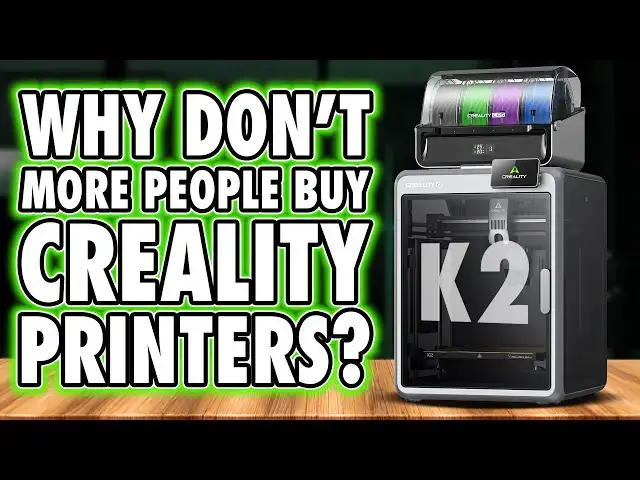
Why aren't more people buying Creality
0:02
printers? I mean, yeah, they're selling,
0:04
but they're not one of the big brands,
0:06
and they tick most of the boxes for the
0:08
average user. They typically come at a
0:10
more affordable price point than their
0:12
top tier competitors. And they have a
0:15
brand name carved into the annals of
0:17
consumer resin printing. I think it's
0:19
the third reason, but let's explore that
0:21
as we take a look at the Creality K2.
0:24
Hi, I'm Ross and this is Fammer Videos.
0:27
So yeah, in my limited experience, and
0:30
that is an important distinction, just
0:32
like with the K2 Plus, the base K2 has
0:35
been fine. Unboxing has been standard,
0:38
pictograms on the box that actually
0:39
guide you through removing the machine,
0:41
unwrapping, and deoaming it. And if you
0:44
have the combo like me, the CFS is
0:46
easily removed. Take out some clips,
0:48
unbolt some screws, and we're almost
0:50
there. The screen needs to be clipped to
0:52
the front. And for the non-combo
0:54
version, you mount the filament spool
0:55
holder onto the back right side. Power
0:58
it up, get walked through the out ofbox
1:00
experience and selfcalibration on the UI
1:02
and it's ready to go. Now, I did notice
1:05
on mine that the screen was a bit loose
1:07
when compared to both the K2 Pro and
1:09
Plus models, but not dramatically, just
1:11
a small noticeable difference. It looks
1:14
solid with this sturdy, thick frame
1:16
around the outside. More premium
1:17
components than other mid-tier brands
1:20
like a glass door and lid. It's got dual
1:23
exhaust fans on the rear along with a
1:25
power inlet socket, four pin hole to
1:27
connect up the CFS and mounting points
1:29
for the CFS hub. There's a PTFE inlet
1:31
hose for either the CFS hub or directly
1:34
from the spool holder as a useful guide
1:36
for filament. The USB socket placement
1:39
though is a bit dafted being on the
1:41
right side in the center of the body.
1:43
Though, whilst I'm pointing this out,
1:45
fewer people use USB now in favor of
1:47
built-in Wi-Fi anyway. Still, the
1:50
placement of this is a bit random. Next
1:53
to this though is an RFID reader. As
1:55
many of you know, Creality now sells
1:57
their own filament with RFID tags built
1:59
in to tell the printer what filament
2:01
you're actually using. Now, on other
2:03
brands, these are often reserved to be
2:05
only used in multimaterial systems. But
2:08
here, just like the Creity High, that
2:10
isn't a welcome. It's the name of
2:11
another printer I've got a video on.
2:13
Check it. Anyway, if you aren't using a
2:15
CFS, you can use this external reader
2:18
instead, which is handy. Inside, we've
2:20
got a dual-sided PEI plate with a build
2:23
volume of 260 mm cubed, which is a
2:26
slight middle finger to other brands who
2:28
are stuck at 256.
2:30
Yes, it's only 4 mm, but it's also
2:33
extra. And this has all the standard
2:35
hardware needed for user convenience.
2:38
guide tabs for the PEI plate, a
2:40
sidemounted part cooling fan, and the
2:42
three lead screws here are more easily
2:44
accessible for cleaning and
2:45
relubrication than on top tier printers.
2:48
It's also got a nozzle wiper, a purge
2:50
shoot for filaments. I think the only
2:52
modern convenience feature it's missing
2:55
is an easily swappable nozzle. Here, in
2:58
order to replace it, you need to have
2:59
the machine on, heat it up, and manually
3:02
unscrew it, which nowadays, yeah, it's a
3:04
bit legacy, but the hotend cover does
3:06
pop off easily. And unlike other brands,
3:08
it doesn't have a fan mounted to it with
3:10
a cable that you need to remove just to
3:12
take off the face plate. And even I have
3:14
to champion Creity for giving direct
3:16
access to the extruder gear so you can
3:18
remove this easily. Extruder jams aren't
3:21
uncommon on all printers. So being able
3:24
to access this and easily deal with it
3:26
is incredibly ideal. The UI is solid and
3:29
functional. It's tidy, well translated,
3:32
and they give you access to everything
3:34
you really need. And when it comes to
3:36
the CFS, I've said it before, I actually
3:39
prefer this a lot over the original AMS
3:42
from Bamboo. It's got flexi hoses rather
3:45
than fixed angles to feed in the
3:47
filament. The readout on the front
3:49
advising of the internal temperature and
3:51
humidity, and even an ID number for
3:53
which CFS it is in the chain, assuming
3:56
you're using multiple units. And for
3:58
reference, you can use up to four units
4:00
for 16 materials loaded at once. The
4:03
PTFE tubes are easily accessible
4:05
underneath in case of a jam. And the
4:07
only thing missing when compared to more
4:09
modern multimaterial systems is a
4:11
heater. Now, when you get the combo
4:13
unit, this pretty much must be sat on
4:15
top of the printer due to how short the
4:17
included PTFE tubes and cables are. And
4:20
that's a minor annoyance for anyone who
4:22
may need to remove the lid. But I'll
4:24
come back to that in a minute. Now,
4:26
that's all positive stuff. It's not all
4:28
sunshine and rainbows. There are some
4:30
minor quirks obvious to me as I used it.
4:33
For example, it's got two exhaust fans.
4:35
Now, surely having one fan as an inlet
4:37
and the other as an outlet would make
4:39
more sense, though it is pulling fresh
4:41
air in through openings in the machine
4:44
like the waist shoot. Now, only one of
4:46
those fans, the lower fan, has a carbon
4:48
filter, which is a bit of a head
4:50
scratcher cuz again, surely anything
4:52
that comes out, you you'd want to filter
4:54
it on the way out. But anyway, let's
4:56
jump to the software. Creity Print is a
4:59
reskin of Orca. I won't belabor this
5:01
point because I've said it enough times,
5:03
but they change too much. All the brands
5:05
are doing their own version of Orca. And
5:07
yes, there's reasons for it. The brand
5:09
want to develop their own things that
5:11
don't exist in Orca, and it doesn't seem
5:13
to work the way you can just have these
5:15
new elements injected into Orca in time
5:17
for release like you can with Chu Box
5:20
and Litechi from resin printers. But
5:22
again, they've changed too much here.
5:24
the UI is backwards where every other
5:26
brand left everything more default or
5:30
look the point I'm trying to make here
5:32
is there's a reason that every mobile
5:34
website you view nowadays has the menu
5:36
button in the same place didn't need to
5:40
change all this but at some point you
5:42
can and probably should just use Orca
5:45
when the profiles for that machine
5:46
become available going to printing
5:48
though we're back to positives in my
5:50
first experience this has been solid my
5:53
first Beni was absolely absolutely fine.
5:55
First layer test was near perfect. One
5:57
of the best printers I've ever tested. I
5:59
went straight on to print two more of
6:01
these large festive lamp posts from I
6:03
think I'm pronouncing this right, Aniqu
6:05
3D. And these models are on Maker World.
6:08
And I had no problem printing these at
6:10
all. None. Not one. And this was four
6:13
solid days of backto-back printing. And
6:15
with this being an enclosed machine,
6:17
yep, I also tried ABS. Now, there's no
6:19
chamber heater on this machine. So to
6:21
heat it up, it just disables the case
6:24
fans until the chamber exceeds the ideal
6:26
threshold. And this chamber can easily
6:29
reach over 50° eventually as the
6:32
thermometer I put inside the chamber
6:34
actually heated so much that the PLA
6:36
went soft and it kind of fell over on
6:38
itself which was hilarious. And going
6:41
back to when I said eventually, it's
6:42
because it was only really towards the
6:44
end of this test print that the chamber
6:46
was at that ideal temperature. So I
6:49
guess in lie of a chamber heater, you
6:51
may be better just to preheat the
6:52
chamber before starting a job by turning
6:55
on the print bed and waiting. And I say
6:57
I had no issues on this, but yes, my
6:59
first ABS print had a slight fail
7:01
because for some reason the model must
7:04
have nicked it and it ended up snapping
7:06
off the overhang test. But I printed
7:08
this again and it was absolutely
7:09
flawless. In fact, it was absolutely
7:12
solid with excellent detail, bridging,
7:14
and overhang performance. It's one of
7:16
the best tests I've had. And when it
7:18
comes to PLA or PET G prints, there's a
7:21
nice warning on the lid that says if
7:22
your room temperature is above 30° C,
7:25
you should remove the lid. And this is
7:28
to prevent the chamber getting too hot
7:29
and melting the plastics or softening
7:31
them too much that it impacts your print
7:34
quality because yeah, there's only so
7:36
much those fans can do in warm
7:38
environments. Now, unfortunately, with
7:40
the lid off, the hotend fan is one of
7:43
the loudest of any modern printers. So
7:45
much so that this isn't something I
7:47
normally comment on, but this is pushing
7:50
70 dibbels directly out of the top. And
7:53
even with the lid on, it's noticeable.
7:56
But again, overall, this has been a
7:58
solid machine. So why are so many people
8:00
turning their nose up at the brand?
8:02
Well, the short answer is it goes beyond
8:04
what I can show you in a single review
8:07
because it's not about the printer at
8:09
all. It's about reputation. In fact, I
8:11
recently asked my audience whether
8:13
they'd consider buying a Creality
8:14
printer today, and only around 20 to 25%
8:18
said yes. And this isn't a verdict on
8:20
this machine specifically. It's a
8:22
reflection of how people feel about
8:24
Creity as a brand right now. Over
8:26
several generations, they've steadily
8:28
lost consumer trust. And it's not
8:30
because they lack the ability or
8:32
experience to do better. They clearly
8:35
have both. It's just that they rarely
8:38
push that capability all the way through
8:40
to the finished product. Their approach
8:43
has leaned heavily towards fast
8:44
iteration. For almost every popular
8:47
printer on the market, there's a
8:48
Creality version, usually cheaper,
8:51
usually quick to appear afterwards. And
8:53
whilst that keeps prices accessible, it
8:56
does often come at the cost of
8:57
refinement, long-term reliability, and
9:00
then subsequently user confidence. Now,
9:02
there are improvements here in this
9:04
machine. Some elements are genuinely a
9:06
step forward. But there are also some
9:08
core decisions that feel out of step
9:10
with where the market now is. Little
9:13
things like nozzle systems that still
9:14
aren't quick swap or other design
9:16
choices that just don't reflect how most
9:18
people want to use their printers today.
9:21
Individually, these aren't deal
9:22
breakers, but collectively and along
9:24
with the noise people make about their
9:26
long-term reliability,
9:28
this erodess trust. And a lot of how we
9:31
feel right now comes back to Creality's
9:33
roots. The Ender 3 normalized 3D
9:35
printing, but it also normalized
9:37
tinkering because at the time there
9:39
simply weren't many alternatives. If you
9:41
wanted to 3D print, you accepted
9:43
tweaking, modding, and fixing as part of
9:45
the deal. But the market has moved on.
9:48
Most people today don't want a project.
9:50
They just want a reliable tool. And the
9:52
key word is reliable. And I guess that's
9:55
where this machine actually lands for
9:57
me. Taken on its own terms, on its own
10:00
merits, this is a mid-tier printer built
10:03
on years of FDM experience. It doesn't
10:06
offer the same level of polish, support,
10:08
or consistency as the top tier brands,
10:10
but it's also more open, more fixable,
10:13
and less locked down than many printers
10:15
at the same price point. And there's
10:17
always a bit of disappointment,
10:19
especially for people who've been around
10:21
a while, because reality has legacy. A
10:24
lot of us remember when they sat at the
10:26
top of the hobby and we genuinely love
10:28
to see them back there be true
10:31
contenders. But maybe we've just got to
10:33
accept that isn't their goal. It it
10:35
maybe never was. Perhaps they're
10:37
comfortable focusing on affordability
10:39
and accessibility rather than absolute
10:42
refinement, but you've got to accept
10:44
that when buying in. And if that is the
10:47
case, then this machine does make sense.
10:50
In the mid-tier space, I'd still
10:52
probably pick this over most other
10:54
brands in the same category because of
10:56
their history alone. If you're budget
10:59
conscious, want something that delivers
11:01
most of what modern printers offer and
11:03
value openness and modding potential,
11:06
this could genuinely be a good fit. Just
11:09
go in with clear expectations. You're
11:11
trading some consistency, reliability,
11:14
and therefore long-term confidence for
11:17
price. Now, now, for many people, that's
11:19
absolutely a fair trade. For others, it
11:22
won't be. And that's really the
11:24
takeaway. This isn't a bad machine. I've
11:27
really enjoyed it. It's just a very
11:30
reality machine, full of potential,
11:32
solid in practice, but still leaving you
11:35
wishing they'd push just a little
11:37
harder. But if you're happy to accept
11:39
what this is, then yeah, I'd definitely
11:41
say pick one up. You know what you're
11:43
getting. Now, I want to say thanks for
11:45
watching with a huge, huge thanks going
11:47
to our members who are on screen now.
11:49
They get early access, exclusive videos,
11:51
Discord rolls, and their name on screen.
11:54
If you want to support the channel, help
11:55
keep the lights on. Please consider
11:57
signing up for a small monthly fee. If
11:59
you do decide to buy any of these
12:01
printers, there are affiliate links down
12:02
in the comments. That's the same on all
12:04
my videos. That is generally how I earn
12:06
and keep this channel going. These
12:08
videos, none of my videos are paid for
12:11
by the brand. If they ever are, I'll
12:13
tell you. Until next time, hello. I've
12:16
waited here for you. Faux hammer out.