Up next in 10

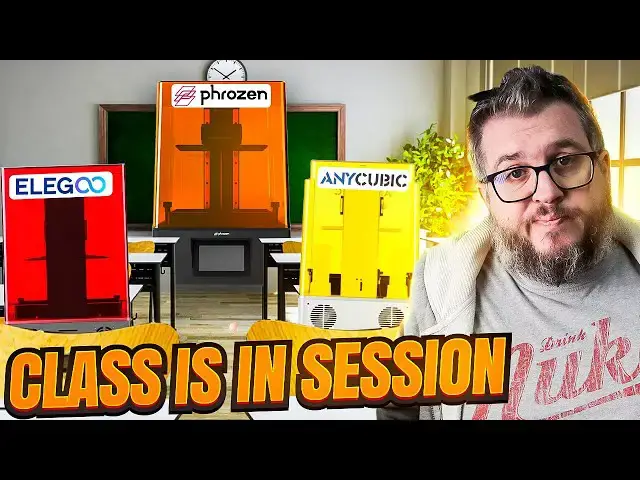
What Elegoo and Anycubic should learn from Phrozen! Sonic Mighty 8k Review - 2023
Mar 21, 2023


Yet another 10" Resin printer with 28.5-micron pixels on the display. This is the 4th I've now reviewed, so please check out my comparison of them all after watching this. What does Phrzoen do that the others don't? Well, it's more about "how" they do it!
Buy the Mighty 8k Here with our Code for 10% off “FAUXHAMMER23“: https://www.kqzyfj.com/click-100540162-15455804
3D Printer Cleaning Mat: https://geni.us/3DPrinterCleaningMat (This and all Amazon links in our video description are affiliate links. Clicking these and making any purchase will earn us a commission from Amazon at no cost to you)
This Video is part of our series looking for the Best 3D printer for Miniatures; https://www.fauxhammer.com/top-10/the-best-3d-printer-for-miniatures-models/
Get any printer working easily with the Photonsters XP Range Finder - https://www.thingiverse.com/thing:6023738 (watch my video for full instructions https://youtu.be/Gm0-z971tgY)
Join this channel to get access to perks:
https://www.youtube.com/channel/UC_9Jsf3SP8aMJgn0xv5jHjA/join
Buy WARGAMER - The best Resin for Miniatures https://yesthats3dprinted.com/pages/wargamer?ref=FauxHammer
Special thanks to the following Creators who provided models
Wolverine Bust - Drafnir Studios - https://cgtrader.sjv.io/3eJyqv
Artis Opus FauxHammer Essentials Set: https://store.artis-opus.com/products/fauxhammer-mixed-brush-set-5-brush-deluxe
Show More Show Less View Video Transcript
0:00
in this video I'm having a play with my
0:02
fourth 10 inch screen 8K printer
0:05
and despite it being what I think will
0:07
be the last of this format printer or
0:10
review it was actually the first to be
0:12
released
0:13
although I believe there's a slight up
0:15
revision on these printers although it's
0:17
not really disclosed on Frozen's website
0:19
this is more of a REV 2 version of The
0:23
Mighty 8K so that means it boasts a
0:26
couple of new and advanced features that
0:28
some of the other printers don't have
0:30
so if you're new here hi I'm Ross this
0:33
is far Hammer videos and let's go and
0:35
have a play with the Frozen Sonic Mighty
0:38
8K now I'm not the channel that likes to
0:40
go through the unboxing and talking
0:42
about that experience you can see it
0:44
here you take it out of a box and I've
0:46
said the same thing with all of my other
0:47
3D printer reviews
0:49
but this one was different
0:51
now I don't know if it was some kind of
0:52
jealousy that led to this event or just
0:55
how couriers tend to operate nowadays
0:57
but this box did not arrive in the best
0:59
condition it had clearly been dropped on
1:01
one of the corners and on top of that it
1:03
had been left out in the rain or
1:04
somewhere wet for quite a while because
1:06
one of the sides of the box was
1:08
absolutely soaked through and then left
1:11
to dry or at least get to the point of
1:13
damp before it was delivered to my house
1:16
so I could look at this in a negative
1:18
way but it did give me the opportunity
1:20
just like my last Frozen printer to play
1:22
around with disassemble and reassemble
1:25
some of the internals of the printer and
1:27
that showed me the build quality of this
1:29
machine which was absolutely excellent
1:31
and that really is what Frozen do they
1:36
take the existing printer range and you
1:38
can actually sum it all up by saying
1:40
they do what everyone else does they
1:42
just have that little extra of quality
1:46
added to every single aspect of the
1:49
journey now I did want to knock this
1:50
printer for the inclusion of a cheapo
1:52
USB drive that came with it something
1:54
I've knocked all of the 3D printer
1:56
brands for and something I was surprised
1:58
by because my mini 8K actually came with
2:01
a SanDisk one but I quickly realized you
2:04
don't actually need this and every other
2:07
item in the Box was just top quality
2:09
even the included scraper has a laser
2:12
etched Frozen logo across it and yeah
2:15
that has no Tanger benefit but it's just
2:18
that extra level of quality that gives
2:20
you the confidence that these guys are
2:22
putting more effort into their products
2:24
than any other brand
2:26
and that doesn't just stop at the stuff
2:28
included with it
2:30
so on to some of the call out features
2:32
of this printer that make it different
2:33
from the rest spec wise its print volume
2:36
is 21.8 by 12.3 by 23.5 centimeters
2:41
to operate it you have a five inch high
2:44
resolution touch panel that's really
2:46
really responsive and this really is
2:48
high resolution unfortunately this is
2:51
the part that I needed to replace in
2:52
order to get the printer working due to
2:54
The Courier damage the most important
2:57
feature is obviously the 8K 10 inch LCD
3:00
screen which is used for curing your
3:02
Prints but I have to stress here that
3:04
this doesn't come with a screen
3:06
protector there's no glass overlay
3:07
you're literally looking at the
3:09
polarizer so I highly recommend you get
3:12
one in case you get fingerprint
3:13
scratches or worse yet resin on that
3:16
glass if that happens you're looking at
3:19
getting a brand new screen
3:21
and something that none of the 10 inch
3:23
28.5 Micron printers have is the
3:26
inclusion of a built-in webcam this is
3:29
the feature that I believe makes the
3:31
mighty 8K more of a revision too because
3:34
I don't think the original Mighty 8ks
3:36
actually shipped with a webcam oh and
3:38
don't you worry I'm definitely going to
3:40
talk about how this webcam is integrated
3:42
later on it's also worth noting that the
3:45
printer supports a Wi-Fi connection and
3:47
you can configure this on the UI but the
3:50
way this is set up on the actual printer
3:52
it's not internal it's just a USB Wi-Fi
3:54
dongle
3:55
you also have the option of a direct
3:57
ethernet connection if that's available
3:59
to you but the benefit of either of
4:01
those and the included 3.5 gigabytes of
4:04
memory internally means that you can
4:06
just send prints directly to it and you
4:09
don't actually need the USB drive that
4:11
comes with the printer
4:12
but it is worth noting this is the only
4:14
one of these printers where the USB port
4:16
is on the front and I know some people
4:18
are fine you can use an extension cable
4:20
but I've got a few printers and if I
4:22
haven't got a few printers maybe I've
4:24
got a printer and a wash and gear and I
4:26
want to put things at the sides of my
4:27
printers I can't do that or at least I
4:30
have to space them out if there's a USB
4:32
drive or some kind of extension cable in
4:35
the way so I'm very much in the camp of
4:37
USB plockets on the front please thanks
4:40
Frozen 10 points from me just for that
4:43
so as I mentioned before I had to take
4:45
this printer apart just to get it
4:46
working and when I took it apart not
4:49
only did I notice that the front LCD
4:51
panel had started coming off but half of
4:53
the cables inside had actually been
4:55
pulled out of the sockets and the glue
4:57
had been snapped so I don't know whether
4:59
the couriers were playing football with
5:01
this thing but bloominac it's been
5:03
through an ordeal there's two bolts on
5:05
either side and you can remove these
5:07
with the included Allen keys that come
5:09
with the printer once you've taken those
5:11
four mini bolts out you just pull the
5:13
front plate off and everything's
5:15
accessible from there
5:17
once I finally got this replaced though
5:19
and it actually booted up I was greeted
5:21
with the out of box experience and setup
5:23
and this is exactly where Frozen are
5:27
miles ahead of the competition
5:31
for the last few years printer
5:32
manufacturers have been playing this
5:34
one-up Leapfrog game of who's got the
5:36
bigger printer or the higher resolution
5:38
but I've been saying for a long while
5:40
now that we really don't need that
5:42
anymore at least in the last year since
5:44
we got the mini 8K and anything with a
5:47
22 Micron to a 35 Micron pixel size for
5:50
somebody who prints Miniatures that
5:52
range is more than enough if you're
5:54
wanting something the quality of say
5:56
Games Workshop star models because we
5:59
don't need higher resolution than that
6:00
typically to get the detail that you
6:03
have on those size of models
6:06
but it's the convenience features we
6:08
need things that this does and this
6:11
gives you an out of box experience like
6:13
no other all other printers will give
6:15
you functions like print or raise and
6:17
lower the bed but when you turn this on
6:19
for the first time and you can reset it
6:22
and go through it again and well you're
6:23
going to need to if and when you do a
6:25
firmware update but it actually walks
6:28
you through every step including putting
6:31
the build plate on all the way down to
6:33
leveling it and lowering it testing the
6:35
screen in various ways all the way up to
6:38
printing your actual exposure tests and
6:41
telling you how to validate them and
6:43
tweak your settings accordingly
6:45
if this is your first 3D printer I don't
6:48
think they could make it any simpler
6:50
quite literally rtfm and M is on the
6:55
screen
6:56
and just screaming quality further the
6:58
build player is not only laser etched
7:00
but it's laser etched deeply colored
7:03
it's absolutely gorgeous to look at and
7:06
despite me printing about 20 or even 30
7:08
separate prints on this scraping it with
7:10
a metal scraper I couldn't see any
7:12
scratches or defects in the hardened
7:15
steel surface
7:17
when you're leveling the build plate it
7:19
just attaches to the z-arm with one
7:21
large bolt but it also has the four
7:23
point screw connection which is my much
7:26
preferred method of leveling a build
7:28
plate because it gives you more control
7:30
and these generally tend to be more
7:32
secure than the ballpoint axis that you
7:35
get with the likes of elegoo printers
7:37
one thing the printer doesn't tell you
7:39
which is just something I've learned
7:40
from experience when tightening these
7:42
vaults for the build plate I would
7:44
concentrate on doing it in alternating
7:46
screws so if you start at front left
7:48
then then go to rear right and then
7:50
front right then rear left
7:53
doing it this way and giving it a
7:56
quarter of a turn at a time just
7:58
prevents you from adding too much
7:59
pressure to one side causing it to shift
8:01
out of alignment which is the last thing
8:03
you want you want to secure this once
8:05
and then never have to change it again
8:07
which is pretty much what I did here
8:09
although the first time I did it it was
8:11
a bit too loose whilst it will walk you
8:13
through an exposure test I still prefer
8:16
to do my own personally the one that I
8:18
use by photonstas is just more accurate
8:21
at measuring prints and much faster than
8:23
the one created by Frozen that you print
8:25
on this printer
8:27
but before I jumped onto that I started
8:28
having a play through the menus and
8:30
absolutely everything can be tested in
8:33
here and it's so intuitive you can turn
8:35
the fan on and off test the LCD the
8:37
z-axis or even turn on the camera to
8:40
make sure this is working and get the
8:42
camera's display on the display for the
8:44
printer
8:45
no other printer in this range or any of
8:48
the big brands has this much packed into
8:51
the features of the actual printer
8:53
itself
8:54
it's even got a pretty animation as a
8:56
screensaver when the printer's been left
8:58
idle for some time
9:00
and it improves on basic features like
9:03
the other brands that would have you
9:04
moving the z-axis by multiple increments
9:07
of 10 millimeters at a time this one
9:10
also has that but it includes a sliding
9:12
scale on the right hand side of the
9:14
screen that lets you just drag a bar up
9:16
to the point where you want the z-arm to
9:18
raise to and it'll go to that point I
9:21
honestly can't explain how much of a
9:23
pleasure it was to just use this printer
9:25
and realize that yeah you can do a lot
9:28
more on these LCD screens and operating
9:30
systems that are built in than just a
9:32
few functional buttons so because this
9:35
video is sponsored by Frozen and thanks
9:37
Frozen for the printer don't worry I can
9:39
say what I want to say about it I also
9:41
decided to use the Frozen 8K gray resin
9:44
mainly because
9:46
they've provided it and it was it was
9:48
free
9:49
I've I've made my opinions about this
9:51
resin known so please go and watch my
9:53
other video about that
9:54
but the tldr is I like it it's good for
9:57
Quality just not so much for Miniatures
9:59
if you want to play them in a game
10:00
because it's a bit brittle
10:02
that's the whole story
10:04
still though it's a good video go and
10:06
watch it so I printed off my first
10:08
exposure test and gave it a quick rinse
10:10
in methylated spirits when counting the
10:13
number of holes and posts I noticed that
10:15
there were more posts and holes which is
10:17
telling me that this is over exposing my
10:20
prints and normally I'd print a few of
10:22
these but a lot of people online have
10:24
been saying that the cones of
10:26
calibration by table flip Foundry is an
10:28
absolutely fantastic exposure finder
10:31
specifically if you're printing
10:33
Miniatures because this tests the
10:35
supports more than it actually tests
10:37
exposure being perfectly balanced
10:40
I'll do a separate video explaining why
10:42
Perfect Exposure and best exposure
10:44
aren't always the same thing especially
10:46
for printing Miniatures but for now just
10:48
go with me on this and I'll explain the
10:50
whole point of this exercise at the end
10:52
so I printed a few of these kinds of
10:54
calibration three in fact and the whole
10:56
point is the supports on one side are
10:58
meant to succeed and the supports on the
11:00
other side are meant to fail and that'll
11:02
give you a good balance of exposure
11:04
whilst also showing you the large
11:06
components or at least these cones will
11:08
be able to take the stresses of being
11:10
pulled from the build plate after about
11:12
three prints I determined that 1.5
11:14
seconds was the best exposure time for
11:17
30 Micron layers I'll put my settings up
11:19
on screen but I need to stress that in
11:21
order to achieve the same results as me
11:23
you need the same environment as me so
11:25
my ambient temperature in the room is
11:27
normally around room temperature so give
11:30
or take it's around 20 to 22 degrees but
11:33
sometimes it can drop at night as low as
11:35
15 which is why I try and focus my
11:37
prints during the day
11:39
now after I'd printed these cones of
11:41
calibration a few times I then went and
11:44
reprinted another of the photon Stars
11:46
exposure test at the same time and when
11:49
I counted the posts and the holes on
11:50
these it was ever so slightly
11:52
Overexposed but I had the same number of
11:54
posts as holes telling me that that's a
11:57
good exposure for 3D prints so whilst
12:00
yes the cones of calibration are a
12:01
really good test what puts me off is the
12:04
fact that the photon Stars flat test
12:06
took only 15 minutes to print or 15 to
12:09
20 minutes whereas the cones of
12:11
calibration took one and a half to two
12:13
hours to print so yeah it's a great way
12:16
to validate things but I'm going to
12:18
stick to my flat plate because I can get
12:20
my exposure dialed in much much faster
12:22
printing these but having this dialed in
12:24
my first print bed which was full of
12:26
models was a complete success and this
12:29
included my usual Wolverine bus that I
12:31
like to print in order to compare to
12:33
other printers that one's by draftnia
12:35
Studios and these plague demons are from
12:38
one page rules which which I've hated on
12:40
in the past but I do like their Scots
12:42
and as being an alternative for
12:44
Warhammer they are the go-to
12:47
unsurprisingly the print quality of
12:49
these models is absolutely incredible
12:51
and this is before I've done any
12:53
refinement on the printer this is just
12:55
finding my exposure time slicing it in
12:57
chitty box and clicking print having
13:00
both this resolution and the convenience
13:03
of this build plate size is exactly why
13:05
these are my favorite printers you can
13:07
print the equivalent of a Games Workshop
13:09
Army box on a single build plate and
13:12
then whilst you're painting that you can
13:14
be printing your next three
13:15
now unfortunately my next print was a
13:18
slight failure and what this meant was
13:20
some of the resin actually stayed stuck
13:22
to the bottom of the fep
13:24
okay technically it's PTFE but fep is
13:27
now stuck in my head the clear film that
13:29
goes at the bottom of your vat it was
13:30
stuck to that so this gives me the
13:33
opportunity to share a tip that a few
13:35
people have commented on my previous
13:36
videos
13:37
instead of emptying the whole vat and
13:39
then cleaning it off and disconnecting
13:41
it and then lifting it up and risking
13:43
getting resin everywhere just take a bit
13:45
of old support and put this flat against
13:47
the film at the bottom of your vat make
13:49
sure you push it down slightly and then
13:51
run the LCD test to light up the whole
13:54
screen it think it's normally called vac
13:56
cleaning on some printers or LCD test
13:58
whatever it is just fill up the whole
14:00
screen with light so that the bottom
14:02
layer of resin cures and sticks to this
14:04
piece of support
14:06
all you need to do then is lift it out
14:08
let the excess resin run away and go and
14:11
Chuck that whole piece in the bin you're
14:12
ready to print again
14:14
and another useful tip that was also
14:16
shared on multiple videos and on
14:17
Facebook and various other places
14:19
comments was re-leveling your bed once
14:22
again normally you need to empty out the
14:24
VAR move the vat out the way loosen the
14:26
bed clean off the bed put the paper down
14:28
again nope skip all that you see the
14:31
point of that paper when you initially
14:33
level is just to emulate it being the
14:36
clear film so all you need to do is have
14:39
the clear film between the screen and
14:41
the actual build plate the good thing is
14:43
it's already there
14:45
at the bottom of the vat
14:48
so if you don't mind getting a little
14:49
bit messy I mean you're wearing gloves
14:51
anyway
14:52
just do the leveling task but do it with
14:55
the vat in place make sure before you
14:57
tighten it you push down on the actual
14:59
bed so that the resin trapped under it
15:02
doesn't lift it up a bit but that's it
15:04
you can actually do the leveling with
15:07
the vat in the printer
15:09
so in the last few weeks whilst I've
15:11
been testing this I haven't actually
15:13
removed the vat once I haven't needed to
15:15
and this is my favorite part of being a
15:18
YouTuber getting comments and tips like
15:20
that is something that I haven't come
15:21
across in various groups in the last
15:24
four years
15:25
thanks guys this is why you should
15:28
comment on people's videos
15:30
right so before I get on to the print
15:32
quality and what the final results look
15:34
like
15:35
let's talk about Wi-Fi
15:37
and this webcam
15:39
so the first thing you need to do is get
15:41
this printer connected to your Wi-Fi
15:43
network so make sure you plug in the
15:45
included USB dongle the USB Wi-Fi dongle
15:48
into the back of the printer
15:50
setup is super easy because again it's
15:53
so intuitive just click on network
15:55
select your Wi-Fi network and then put
15:57
in your password as soon as you do that
15:59
you'll be connected to your Wi-Fi
16:01
to send things to the printer just go to
16:04
your Windows computer or Mac go to
16:06
backslash backslash its IP address or
16:09
the printer name and you'll be presented
16:10
with a folder once you log in and your
16:13
username and password are also very
16:15
obvious and clear in the settings and
16:17
then you just drag things into the
16:18
folder from there you'll then be able to
16:20
choose to print them directly from the
16:22
printer's front screen of the interface
16:24
right this webcam
16:28
so when I went to set this up it said
16:30
this feature is not available and it's
16:32
coming in August 2022 well it's now
16:35
February 2023 and I've had this printer
16:39
for a couple of months
16:40
and looking at various Forum posts I
16:43
think it was around November December
16:44
when the firmware was finally released
16:47
that actually gave you access to the
16:49
webcam features of the printer
16:52
and you know the inclusion of a
16:54
webcamina print is a really good idea
16:55
right you should be able to remotely
16:58
check in on it and make sure that things
16:59
are still progressing well and with
17:01
things like the bamboo Labs X1 fdm
17:04
printer you can actually get it to
17:06
create a time lapse with every single 3D
17:08
print it does and upload these to a
17:10
shared Cloud hosting platform for you so
17:13
that you can download and watch them
17:14
because let's be fair 3D time lapses of
17:17
printers is just something really cool
17:19
to look at
17:20
so excited with that potential I decided
17:23
to update the firmware in order to get
17:25
this working and this is fairly
17:27
straightforward you download it from the
17:29
internet you put it on the USB drive and
17:30
you reboot the printer and then choose
17:33
to print the update file so it'll
17:35
actually do an update whilst it's
17:37
restarting and then you print the update
17:39
file the RBF file and this will actually
17:42
perform the firmware update
17:44
unfortunately though the firmware update
17:46
will wipe any settings and configuration
17:48
from the printer so you will need to go
17:50
through that whole startup sequence and
17:52
re-level the bed again
17:54
so if you've already leveled the bed
17:56
it's great that I just showed you that
17:57
tip on how to do it whilst the vat is
17:59
still in the machine
18:01
but once this is complete you can then
18:03
use the Frozen Go app which is another
18:05
app that you can tie to your printer by
18:07
simply downloading the app for your
18:09
phone and scanning a QR code and this
18:11
will let you monitor your print's
18:13
progress and even give you updates to
18:15
say that a print has finished and it
18:18
will keep sending you that update every
18:20
half an hour until you go in and
18:22
acknowledge it
18:23
and as for the camera what does this
18:25
give you
18:26
nope not a time lapse what it means is
18:29
you can go to a print that's active and
18:32
then choose capture and it'll send a
18:34
signal to the printer to capture one
18:36
image and then send that back to your
18:39
phone
18:41
yay
18:43
so okay it's already not the best
18:45
feature but to make things worse this is
18:48
only good if you've got a bright enough
18:50
light in the rest of your room or a
18:52
light pointing through the UV filter
18:54
that you know is commonly known as the
18:56
lid
18:57
if like me you go to bed at night and
19:00
turn off all the lights in your house
19:01
then when you actually try and take a
19:04
photo and look at this you can't see a
19:06
single thing and the same is true even
19:09
if you've got bright lights in the room
19:10
but you're printing a very large object
19:13
it just blocks all of the light from the
19:15
camera so the best you can get is a bit
19:18
of a silhouette so whilst the the
19:20
concept's good this bit's kind of
19:22
feedback from Frozen that sorry guys I
19:25
know that the printer has never actually
19:26
raised in price it's the same price now
19:28
but people are going to be looking at
19:30
this printer thinking some of the money
19:32
they're spending on it because it is
19:33
quite expensive it's the price is fair I
19:36
get that but it is still expensive and
19:39
people will look at spending the money
19:40
on this thinking why am I paying for a
19:43
camera that has very little to no use
19:47
it it really wasn't worth including for
19:51
this much value if you want to deliver
19:53
something with this the possibilities
19:55
are exciting and endless but deliver it
19:58
or don't include it at all sorry guys so
20:02
for the print quality well first up I'm
20:05
going to show you the Wolverine model
20:06
that I always print and I'm going to say
20:08
the same thing I've said with all of
20:10
these 28.5 Micron printers you can
20:12
hardly tell the difference between any
20:14
of them nor can you tell the difference
20:16
between it and something printed on the
20:19
22 Micron printer which is the Sonic
20:21
mini 8K
20:22
don't get me wrong the differences are
20:25
there but you really need to zoom in to
20:27
see them so what's the point well to
20:31
point that out I've actually printed
20:33
some Miniatures which is the whole point
20:35
of this channel anyway
20:37
so I splice together some parts from
20:40
atlan Forge to make this bust of what
20:43
looks like a Space Marine but it's not a
20:45
Space Marine because if it was a Space
20:47
Marine that would be an IP breach so
20:49
this isn't a Space Marine it's a Future
20:52
warrior who fights in space with
20:55
shoulder pauldrons and a big chest it's
20:58
not an eagle is it it's a bull with
21:00
wings but the point is I wanted to make
21:02
something that was relative to the sort
21:04
of quality that you want to compare to
21:06
and may want to print yourself and then
21:08
for fun I stuck my head on it which was
21:11
something I scanned using the revo Point
21:13
pop 2 which actually comes bundled with
21:16
this printer so watch out for a future
21:18
video on that and I've actually printed
21:20
over 70 of these so that I can review
21:22
the Army painter speed paints 2.0 in
21:26
various colors in something that looks
21:28
like well it's relative to something you
21:30
would paint with various textures and
21:32
cloths on it
21:34
so I printed these in three different
21:36
ways the first one was raw I then
21:38
printed it with two times anti-aliasing
21:40
I then printed it with two times
21:42
anti-aliasing and two times image blur
21:44
but when you compare the three models
21:46
from a just normal arms distance or even
21:49
holding them close to your head I
21:51
actually got them mixed up just trying
21:53
to film this part of the video you can't
21:55
really tell much of a difference at all
21:57
but when you go in with a macro lens you
22:00
can start to see some of the voxel lines
22:02
that are printed and are apparent on the
22:05
rounded surfaces because it builds up
22:07
squares in layers
22:09
as we apply anti-aliasing these get
22:11
softened and then when we apply image
22:14
blur as well these are all but
22:16
eradicated but if you look on things
22:18
like the lower part of the Torso or on
22:20
the shoulder pads or even the face
22:22
itself you can see that as we add
22:24
anti-aliasing an image blur it actually
22:27
softens all these out and all but
22:29
eradicates them nothing but the tiniest
22:32
and thinnest of paint brushes would pick
22:34
this out and only then would they
22:36
actually come into account if you are
22:38
doing techniques like dry brushing or
22:41
washers because the washers will go into
22:43
the recesses and the dry brushes will
22:45
pick out the extremities so you can
22:47
reduce these significantly but if you go
22:50
much further than this I think The Sweet
22:52
Spot really is two times that image blur
22:54
and two times anti-aliasing any further
22:57
and you will start to really soften the
22:59
detail on them which for this scale of
23:01
miniature isn't too bad because you can
23:03
always paint it back in but really I
23:06
don't think you should go any further
23:07
than this because if you do then what is
23:10
the point of having a printer with this
23:12
much detail in it you can get the same
23:14
from a 35 Micron printer like the Sonic
23:16
mini 4K
23:18
and whilst yeah look you may be looking
23:20
at this printer and not be interested in
23:22
printing Miniatures but I would still
23:24
argue that if you can print Miniatures
23:26
and get them down to this level of
23:28
detail anything that you can print
23:29
larger than that problems like layer
23:31
lines and voxel lines will be much less
23:33
of a problem anyway so if you start with
23:36
Miniatures everything else is just
23:38
scaling up for me though I've scaled
23:40
down and I've actually printed this head
23:42
which is compatible with Warhammer Space
23:45
Marines and various other things and yes
23:47
it is my head quite narcissistically but
23:50
I'm off to adapt to cons soon and I'm
23:52
going to be taking two or three bags of
23:53
these with me that's over 2 000 heads
23:56
which will be fun for giving away and
23:58
also for a future video so if you want
24:01
to come and pick up one of these Free
24:02
Space Marine heads and you're at
24:04
adepticon then just come and see me I'll
24:06
be over at the artist Opus booth and
24:07
helping them demo their dry brushes and
24:10
that's all guys please let me know what
24:12
you think down in the comments is this a
24:13
printer you're interested in is it
24:15
overpriced I don't think it's overpriced
24:17
I think it's worth it for the price it
24:18
is but is this beyond your budget of
24:21
what you wanted to spend for what you
24:23
get out of this printer or is it right
24:25
on the money and exactly what you're
24:26
looking for let me know down in the
24:28
comments and please give thanks to our
24:30
patrons who you can see up on the screen
24:31
now perhaps consider joining them and
24:33
you can get your name up in lights too
24:35
and it also helps us making future
24:37
content for this channel thanks again
24:40
I'll see you next time don't forget to
24:42
like subscribe and hit the notification
24:44
Bell phone hammer out
24:45
[Music]
24:59
thank you