live_tv
Livestream Starting Soon
00
Hours
:
00
Minutes
:
00
Seconds
Up next in 10

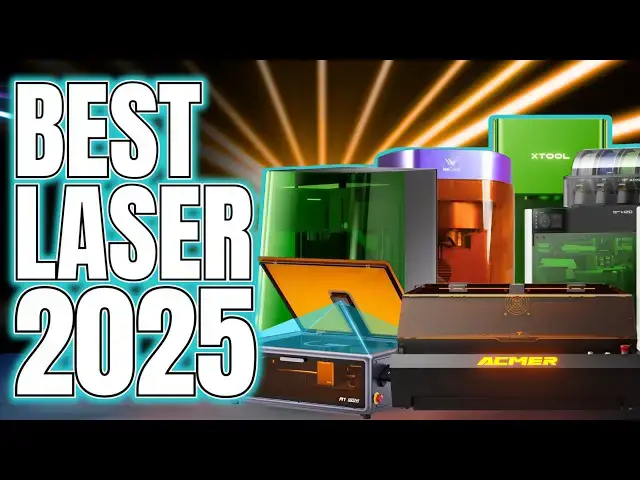
The Best Laser Engraver/Cutter of 2025 - ULTIMATE LASER BUYING GUIDE for Beginners
Nov 18, 2025


LINKS AND REVIEWS BELOW, *Click "...More" Below*
*Laser Safety video (DO NOT MISS)*: https://youtu.be/rd6rCU8ZMhY
*Laser Links* (Alphabetical Order)
Acmer P3: https://geni.us/AcmerP3
Bambu Lab H2 Laser Module: https://geni.us/BambuH2S
ComMarker Omni X UV: https://geni.us/ComMarkerOmniX
Creality Falcon A1 Pro: https://geni.us/CrealityFalconA1Pro *USE CODE "A1P8" 8% off*
LumiTool F28W: https://geni.us/LumitoolF28
Ortur R2: https://geni.us/OrturR2
WeCreat Lumos: https://geni.us/WeCreatLumos
xLaserLab E3: (COMING VERY SOON)
xTool Links
💷 Get £80 off £999+ with code "*Faux80*"
💷 Get £150 off £2999+ with code "*Faux150*"
xTool M1 Ultra: https://geni.us/xToolM1Ultra
xTool S1: https://geni.us/xToolS1FH
Show More Show Less View Video Transcript
0:00
If you're new to my channel, I need to
0:01
explain what this is. Every year, I do a
0:04
roundup of the best products across the
0:06
different tech I've actually used, all
0:08
wrapped up into one simple guide to help
0:10
you figure out what's worth your money
0:12
or even your attention. I'm not an AI
0:15
assistant. I'm not a salesman. I'm just
0:17
a bloke who's spent far too long
0:19
surrounded by printers, lasers, and
0:21
resin fumes trying to help you make
0:23
sense of what's genuinely good and
0:25
what's just good marketing. You know, I
0:28
like to cover the practical stuff that
0:30
actually matters, not just the raw
0:32
specs. And to prove I'm upfront and
0:34
honest with you, I'll say it plainly. I
0:37
am doing this for selfish reasons. I
0:39
want your trust. I want you, like
0:41
thousands of others who already have, to
0:43
subscribe because, you know, I'm talking
0:45
straight with you. I don't do deep dive
0:47
jargon. I don't do corporate
0:49
cheerleading. This video isn't sponsored
0:51
by any particular brand, although you'll
0:53
probably think it is in a minute. I just
0:55
want to show you what the machines are
0:57
and let you decide what's best for you.
1:00
And hey, if you do decide to buy one,
1:02
ideally use my affiliate link before you
1:05
do because that's how I earn a living.
1:07
And with that said, if you're watching
1:09
this because you're thinking about
1:10
getting a laser, let me save you some
1:12
time. Just get an X tool. Hi, I'm Ross
1:15
and this is Faux Hammer Videos. So yeah,
1:18
that's a straight shot up front, but
1:19
this isn't just me saying it. Literally
1:22
every laser review I've done has been
1:23
flooded with commenters telling me that
1:25
after seeing the machine I'm reviewing,
1:27
we should just get an X tool of
1:29
equivalent nature. And when I see my
1:31
videos flooded with comments on other
1:34
technologies, I'm talking printing, it's
1:36
normally due to an inflammatory
1:38
political bug bear within that
1:39
particular community, such as an FDM
1:42
brand locking down machines to use their
1:44
own slicer or a resin brand enforcing
1:46
the use of only their expensive resins.
1:49
or and I've never reviewed any of these,
1:51
Nintendo jacking up prices of everything
1:53
while still claiming they're targeting a
1:56
younger audience. And the same
1:59
thing with all these overly passionate
2:01
claims rings true in the just get an X
2:04
tool statement that I see on so many of
2:06
my videos. They're right. All right, let
2:09
me explain. So, to do this properly as a
2:12
buying guide, if you're here, you're
2:13
probably looking at getting a new laser,
2:15
something for marking, engraving, maybe
2:17
even cutting. So, let's cover the basics
2:20
first. There really are just two initial
2:22
types. You've got galvo lasers where the
2:25
light source stays fixed while mirrors
2:26
rapidly steer the beam across the
2:28
surface of what you're engraving.
2:30
They're insanely fast and perfect for
2:32
engraving or marking small areas. But
2:34
the workspace is limited and when you
2:37
try cutting, the further you get away
2:39
from the center of that laser light, the
2:41
more angled your edges become. Then
2:44
there are gantry lasers where the laser
2:46
head itself moves across X and Y rails.
2:49
The beam always points straight down,
2:51
giving you clean, accurate cuts. It's
2:53
just slower since the whole head has to
2:56
move. But the choice is simple. If you
2:58
want speed and fine engraving, go Galvo.
3:01
If you want clean cuts and versatility,
3:03
go Gantry. Personally, I think Galvos
3:06
have a harder limit because they can't
3:08
do straight cuts. Gantries can do
3:10
everything a galvo can, just slower. But
3:14
if your focus is purely on marking and
3:16
engraving or small items, and you don't
3:19
need 90° cuts, get a galvo. But then you
3:22
need to decide on the type of laser.
3:24
There are loads of variations out there.
3:26
But for this video, we'll stick with
3:28
what's available to the typical home
3:30
user. Diode, infrared, and the new
3:32
hotness, ultraviolet. Diode lasers are
3:35
the most common. Great for organic
3:37
materials like wood, leather, card, and
3:39
some plastics, but they can't mark
3:42
metals or anything shiny or transparent.
3:44
That's where infrared comes in. IR
3:47
lasers can mark metals and some plastics
3:49
that do diodes can't, but they struggle
3:51
more with wood and organics. But they're
3:53
also more dangerous. Since the beam is
3:56
invisible, you won't see it, but it can
3:57
still blind you instantly. So, like all
4:00
lasers, proper safety gear, especially
4:03
rated eyewear, isn't optional. I'll come
4:06
back to this in a minute. Then there's
4:08
the ultraviolet UV laser. The new kid on
4:11
the block. UV can mark almost anything.
4:14
Metals, plastics, glass, even ceramics.
4:17
It's insanely versatile, which is why
4:19
more and more brands are jumping on the
4:21
UV bandwagon. From my own hands-on
4:24
testing, if your focus is marking the
4:27
widest variety of materials, UV is
4:29
probably the direction I'd go if you can
4:32
afford it right now. And it can even do
4:34
things like engrave the inside of clear
4:37
surfaces like glass or crystal, things
4:39
other lasers simply can't do. But it's
4:42
not perfect because while UV can mark
4:45
almost anything with ridiculous
4:46
precision, deeper engravings or embossed
4:49
effects are slower. And this wavelength
4:52
just doesn't have the penetration power
4:54
for deep cuts like diode or infrared.
4:57
And that's why you'll almost always see
4:59
UV lasers built on galvo systems. And
5:02
finally, you've got to decide on power.
5:04
But it's pretty simple. The higher the
5:06
wattage, the more powerful the laser.
5:08
And that usually means faster engraving
5:10
or cutting. And if you're mainly
5:12
cutting, higher wattage machines can
5:14
handle thicker materials, too. The only
5:16
trade-off is that more power often means
5:19
a slightly wider beam at the focal
5:21
point. We are talking about microns here
5:24
though, not millime, so it is barely
5:26
noticeable. In short, lower wattage
5:28
gives you a slower but slightly finer
5:31
detail, whilst higher wattage gets the
5:33
job done faster with a touch less
5:35
sharpness, but I think in most cases you
5:38
you probably wouldn't notice it unless
5:39
you're like engraving on matchixs.
5:41
Anyway, so all of that matters up front
5:44
because if you came into this video
5:45
expecting to find the ultimate laser on
5:47
the market, as the title may have
5:49
cheekily implied, you now know there's
5:52
really no such thing. Best depends
5:54
entirely on you, your budget, your
5:56
goals, and what you actually want to
5:58
make. I mean, I think there is a best,
6:00
but we'll we'll get to that. The best is
6:03
not affordable for most people anyway.
6:05
Trying to get an everything laser
6:07
machine will probably just result in you
6:10
overspending on features you'll simply
6:12
never use beyond the one try of, "Ooh,
6:15
that was cool." But what isn't
6:17
subjective, though, is safety. And I'm
6:19
not going deep into it here, but the
6:21
short version is this. Lasers atomize
6:23
materials, which means they can release
6:25
harmful fumes, and the light itself is a
6:28
serious risk to your eyesight and to
6:30
anybody nearby, including pets. Now,
6:33
I've also been told more than once that
6:35
the safety glasses bundled with cheaper
6:37
machines, often aren't genuinely rated
6:40
for protection. So, do yourself a favor
6:42
and check out my laser safety video
6:44
before you even consider buying
6:46
anything. Right, then, time for some
6:48
prime meat of the video. Everything I'm
6:50
about to say comes with the full respect
6:52
of the existing Laser community, a group
6:55
I'm still new to, but who've been
6:57
incredibly welcoming. And I say that
6:59
because what I want to address is there
7:02
is a split. Now, thankfully, it's not
7:04
the kind of messy divide we've seen in
7:06
the FDM or resin printer worlds where
7:08
people start frothing at each other over
7:10
brand loyalty. But like Middle Earth,
7:13
the laser world has changed. And it
7:15
seems that that change has a name and
7:18
it's X tool. You see, this split or
7:20
divide or grouping is the same one I've
7:23
seen play out in every maker community.
7:26
On one side, you've got the veterans,
7:28
the people who've earned their stripes,
7:30
the tinkerers who've spent years
7:31
refining their setups, bleeding,
7:33
sweating, sometimes even soldering their
7:36
way towards that one perfect result.
7:38
Because the classic approach to lasering
7:40
is a lot of trial and error. And on the
7:42
other, you've got people like me who
7:45
just want results without needing a
7:46
crash course in laser physics and 10
7:48
ruined test cuts just to get there. It
7:51
happened in FDM printing when Bamboo Lab
7:53
made plug-and-play printers mainstream.
7:55
It's happening now in resin printing
7:57
with Hers doing their own version of
7:59
accessibility. And this story isn't just
8:02
in the maker space. It's as old as time.
8:04
It's the same thing that happened when
8:05
digital cameras replaced dark room
8:07
purists or when cars got electric
8:09
starters and everyone stopped hand
8:11
cranking their engines. The majority of
8:13
people, all of us, we'll always pay more
8:16
for convenience. If we didn't, we'd all
8:19
still be riding the bus. And this is the
8:22
exact reason why so many people are
8:24
saying just get an X tool. Because when
8:27
you look at lasers, just like 3D
8:29
printers, a similar spec machine can
8:31
give you the same results. A 10 watt
8:33
diode cuts like a 10 watt diode. A
8:36
40watt IR engraves like a 40watt IR. The
8:39
real difference isn't the hardware.
8:41
Okay, it is a bit in terms of build and
8:43
features, but mostly it's the software.
8:46
And that's why there are two camps kind
8:49
of three or or seven. Look, most lasers
8:53
will run on LightBurn. Powerful but old
8:55
school. It's not visual. It's
8:57
functional, but I'd compare it to using
8:59
Microsoft Word on Windows 98. It's all
9:02
menus and text boxes. And yeah, you can
9:05
tweak hundreds of parameters and with
9:07
enough trial and error get incredible
9:09
results. But then there's X to Tool
9:12
Creative Space. Visual, goal driven, and
9:15
built for normal humans. The interface
9:18
literally walks you through the process
9:20
from left to right, top to bottom,
9:22
backed up by a ton of brand created user
9:25
guides. I'd liken it to the difference
9:27
between a digital SLR camera and a phone
9:30
camera. Yeah, the DSLR gives you full
9:33
control like LightBurn, but the phone
9:35
camera you can just pick portrait,
9:38
panorama, time-lapse, and the software
9:40
makes it look great. That's what the X
9:42
tool does. It starts with what do you
9:45
want to achieve and then it walks you
9:47
through the process to get there.
9:49
LightBurn is more here's a load of
9:51
settings, play about with them until the
9:54
guides online and your tinkering
9:56
delivers the result you hoped for in the
9:59
first place. One of them is professional
10:01
precision. The other is justing do it.
10:04
But considering all the X-tool machines
10:06
work with LightBurn anyway, unlike the
10:08
issues we have in the printer space
10:10
where Bamboo is locked down and hgears
10:12
is locked down, with X tool, you can
10:14
have your cake and eat it too. Now, the
10:17
third camp is where literally every
10:19
other laser I've tested sits. The
10:22
brand's OEM software. And every single
10:25
one of these I've used ranges from
10:28
embarrassingly bad to the point of
10:29
hardly working to I guess it'll do, but
10:32
I'd rather just stick with LightBurn,
10:34
thanks. And unless I've missed
10:36
something, and please guys, tell me if I
10:38
have, because I'm still new here,
10:40
nothing even comes close to how
10:43
userfriendly Xtool software is. Okay,
10:45
maybe one, but it's not even a laser.
10:47
And whilst I haven't tested every laser
10:49
on the market, I have downloaded
10:52
softwares for lasers that I don't even
10:54
own just to check. And you can and
10:56
probably should do that test yourself,
10:59
especially if you're new in this space.
11:00
If the interface and workflow between
11:03
you and the result you want actually
11:05
matter to you before you buy any
11:07
machine, then download the software,
11:09
have a play, and see how intuitive it
11:11
is. And and yeah, you can even try
11:14
LightBurn for a limited time, too. I'll
11:16
come back to this later, but try it.
11:19
Anyway, I think the thing is for the
11:20
seasoned laser user who understands
11:22
LightBurn and is used to the process of
11:25
test test deliver, there is some value
11:27
in these cheaper OEM machines. But for
11:30
anyone new to lasers, isn't the time
11:32
you'll save learning worth more to you
11:34
than the expense of a far easier to
11:36
learn and operate product? because I had
11:39
meaningful results within an hour of
11:41
unboxing my F1 Ultra. And I performed
11:43
more jobs on that in the same time that
11:46
it's taken me to get most other laser
11:48
machines working. So, in that vein,
11:51
let's have a look at a few of these
11:52
machines and recap my reviews. And if
11:55
you want more information, I recommend
11:56
checking out these videos. My first
11:58
laser was the Lumi Tool F28, and
12:01
honestly, it's a miracle I still have
12:03
functioning eyes. They sent me an
12:05
unshielded, high-powered laser with zero
12:07
safety consideration. Not even a heads
12:10
up, to somebody they knew was a complete
12:13
and total beginner. Now, it wasn't just
12:15
dangerous because it was powerful. It
12:17
was dangerous because they clearly just
12:19
didn't care. No safety certifications,
12:22
and no meaningful guides, no software
12:24
support. and their software is literally
12:28
an Android app running inside a janky
12:30
Chinese Android emulator that I couldn't
12:33
even properly read. And the LightBurn
12:35
setup guide needs drivers you can't
12:38
actually download without contacting the
12:40
brand. Why isn't this on the website?
12:43
That wasn't a product. It was a warning.
12:46
Now, by comparison, you've got the X
12:48
Tool F1 with its 10W diode and 2 W IR
12:50
laser. Using one then the other would
12:53
feel like stepping out of a shedfire
12:55
into a clean room. But then one of the
12:57
ones I've got to give praise to is the
12:59
Creity Falcon A1 Pro. Now this is easily
13:02
one of the least awful laser engravers
13:04
I've used that isn't from X Tool. It is
13:07
a fully enclosed gantry laser with a 20
13:09
W diode solid build and even supports an
13:12
optional 2W infrared module. Now, I was
13:15
told that came included, but apparently
13:17
that was more of the creative
13:19
interpretation of the word standard from
13:22
the brand, but yeah, you've got to buy
13:24
this. It's even got a motorized Zaxis
13:27
for the laser head to automatically
13:29
raise to the proper height to engrave
13:32
materials. Now, the software is basic
13:34
but usable, and the partly visual
13:37
material library does actually help for
13:39
beginners to find some starter settings.
13:42
Honestly, this is the only laser where
13:44
there's no direct X tool equivalent. Not
13:47
at this price anyway. The closest match
13:49
is the X Tool M1 Ultra, but that lacks
13:52
the versatility of being able to include
13:54
an IR laser. It's also a lot more
13:56
expensive, but personally, I think the
13:59
expense is easily worth it. But yeah, at
14:02
its price, the Falcon A1 Pro is a decent
14:04
machine, and it possibly is the best
14:07
beginner laser for the money. And I
14:09
think the weirdest thing I've discovered
14:11
on this journey is, well, I've covered
14:12
Creity for a few years now. They might
14:15
actually be better at lasers than 3D
14:18
printers. Interesting. Anyway, then
14:21
there's the Bamboo H2, which technically
14:23
isn't even a laser machine, but it is
14:25
what pulled me into this rabbit hole.
14:27
Bamboo added a laser option to their H2
14:29
printers, and while I wouldn't buy it
14:31
for that feature alone, it is genuinely
14:34
impressive. Bamboo's hardware quality
14:36
speaks for itself, and their software
14:38
honestly is the only one that even comes
14:40
close to XTools. So much so that if they
14:43
ever did release a dedicated laser
14:46
engraver, not a printer, just a laser,
14:49
Xool might finally have real
14:51
competition. But for now, that laser
14:54
lives only on the H2 range because they
14:56
didn't bring it to the smaller P2 for
14:58
some reason. Now, another one I did
14:59
enjoy was the Acma P3. This sits in a
15:03
similar category to the Falcon A1 Pro.
15:05
Big, powerful, and surprisingly
15:07
flexible. It offers a decent work area
15:10
of 400x 390 mm and a range of laser
15:13
options, 24 watt, 48 W, or even a
15:16
twoin-1 diode and IR combo. That's some
15:19
decent versatility. Build-wise, it is a
15:22
mixed bag. The acrylic lid feels cheap.
15:25
The folded sheet metal is functional,
15:26
but a bit rough. And some port
15:29
placements are just dafted, like the SD
15:31
card slot being inside the machine where
15:34
soot and other things go. Software
15:37
though, it's absolute rubbish. It's
15:39
slow, clunky. Look, you're going to end
15:42
up using LightBurn exclusively. Trust
15:44
me. And then moving on, I had the Auto
15:46
R2, which I've seen a lot of people say
15:49
is really good and are stepping up as a
15:52
brand, but to me, this proves you really
15:54
do get what you pay for. Now, it looks
15:56
nice enough. fits professional, but the
15:58
moment you try swapping laser heads or
16:00
even adjusting the height of the laser
16:02
head, it feels like you're fighting. The
16:05
cabling limits your range of motion. The
16:07
homing is inconsistent. And for a
16:09
machine designed for cutting, it doesn't
16:11
even come with a honeycomb bed or even
16:13
the option of buying one anywhere. It's
16:15
just got some cheap slats that slide
16:17
around miduse. And once again, it's
16:20
LightBurn or nothing. Now, let's talk
16:23
about a brand that I feel is almost
16:25
sabotaging themselves with bad marketing
16:28
or bad brand naming. We creat. The thing
16:32
is, Western audiences tend to tune out
16:34
when they see the kind of over-the-top
16:36
mistransated advertising we usually
16:39
associate with cheap import gadgets on
16:41
the likes of AliExpress or Teimu. And
16:44
with a name like Wreat, which is we
16:47
create, but they thought it was a good
16:48
idea to take the E off. And then you've
16:50
got this purple toy looking galvo laser.
16:53
This thing could be glazed over faster
16:54
than an adult stars thumbnail. But
16:57
here's the twist. It's actually good.
16:59
The phone app is weak to the point of
17:02
unusable, but the desktop software is
17:04
solid. Kind of like realities. It's well
17:06
organized and packaged with proper
17:08
presets. In fact, it is one of the
17:11
closer X tool competitors on the market.
17:13
The problem is that for the same money,
17:16
you can just get an X tool F1, which is
17:19
pretty much the same hardware, better
17:21
built, better supported, and doesn't
17:23
look like it should light up and sing
17:24
when you turn it on. So, the next one is
17:27
a machine that I haven't actually put
17:28
the review out yet because that's still
17:30
being edited alongside this one. So,
17:32
subscribe to see the full review coming
17:34
soon. The Com Marker Omni X. This is my
17:37
first UV laser. And first impressions
17:39
were excellent. It looks the part solid,
17:42
professional, heavy. But build it and
17:45
reality sets in fast. The machining
17:47
tolerance of the sheet metal it's made
17:49
from are sloppy. The user guide is
17:52
vague, cables hang loose, and the work
17:54
light you install looks like it came
17:56
from a discount store. But still, it
17:58
works. And being UV, it's wonderfully
18:01
versatile. You are going to rely on
18:03
LightBurn for most of it because their
18:04
software is trash. But if you want to
18:07
engrave inside glass or crystal, you are
18:10
stuck using their own app which feels
18:12
about 10 years behind the hardware. It's
18:14
it's poorly translated. It's got your
18:16
usual we made it but bare minimum kind
18:20
of vibe. Again, try this stuff and see
18:22
what I mean. at this price point, like
18:25
it it does the thing. But if you're
18:27
spending this kind of money, look, I'm
18:30
going to wait to see what X Tool offer
18:32
because if that comes in at like one or
18:36
maybe even 2K higher, the smoother
18:38
experience will probably justify it. If
18:41
you're looking at spending 4 grand on a
18:43
machine, then clearly you've got the
18:45
money to spend on this. So pumping
18:48
another two into it in order to get a
18:50
much better, more versatile product
18:52
probably isn't a big ask. But then
18:54
finally, another product that you
18:56
haven't yet seen on my channel is the X
18:58
Laser Lab E3. Yeah, I've got one. It's
19:01
not out yet. The thing is, I've refused
19:04
to review it. I've gone back to the
19:05
brand and said, "Look, the unit I've
19:07
received is just far too prototype like
19:10
for me to treat seriously." And the same
19:13
with the software. I don't do the whole
19:16
look at this shiny thing, please buy it
19:17
and use my affiliate links nonsense. And
19:20
right now, that's very much what I have.
19:23
In many ways, this is similar to the
19:25
Omni X, except for the fact that it's
19:27
smaller. It's around the same price, but
19:30
it is more featurerich, which I've got
19:32
to be honest is promising. The problem
19:34
for me, and I find this interesting,
19:36
it's actually using near identical
19:39
software to the OmniX, despite both
19:41
brands claiming their software is unique
19:44
and developed by themselves. But the
19:47
point is, I can't review this yet. I'm
19:49
not putting it down. I'm actually
19:50
cautiously optimistic about it. But
19:52
until I have a nearer production ready
19:55
model, they're closer to delivering on
19:57
the user guides and software guides that
20:00
they've promised me, which they've
20:01
inferred should come at the end of
20:03
November 2025, just after the campaign
20:06
ends, then this one's staying off the
20:08
channel. Whether they follow through or
20:10
ghost me after the Kickstarter, well,
20:13
we'll see. But that's nearly everything
20:15
I've touched this year. And this brings
20:17
me back to X Tool because let's be
20:19
honest, they're the one that everyone's
20:21
comparing every other machine to anyway.
20:24
If you're starting out and you just want
20:26
cutting, I'd say get an M1 Ultra. It's
20:29
got a 300 by300 workspace. You've got a
20:31
10 or 20 W diode, but it's also a drag
20:34
cutter, an inkjet printer, and a pen
20:36
plotter. So, if you want all the extras
20:38
and that level of versatility, this is
20:41
great if you want an easy to use one box
20:44
that does a bit of everything. But if
20:46
it's purely cutting, then get the S1.
20:49
It's got a 608x385
20:51
mm work area, 10, 20, or 40 W diode
20:54
heads, and there's a 2-watt IR module
20:57
for metal marking. But if you're just
20:59
looking to do engraving, stick with
21:01
something like the X Tool F1. It's got a
21:03
10 watt diode and a 2W IR laser built
21:06
in. Small footprint, insanely fast, and
21:09
it's also got a light version, and that
21:11
one drops the IR laser, but costs about
21:13
half the price. if you don't need to
21:15
engrave metal, it's just the better buy.
21:18
And the other thing about X tool is
21:20
these guys are so popular, they're out
21:22
there, the community behind them is so
21:24
big that if you do need elements like
21:27
add-ons such as jigs in order to hold
21:30
things in the same place on every job,
21:32
then these are commonly available for
21:35
these machines as a user guides made by
21:38
the community because they are just that
21:40
popular. And it's this type of value
21:42
that goes far beyond what the brand
21:44
offers. Because if you get one of these
21:46
and you're stuck with it, you've got a
21:48
much bigger chance of finding someone
21:50
who'll be able to help you out much
21:52
faster than waiting for support to never
21:55
respond or respond with something so
21:57
completely off the mark of what you
21:59
asked. It was pointless emailing them in
22:01
the first place. Now, the one I've truly
22:03
had hands-on with that made me fall in
22:05
love with this brand is the F1 Ultra.
22:07
This one's got dual 20 watt fiber and
22:10
diode lasers. It'll cut, engrave, and
22:13
emboss across more materials than the
22:15
smaller models. And the fiber handles
22:17
metals properly. The diode covers
22:19
everything else. Autofocus actually
22:21
works. Calibration stays locked,
22:24
cooling's quiet, and it just runs
22:26
perfectly every single time. And if you
22:29
really want to spend money and you want
22:32
more power and deeper engraves, that's
22:34
why the F2 Ultra now exists. It's the
22:37
same concept as the F1 Ultra fiber and
22:39
diode, but it's faster, stronger, with
22:42
richer, more consistent color marking on
22:44
metals. That's the difference. Is that
22:46
worth the price jump to you? Now, Xool
22:49
have promised to send me one on loan.
22:51
So, that review is coming as soon as it
22:53
lands, assuming they actually follow
22:55
through. And I guess if you really do
22:57
want to know what the absolute best
22:59
laser is, and that's why you clicked on
23:01
this video, it's probably this one. But
23:04
it is prohibitively expensive for most
23:06
people considering it costs about four
23:08
times more than my last car. And look, I
23:11
can talk about these all day and say you
23:13
should buy this one. But the thing is,
23:15
none of this will convince you as well
23:17
as actually experiencing it so you can
23:21
see the difference. So I guess ignore
23:23
what I think is best if you feel
23:25
compelled to do so and go actually try
23:28
it for yourself. Do this. Just imagine a
23:31
project you want to do. engraving,
23:33
cutting, embossing, whatever. Now, go
23:36
and download the software and build that
23:38
project. Watch the videos on YouTube.
23:40
You need to in order to learn how to do
23:42
the things that you want to do.
23:44
Obviously, you can't hit go without
23:46
having the machine, but you can go
23:48
through all the motions up to the point
23:50
of clicking start. And I recommend you
23:52
start with the Xtool Creative Space
23:54
software because it is the easier one
23:57
and that'll give you a baseline to
23:59
understand everything else from. But
24:01
then go try and do the same thing
24:03
anywhere else. And when you hit the
24:05
point where you want to throw your
24:07
computer out the window, that's when
24:08
you'll realize the difference and decide
24:10
whether it's worth paying for. And
24:12
hopefully you'll come back here and
24:14
comment, "Ah, I get it now." And I don't
24:17
want to be so arrogant when I say that.
24:18
I can hear how I sound. And if you don't
24:21
hit that point, then cool. Buy something
24:23
cheaper, but come back here when the
24:25
hardware frustrates you. I'm sorry. I'm
24:28
sorry. I had to. Anyway, look, before
24:30
anyone starts crying, this is X Tool
24:32
sponsored. Again, it's not. Yes, I earn
24:35
commissions. I earn commissions on all
24:36
the lasers here I've mentioned. And
24:38
Xtool actually pays a lower rate than
24:41
any other brand I've worked with.
24:42
There's no secret deals, no X tool
24:44
bonuses, no backhanded them saying you
24:47
can only say nice things nonsense
24:50
because I'd refuse those reviews. So
24:52
when I sit here and say just get an X
24:55
tool, it's because I want you to come
24:58
back here having had a great experience
25:01
with your new laser machine and I want
25:03
you to tell people in the comments,
25:05
yeah, he was right. Because honestly, I
25:09
need that more than the sales commission
25:11
payments. I'm married, so this channel
25:13
is the only place in my life where I can
25:15
actually feel any semblance of
25:17
validation. And look, I genuinely take
25:20
no pleasure in putting other brands
25:22
down. I'm frustrated by it because I'm
25:24
mcking about with these other machines
25:27
trying to figure out how to do stuff
25:29
that I can do on my X tool in a couple
25:31
of clicks of a button. And every time I
25:34
do one of those reviews, I'm sat here
25:35
going, why am I wasting my time? I just
25:38
want to be playing with my cool laser
25:40
and actually getting projects done. I'm
25:42
doing this because I'm hoping it helps
25:45
you. And I hope you can see, look, there
25:47
are some clear gaps in the market that
25:49
even the Mighty X Tool haven't filled
25:51
yet. And those gaps are usually at the
25:53
lower cost or smaller end of things. But
25:57
again, like I said at the start, I'm new
25:59
to this. This is my first year doing a
26:01
proper laser buying guide and a full
26:03
roundup of my reviews. Next year, I
26:05
expect to have dozens more machines in
26:07
here to compare as the channel grows in
26:09
this space. probably enough to split
26:12
into two videos just to cover the
26:14
different tech types properly. And if
26:16
you've got a recommendation, you think
26:17
I've missed something or a brand you
26:19
feel I really should try or if you think
26:22
I'm flat out wrong, please tell me
26:24
because I want to be respectful but real
26:27
about every product I touch. I don't
26:29
want any of these brands to fail. But
26:32
just like in the FDM and resin space,
26:34
when there's a clear outlier, that
26:36
should be a wake-up call. Please brands
26:39
stop pumping out flashy junk and
26:42
actually learn why the leaders are
26:45
leading. Then deliver more of that
26:48
because honestly a cheaper machine
26:50
that's easier to use will always be a
26:54
powerful one that's a nightmare to
26:56
operate. It would be like car brands
26:58
bragging about bigger horsepower whilst
27:00
having brakes. Yeah, it's
27:02
technically impressive, but you'll end
27:04
up crashing head first into a wall.
27:06
Anyway, I've talked far too long in this
27:08
video, but I just wanted to convey the
27:11
passion I feel about a new technology,
27:13
which is something that's starting to
27:14
grow stagnant in the printer space. So,
27:17
in lie of my usual outro, I'm just going
27:19
to say thank you for watching. If this
27:21
video was helpful, please use my
27:23
affiliate links in the description
27:25
before making any purchase. Huge thanks
27:27
goes to our channel members who are on
27:29
screen now. Please consider joining
27:30
them. And until next time, don't forget
27:32
to like, share, comment, and subscribe.
27:35
I love you. Faux hammer out.
27:42
[Music]
#Business & Industrial
#Computers & Electronics