live_tv
Livestream Starting Soon
00
Hours
:
00
Minutes
:
00
Seconds
Up next in 10



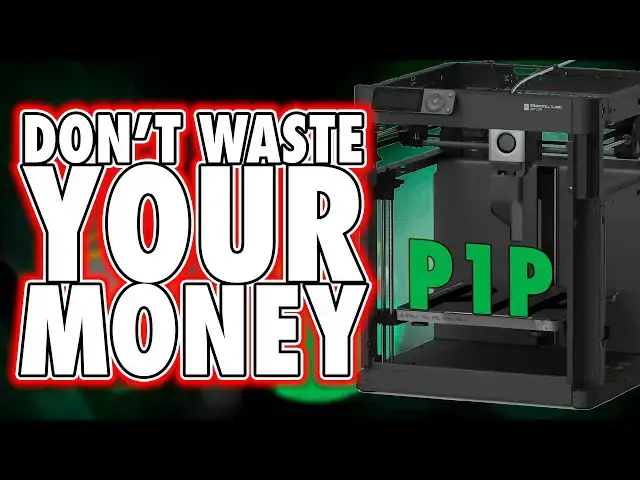
Buy the BambuLab P1P here: https://geni.us/BambuP1P
*See Al Bambu Printer Reviews*
A1 Mini - https://youtu.be/vBQ-QfcY3Qs
A1 - https://youtu.be/NZJVLw86Vg4
P1P - https://youtu.be/v4tSSmaIy24
P1S - https://youtu.be/kZ7L5Bfsy5w
X1 Carbon - https://youtu.be/4SfZvY6ZgYw
Sandisk USB 5 Pack - https://amzn.to/3ZxobJr (like all links, this is an affiliate link, and we will earn a commission on any qualifying purchase you make, at no cost to you. Thank you)
Get any printer working easily with the Photonsters XP Range Finder - https://www.thingiverse.com/thing:6023738 (watch my video for full instructions https://youtu.be/Gm0-z971tgY)
Become a member to get access to perks:
https://www.youtube.com/channel/UC_9Jsf3SP8aMJgn0xv5jHjA/join
Buy WARGAMER - The best Resin for Miniatures https://yesthats3dprinted.com/pages/wargamer?ref=FauxHammer
3D Printer Cleaning Mat: https://geni.us/3DPrinterCleaningMat
Show More Show Less View Video Transcript
0:00
I'll be honest up front the inspiration
0:01
for me doing this review is honestly
0:03
more for my benefit than anyone else's
0:06
after I realized just how good bamboo
0:08
printers are for beginners and I
0:09
reviewed the x1c and A1 provided by
0:12
bamboo along with reviewing the A1 Mini
0:15
for my own channel sake I decided to go
0:17
back and look at both the p1p and the
0:19
p1s again mostly for the sake of having
0:22
a Hands-On point of reference for future
0:24
videos the good news for you is that now
0:26
I get to share my thoughts about this
0:28
product and discuss why you probably
0:30
shouldn't buy it which is a weird
0:32
opinion for me to have right after all
0:34
everyone knows I'm no more than a shi
0:36
for bamboo I'm Ross and this is f Hammer
0:39
videos now as I like to frequently say
0:43
my reviews are for those of you who like
0:45
me don't fancy spending your time
0:48
tinkering with a printer and instead
0:50
just want a reliable product that works
0:51
out of the box as much as possible you
0:54
see my hobby here is about printing
0:56
stuff at least more than it's about
0:57
messing about and tweaking printers I'm
1:00
looking for a printer which reduces the
1:01
barrier between setup and the thing I
1:04
want printed and in my experience fdm
1:07
printing General quality and speed has
1:10
been fine on all products for well over
1:12
a year now on most of the units that
1:14
I've tested so it's the features and
1:16
approach that matter a lot more to me
1:18
and as I sat and wrote this review
1:20
having just come off the back of the
1:21
bamboo A1 review a printer which is all
1:24
but perfect for absolute beginners
1:26
coming now to the p1p retroactively it
1:29
does make me scratch my head a bit
1:31
wondering who exactly I should recommend
1:33
this to there's a lot of benefits to
1:36
this model sure but we'll get there
1:38
first let me walk you through it because
1:39
like all other bamboo printers these are
1:42
a mile ahead of the competition in terms
1:44
of their user approach unboxing and
1:47
setup is one of the easiest processes
1:49
you can follow like all the other bamboo
1:51
products I've owned they have a QR code
1:53
on the box that links you to a video and
1:55
a written guide on how to set up the
1:57
printer and I suggest you follow it even
2:00
if you're an experienced printer user
2:01
there's nothing awkward or difficult in
2:03
the process but the guide is a handy
2:05
checklist to make sure you haven't
2:07
missed a step but other than cutting
2:08
some cable ties the only building you
2:10
need to do is attaching the filament
2:12
reel holder on the back of the unit and
2:14
plugging in the screen you do need to
2:16
unscrew the securing bolts for the bill
2:18
plate too but that's pretty obvious
2:20
thanks to the big red arrow stickers
2:22
pointing at them it comes with a great
2:24
bunch of extras most of which are
2:26
actually useful replacements for
2:28
consumables within the machine I even
2:30
got a whole kilo of bamboo green pla
2:32
filament with this purchase and that's
2:34
pretty damn awesome especially for a
2:36
beginner and to me the best thing about
2:39
Bamboo's own filament with their
2:40
printers is that the bamboo Studio
2:42
slicer already has some decent profile
2:44
settings to get this to work and this is
2:48
for all of the individual colors and
2:50
filament types too and if you want to
2:52
buy more of it well I know this bit
2:54
sounds like an ad but you may as well
2:56
Beware of the benefits this company
2:57
offers I can't really do a review of the
2:59
printer and the services without
3:01
sounding like an ad when it's a good
3:03
thing but anyway you'll get a discount
3:05
when buying direct from bamboo for 6
3:08
months after you buy the printer the
3:10
prices are then directly comparable to
3:12
any decent quality filament from
3:13
anywhere else and you don't need to
3:15
replace the whole reel just get a refill
3:18
pack instead for less money and this
3:20
also saves you having to dump a big
3:22
useless reel made out of plastic into
3:24
the waste so with any of the bamboo
3:27
filaments like the Reel you get with it
3:29
just attach this stuff to the back tell
3:30
the slicer what you're using and print
3:32
an object in fact you don't even need
3:34
the slicer app on your PC to get started
3:36
you can do most of this direct from the
3:38
display unit thanks to the Myriad of
3:40
included files on the printer's micro SD
3:43
card but I've got more to say on that
3:45
later on going back to your outof boox
3:48
experience once you've followed the
3:49
video or written guide just turn the
3:50
printer on and the screen will walk you
3:52
through the rest of the SLE during this
3:54
process you get a QR code pop up which
3:56
allows you to connect the printer to
3:58
your account in the bamboo handy mobile
4:00
app and from here whenever you sign into
4:03
that account using the desktop slicer
4:05
the printer's available to send prints
4:06
to and to the few people who are about
4:08
to comment I'm never going to buy a
4:10
printer if it forces me to create an
4:12
account you aren't required to do this
4:14
you can skip this step and still use the
4:16
printer entirely offline and transfer
4:18
prints to it via the included SD card
4:21
just like any other fdm printer you just
4:24
won't have the benefits you get from
4:26
features that would quite obviously need
4:28
an online account
4:30
and the final stage of setup is the
4:31
printer's self-calibration where it
4:33
tests itself for vibration compensation
4:36
and bed leveling so I recommend before
4:38
you do any of this bootup sequence put
4:40
the printer where it intends to live
4:42
because if you change the surface to
4:44
something more or less sturdy or even
4:46
slightly at a different angle you'll
4:48
probably want to run the vibration
4:49
compensation calibration again
4:52
externally the printer has a few things
4:53
to be aware of which may seem quite
4:55
obvious but not all brands are as
4:57
sensible as bamboo who actually think
4:59
about user experience for their printers
5:01
the power socket and switch are on the
5:03
back of the printer the only other port
5:05
to care about really is the one for the
5:07
micro SD card located just behind the
5:09
screen and like almost every bamboo
5:12
printer this has some cool functions
5:14
built in like Wi-Fi which is used for
5:16
remote printing monitoring and firmware
5:18
updates and you now get the 720p camera
5:21
module included with the printer by
5:23
default when watching prints remotely
5:25
this isn't as smooth as the x1's 1080p
5:28
camera but it's still better than no
5:30
camera and time-lapses exported by this
5:32
are also generally fine and the printer
5:35
comes with a light to keep an eye on
5:37
printer overnight too but one of the
5:39
things I really love about these types
5:41
of printers the most is that accessing
5:43
things like the nozzle should you want
5:44
to swap it like the X1 Carbon it's just
5:47
a case of pop off the magnetized cover
5:49
from the hot-end unit unscrew two bolts
5:51
and you can replace the whole unit
5:52
assembly including the fan and what
5:55
pretty much every new printer wants
5:57
these days print quality wise this thing
6:00
is great out of the box and I'm saying
6:02
great because it's not good it's great
6:06
this printer prints incredibly quickly
6:08
and despite whatever claims you may see
6:10
nowadays regarding printers speeds most
6:13
are capable of speeds far beyond what
6:15
the materials we print with would
6:16
actually support so it's fine in that
6:20
regard and in fact like I've said about
6:22
bamboo printers before the whole printer
6:25
could be described as fine but because
6:28
so many other brands are less than just
6:30
so when compared to Bamboo printers
6:32
these small things stand out in terms of
6:34
usability by a clear mile but it's not
6:38
perfect nothing is I want to talk about
6:40
a couple of negatives one is the
6:42
filament reel placement like many framed
6:45
corx y printers now the Reel is on the
6:47
back though at least with this unit The
6:49
Reel does sit slightly proud of the back
6:51
Edge so you can half blindly remove the
6:54
Reel and replace the line through the
6:55
filament tube from its backs side like
6:58
many of this Styler printer you might
6:59
actually be better off with an external
7:01
filament dryer box which has the added
7:03
benefit of taking moisture out of your
7:05
filament too there are some other
7:06
placement options for these reels but
7:08
I'll come on to that shortly CU it goes
7:10
better with a later part of the video
7:13
the other negative is the UI now I
7:15
actually expected this to be worse than
7:17
it is but I forgot when I thought that
7:19
that well this is bamboo and for a very
7:22
simple low resolution monochrome UI this
7:25
is still very intuitive and it's easy to
7:28
navigate the four SE and various
7:30
onscreen options using little more than
7:32
a directional pad with the select and
7:34
back button and had I not recently
7:36
reviewed the A1 printers I'd have been
7:38
happy with this but because the newer A1
7:41
series both of those cheaper printers
7:43
have a prettier and slightly more
7:44
functional UI now this monochrome UI
7:47
retrospectively feels a little bit of a
7:50
let down but let me be very clear about
7:52
why because this probably doesn't matter
7:55
to most people with the A1 units you can
7:58
tell the printer which filament you're
8:00
using direct from the display this will
8:02
then sync to the desktop slicer
8:04
application on the P1 series you need to
8:07
do this in the phone app if you want
8:09
that function you see it's not a huge
8:12
deal is it but where this matters a
8:14
little bit more is if you have the AMS
8:17
upgrade but again the benefits minor you
8:20
see on the A1 when you choose to print
8:22
one of the many pre-sliced files that
8:24
come bundled with the printer on the SD
8:26
card if they're multicolor print you can
8:28
actually tell the printer which filament
8:30
to use from the AMS for the different
8:32
colored parts of the model on the P1
8:35
series with an AMS it just picks the
8:37
colors in order of what filament is in
8:39
what slot 1 2 3 and four but again this
8:43
is only for the multicolor prints that
8:45
come bundle with the printer all of the
8:47
rest of them you'd Slice on your PC and
8:49
then send it with the relevant colors to
8:51
the printer remotely and that all works
8:53
fine so again it's minor but that is a
8:56
slight problem with the UI that the P1
8:58
series has that the A1 series has now
9:01
resolved additionally where I've
9:03
mentioned how I like how easy it is to
9:05
swap the nozzle here actually the A1
9:07
series is better for that too because
9:09
that just clamps in place whereas here
9:11
you've still got to unscrew it and one
9:14
other slight gripe is that of all the
9:16
prints built into the printer there's no
9:19
way to know what they actually look like
9:21
because there's no images on this UI so
9:23
between this and the p1s I've now
9:25
printed everything I hadn't already
9:27
printed in my A1 reviews just to know
9:30
what they are and what they look like
9:32
but again whilst I'm being negative here
9:34
this lack of an image only really
9:36
matters for prints that come included
9:37
with the printer and most of you will
9:39
only ever print a handful of these like
9:41
the scraper tool and that's obvious what
9:43
they are you'll most likely print less
9:45
than a quarter of these built-in models
9:47
and everything after that will be models
9:49
you sliced on your PC and either sent
9:51
wirelessly to the printer with colors
9:53
pre-selected in the slicer or
9:56
transferred to the printer via the SD
9:58
card so should you buy this printer well
10:02
it's easy to recommend on the basis of
10:03
it being a bamboo printer and if like me
10:05
you want to spend more time printing
10:07
stuff and less time mocking around with
10:09
a printer anything by bamboo is easily
10:12
the best choice if that makes me a shill
10:14
fine if you're happier to do a bit of
10:16
tinkering that's also fine I'm not
10:19
saying bamboo printers are the best for
10:21
everyone I'm saying they're the best for
10:23
people who care more about the act of
10:25
printing than the technology of printers
10:28
so if you accept that and still know you
10:30
want a bamboo printer why should you get
10:32
this one specifically well I'd always
10:35
suggest you buy a printer based on your
10:37
budget first the A1 Mini is a cuty teeth
10:40
printer the A1 is the best place to
10:42
start with a bit of freedom in terms of
10:45
size and you've got the choice to get
10:47
both of these units with a single AMS
10:49
lie as an option this gives you a lot of
10:51
choices for creativity where the p1p and
10:55
arguably the p1s benefit is with the
10:57
build plate not moving back and forth
10:59
the printed models are a bit more stable
11:01
mid print which helps the success rate
11:03
on taller prints and it also saves a bit
11:06
of depth on your worktop because you
11:08
don't need clearance for the bed to move
11:10
all the way back and forward and the p1s
11:12
are marginally faster too not in
11:15
printing speed so much because like I
11:16
said that's limited by your filament but
11:18
in movement speed between gaps in a
11:20
print so the speed increase is marginal
11:24
really I think now that the A1 exists
11:26
and this p1p alone is $40 or pounds more
11:30
than the A1 with an AMS light the p1p is
11:33
for those people who are either on a
11:35
budget now but intend to upgrade later
11:38
perhaps to the p1s and here you can also
11:41
upgrade it to have up to four AMS units
11:44
whereas the A1 series can only have one
11:46
AMS light per printer or maybe this is
11:49
for those people who want a stable
11:51
framework and perhaps intend to upgrade
11:53
it themselves in a more unique and
11:56
personal way you see one part of the
11:58
sales pitch or interesting features for
12:00
the p1p is that there's already a load
12:03
of official and unofficial chassis mod
12:05
plates that you can print for yourself
12:08
and as much as I wanted to print the
12:09
Companion Cube case from Portal this has
12:12
been done to death by other channels so
12:14
I decided to just print out the official
12:16
bamboo pegboard module for me but I did
12:18
print some Companion Cube d20s because I
12:21
didn't want to feel totally left out in
12:22
the video game representation space now
12:25
unfortunately this pegboard module is a
12:27
bit of a pain to fit because as a few
12:29
people have pointed out the holes don't
12:31
always line up but through force and
12:34
persistence I managed to get it on in
12:35
the end and you do these using the extra
12:38
screws that you get in the box with the
12:40
printer they actually come with extra
12:41
screws for you to add mod plates on with
12:44
and because this is one of the earliest
12:46
official mod plates there's a load of
12:48
creators out there who've made their own
12:50
add-ons for it including filament
12:52
holders that mount on the side solving
12:53
our earlier placement issues so yeah it
12:56
may be useful to you to get the P1 1p
12:59
and build something like this maybe so
13:01
you have all of your printing tools to
13:02
hand in a configuration and style that
13:04
you want in which case the p1p option is
13:07
a good call for your requirements also
13:10
as a side note that I'm sure will upset
13:12
some people you may have noticed that I
13:13
decided to print this play in colors to
13:15
match my own branding black and orange
13:17
normally gray and orange but I didn't
13:18
have enough gray but I've only just
13:20
realized now when watching back I've
13:22
actually taken a bamboo printer and made
13:24
it look like it was built by prer so
13:26
whoops but I am glad I printed something
13:29
for it in the very least because the
13:31
style of this printer without any kind
13:33
of frame on it doesn't really meet
13:35
Bamboo's typical design standards and
13:37
even unlike other poorer quality
13:39
printers this p1p looks a bit worse out
13:42
of the box it honestly looks less like a
13:45
stable printer framework because all of
13:47
the protruding bolt holes everywhere
13:49
kind of make this look more like an
13:51
unfinished product and that's
13:53
unfortunate and I guess you can't really
13:54
have the best of both worlds but this
13:56
looks less like a framework for you to
13:58
build from and more like a p1s or an x1c
14:02
where they've taken panels off though
14:04
still what you get here is a solid
14:07
bamboo quality printer with all the
14:08
features that people have come to love
14:11
but if you aren't bothered about having
14:12
a slightly speedier and more stable core
14:15
XY over a beds Slinger and you don't
14:17
ever see yourself wanting enclosed AMS
14:20
units I'd say don't buy it get the A1
14:23
and be happy with that or if you're
14:26
liking this but can afford the extra
14:27
$100 of £90 for the fully enclosed p1s
14:32
also don't buy this get the p1s if you
14:36
aren't sure what the benefits of the p1s
14:38
are well you definitely need to check
14:40
out my next video because it will cover
14:42
that one in detail so as I said in the
14:44
intro it's an odd one to recommend now
14:46
that it's sandwiched between the A1 and
14:48
the p1s I'm sure if you're after this
14:51
you already know you are and have a very
14:53
specific reason to want it for your
14:55
particular use scenario for the rest of
14:57
you check out my p1s video next and
15:00
afterwards go back and watch the A1
15:02
video because you may not even need this
15:04
much of a printer I want to say thanks
15:07
for watching and a huge thanks to our
15:08
growing list of members you see on the
15:10
screen right now please consider joining
15:12
them to get your name up in the credits
15:14
and early access to our videos too you
15:17
can support us by dropping a comment
15:19
Down Below in the form of a super thanks
15:20
that's just basically a tip but if you
15:22
are thinking of buying this or any of
15:24
our printers please click the affiliate
15:26
links in the description below the
15:28
videos before you make a purchase
15:30
whether it's for these printers or
15:31
whether it's for filament and that gets
15:33
us a kickback at no cost to you and it
15:35
tells companies like bamboo that our
15:37
videos are useful to the community I
15:40
normally like to finish with some kind
15:41
of movie quote but I'll leave it to you
15:43
to guess where this following quote is
15:44
from though I'll do it in a very British
15:47
way kept you waiting huh until next time
15:51
bammer
15:52
[Music]
15:57
out
16:00
[Music]