Up next in 10



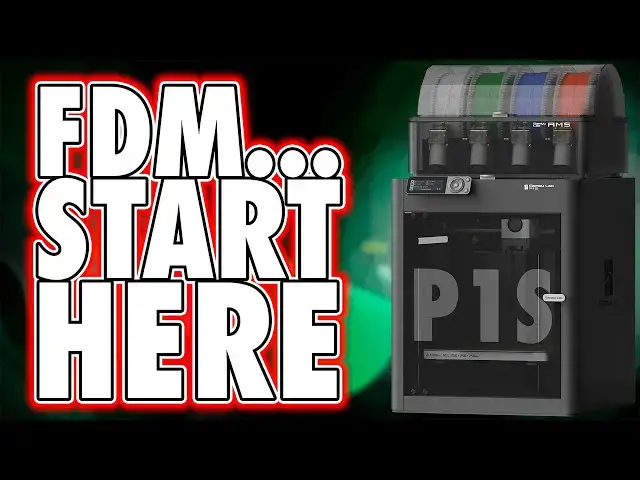
Buy the BambuLab P1S https://geni.us/BambuLabP1S
*See Al Bambu Printer Reviews*
A1 Mini - https://youtu.be/vBQ-QfcY3Qs
A1 - https://youtu.be/NZJVLw86Vg4
P1P - https://youtu.be/v4tSSmaIy24
P1S - https://youtu.be/kZ7L5Bfsy5w
X1 Carbon - https://youtu.be/4SfZvY6ZgYw
Save Fillament Waste: https://youtube.com/shorts/ZxHRFW8RIDM?si=ZUsZOlCepAxgKMbl
Sandisk USB 5 Pack - https://amzn.to/3ZxobJr (like all links, this is an affiliate link, and we will earn a commission on any qualifying purchase you make, at no cost to you. Thank you)
Get any printer working easily with the Photonsters XP Range Finder - https://www.thingiverse.com/thing:6023738 (watch my video for full instructions https://youtu.be/Gm0-z971tgY)
Become a member to get access to perks:
https://www.youtube.com/channel/UC_9Jsf3SP8aMJgn0xv5jHjA/join
Buy WARGAMER - The best Resin for Miniatures https://yesthats3dprinted.com/pages/wargamer?ref=FauxHammer
Show More Show Less View Video Transcript
0:00
here's another printer I bought for
0:01
myself for the sake of having hands on
0:03
with it so at least I have a solid point
0:04
of reference for future printer reviews
0:07
and whilst many people out there will
0:08
probably be looking at the A1 as the
0:10
starter printer and the X1 Carbon as the
0:11
elite printer I worry that the p1s gets
0:14
ignored by more people than it should be
0:16
because for most people this is quite
0:18
easily the best all round Choice amongst
0:20
the whole bamboo range let me show you
0:23
why I think this is hi I'm Ross and this
0:25
is fire Hammer videos let me get it out
0:28
of the way first the p1s and the P1 are
0:30
exactly the same printer in terms of B
0:32
Hardware functionality and other than a
0:34
flying overview I'm not covering that
0:37
again in this video so if you haven't
0:38
already watched my p1p video I suggest
0:41
you go back and watch that first the
0:43
highlights are that this is a core XY
0:45
bamboo printer with a build volume of
0:47
256 mm cubed and I specifically called
0:50
out that this is a bamboo printer
0:53
because if you like me and just want to
0:55
focus on printing things rather than
0:56
spending Forever Learning how a printer
0:58
works and configur ing it bamboo are in
1:01
a class of their own aside the A1 Mini
1:04
this is currently the standard build
1:06
size on bamboo printers at least until
1:08
they give us the bigger one that we all
1:10
want it'll come I'm sure but when that
1:12
is is anyone's guess this is a slightly
1:15
faster printer than the A1 series due to
1:17
it being a core XY with no horizontal
1:20
bed movement printer kept a little more
1:22
stable during printing which should lead
1:24
to fewer failures or at least slightly
1:27
faster prints thanks to the improved
1:29
stability but bear in mind I said should
1:31
and slightly faster it's not a huge
1:34
difference but it's a difference the
1:37
main benefit I have with it is that it's
1:39
just much tidier to have everything
1:41
within this body style and that I don't
1:43
need to have clearance behind the
1:44
printer on my desktop for it to print
1:46
like the P1 this also has a built-in
1:48
light and camera and it'll capture time
1:51
lapses throughout your printing process
1:53
along with allowing you to remotely
1:55
access to view prints live should you
1:57
want to check on them from a different
1:58
room it's not the smoothest live video
2:01
but you can at least detect obvious
2:03
failures and this is a bamboo printer so
2:06
just like all others bamboo will hold
2:08
your hand from the second you open the
2:10
box to your first print just scan the QR
2:13
code watch the unboxing video as you
2:15
perform the same steps boot it up let
2:18
the printer calibrate itself and choose
2:20
from one of the many internal files just
2:22
to get you started now the website
2:24
claims 15 minutes setup and now that
2:27
I've done one I'm confident I could do
2:28
the next one in about that much time AMS
2:31
and all but going in blind as I did and
2:33
as you likely will I'd give yourself a
2:35
good 30 minutes to an hour from cutting
2:37
the Box open to starting your first
2:39
print and I got the combo unit which
2:41
comes with one AMS module this set comes
2:44
with about 200 g of bamboo filament
2:46
along with a small amount of support for
2:48
PLA and I really should try a print
2:50
using support material at some point
2:52
I've just never gotten round to it the
2:54
whole point of this is it doesn't stick
2:56
as much as pla sticks to pla anyway
2:59
thanks to this out of box approach along
3:01
with the filament provided bamboo have
3:04
nailed it when it comes to First
3:05
Impressions gone are the days of what
3:08
the am I doing wrong just to get
3:10
something to stick to the build plate if
3:12
you don't have a successful print out of
3:14
the box with a bamboo printer then you
3:17
probably ignored one or more of the
3:18
setup steps or unfortunately you may
3:21
have a faulty printer thankfully though
3:24
if it's the latter the printer will most
3:26
likely tell you what the issue is and
3:28
it'll direct you to a page with a guide
3:30
on how to resolve that issue if you
3:32
bought a printer from another brand it
3:33
would be a case of going to a Facebook
3:35
or Reddit page for that brand and
3:37
describe the issue as best you can and
3:39
hope for a response and again it's about
3:42
how you've communicated your issue and
3:46
you may not even know the correct words
3:47
or terms for a particular problem now
3:50
when it comes to differences between the
3:51
p1p and the p1s the most obvious one is
3:54
the chassis the p1s is mostly an
3:57
enclosed version of the p1p in fact you
3:59
can pretty much turn any p1p into a p1s
4:03
by purchasing the p1p enclosure kit the
4:05
only difference I can see between the
4:07
p1p and the p1s is that if you add this
4:10
kit to the p1p is that the activated
4:13
carbon filter is a separate item while
4:15
the p1s comes with it this is a separate
4:18
optional purchase for some reason but
4:20
this kit gives you the plastic side
4:21
panels a cable chain the glass door and
4:24
lid along with internal fans for part
4:26
Cooling and control board Cooling and a
4:29
chamber temp temperature regulator fan
4:30
too so with all that what's the actual
4:33
benefit of the p1s over the p1p well
4:37
honestly it's the temperature regulation
4:39
and part cooling but that's about it
4:42
part cooling should help a bit when
4:43
bridging materials as it cools and goes
4:45
rigid in the air rather than drooping
4:48
and for temperature regulation when
4:49
printing with pla which is typically 3D
4:52
printing in Easy Mode you need to take
4:54
the glass lid off the printer in order
4:56
to keep the printing environment a bit
4:57
cooler and that's because pla melt under
4:59
cooler temperatures than most other
5:01
filament materials the benefit of an
5:03
enclosed printer is for those of you who
5:05
want the option of printing stronger
5:07
materials like ABS or ASA these
5:09
materials can be a pain in the ass to
5:11
print with and honestly for most
5:13
applications I use printer for nice
5:15
models or the few functional Parts I've
5:17
made like storage cases pla is more than
5:21
enough ABS can be a nightmare because
5:23
just the slightest temperature change
5:25
can completely ruin a print so an
5:27
unenclosed printer like the P1
5:30
could struggle with these materials
5:31
because the slightest Breeze just as you
5:33
walk past it can be a problem the p1s or
5:37
a p1p upgraded to the p1s keeps the
5:40
printing environment temperature
5:41
regulated by using the fan to vent the
5:43
chamber as it starts to get too hot so
5:45
the question is do you need the p1s over
5:48
the p1p if you never have plans to print
5:51
with abs or anything of the like well
5:53
honestly the main reason for me or at
5:55
least how I Justified it to myself is
5:58
that I don't know what what the future
6:00
will bring just because I'm not printing
6:01
with abs or ASA now doesn't mean I won't
6:04
want to in the future maybe I'll print
6:05
some garden ornaments and considering
6:07
ASA is designed to be like ABS but with
6:10
much more UV resistance that'll be a
6:12
good choice for then if it ever comes
6:15
but honestly I just think it looks like
6:17
a neater and more Complete product and
6:19
having the enclosure is just a little
6:21
bit more secure in that I'm not worried
6:24
my kids are going to stick their hands
6:25
inside the unit when it's on and it's
6:27
hot but really the main Fe feature of
6:29
the P1 and X1 range are the AMS units I
6:33
bought this p1s as a combo kit which
6:35
means that you get an AMS unit in the
6:38
set and this comes packaged inside the
6:40
printer bamboo actually have different
6:42
setup video guides for the printers with
6:44
and without AMS units but the QR code on
6:46
the box will show you the right one the
6:48
AMS unit sits neatly on top of the
6:50
printer and you can cable it into the
6:52
filament buffer on the back and then you
6:54
cable that box to another port on the
6:56
printer itself and you can connect up to
6:59
four AMS units to any current P1 or X1
7:02
but to do this you need to buy three
7:04
more AMS units and the separate four
7:06
feed AMS Hub too whilst each AMS unit
7:09
has its own PTFE tube to feed filament
7:12
into the Hub only one unit has a data
7:14
cable connected the rest are daisy chain
7:17
to each other and I must say I love the
7:20
AMS units yes when changing colors there
7:23
is a bit of waste and when it does this
7:25
it drops The Purge filament out the back
7:27
of the printer which is why the first
7:28
thing I printed was a poopy shoe for the
7:30
back but to help save wasted filament
7:33
I've actually done some investigation
7:34
and made a couple of shorts on how you
7:36
can save a ton of this waste and really
7:38
cut it down to a minimum I'll link to
7:40
the first of the three short videos in
7:42
the description below and you can get an
7:44
instant win with your AMS by watching
7:46
them now where these are better than the
7:48
AMS light units is once again that well
7:51
these are enclosed one of the worst
7:53
things you can do to any filament is
7:55
leave it out in the open where it can
7:56
absorb moisture and with the AMS light
7:58
units you don't really have much of a
8:01
choice now when I first started fdm
8:03
printing I honestly couldn't believe
8:04
that Plastics can absorb moisture until
8:07
I started doing this but moist filament
8:10
can lead to anything from blobs in your
8:12
print as it builds up and Flash boils in
8:14
the hot end to making your filament
8:16
brittle and snap before it even gets
8:18
into the PTF tube and whilst these
8:20
enclosed AMS units have no heating
8:23
element inside them to bake off the
8:24
moisture there are two recesses at the
8:27
back where you get two desicant bags and
8:29
that's to help saave off moisture
8:30
Builder but the better option is
8:32
printing yourself some AMS dry boxes and
8:34
filling them with some reusable desicant
8:37
I actually printed these ones on my p1p
8:39
and there are a ton of different designs
8:41
out there I just like these as it let me
8:44
fill the whole Space of the AMS and
8:46
there was a matching design which
8:47
allowed me to fit a cheap hydrometer in
8:49
the middle so that I can actually
8:51
monitor it and anything below 20%
8:54
moisture is normally fine but I've been
8:56
able to get mine down to 10% and it's
8:58
still there and and the good thing about
9:00
these desicant beads is they turn green
9:02
as moisture is absorbed and it explains
9:04
on the back of the bottle how to put
9:06
them in the microwave or oven when you
9:08
need to reactivate them and reuse them
9:10
just make sure you first remove them
9:12
from the printed dry box because that's
9:14
obviously going to melt in the oven but
9:16
the best feature of the AMS units for me
9:18
though is that changing a reel of
9:20
filament is little more than pushing the
9:22
end of a different reel into the hole in
9:24
the AMS unit now without this you need
9:26
to heat up the hot end extract the old
9:28
reel keep it hot manually Purge the new
9:31
reel through and that wastes about as
9:33
much as the AMS units will do during a
9:35
color change but that manual process
9:38
alone is often for me enough of a
9:41
barrier to entry that I can totally
9:43
avoid with an AMS unit which means I'm
9:45
more likely to be getting on with my
9:47
next print than procrastinating over the
9:49
effort of a real change and so far I've
9:52
spent most of my time with this printer
9:54
printing upgrades for my various other
9:56
bamboo printers I printed a nice little
9:58
box for the SWAT that I got with my A1
10:00
and A1 Mini and I love this it's just
10:03
it's super neat and tidy and even has
10:04
the bamboo logo embedded within the box
10:06
and that's thanks to the AMS unit's
10:08
multicolor option and I also printed
10:10
another box to hold all my bamboo extras
10:12
in again this is logoed and the hinges
10:15
are in bamboo green unfortunately though
10:17
the hinges for this type of box are just
10:19
well they're awful and they just don't
10:21
work at all in fact I've honestly no
10:23
idea why so many storage box designs
10:25
online are remixes of this style of
10:27
container because the hinges on the
10:29
little filament box are just so much
10:31
better but then I continued printing
10:33
more random things that were on the
10:34
internal memory card of the printer that
10:36
I hadn't printed already on my a1s or my
10:39
p1p or my X1 mostly stuff that has
10:42
multiple colors and that's things like
10:44
this diameter measuring tool and some
10:46
bamboo lab Badges and a bamboo lab
10:48
scraper and it's worth noting that the
10:50
blades for this scraper come in the box
10:52
with the printer so it's kind of a
10:55
necessary print and I also printed
10:57
something called a bamboo lab sticker
10:59
applicator and I have got no idea what
11:02
this is or what it does so if you can
11:04
enlighten me please pop a comment below
11:06
the video now I did say in my p1p video
11:08
that one of the small issues I had with
11:11
these printers unlike the A1 or the X1
11:13
range is that due to the small monocrome
11:15
display you couldn't actually see what
11:17
any of these included models look like
11:19
before you printed them but it turns out
11:22
there's actually a full page on the
11:23
bamboo Wiki which shows them all anyway
11:26
and when I think back of course there is
11:28
this is bamboo and they do sensible
11:30
things to make it easier for us the user
11:33
so of course they already had a solution
11:34
to the tiny arguably irrelevant most
11:37
people issue that I noticed in that
11:39
review so here's the thing I guess 90%
11:43
of the people out there probably don't
11:45
need this much printer you get the same
11:47
build area and the same user experience
11:49
arguably better with the likes of the A1
11:53
so where the P1 series shines to me in
11:55
terms of functionality for someone who
11:57
just wants their printer to work is is
11:59
more about the ability to upgrade it and
12:01
add up to four enclosed AMS units and
12:04
print with up to 16 colors continuously
12:06
and I love that it's a modular process
12:09
to go on this journey from the P1 to the
12:11
p1s to then having the AMS upgrades you
12:14
can if you wish just start with a p1p
12:17
upgrade that with an enclosure kit that
12:19
pretty much makes it a p1s then add some
12:21
AMS units and add three more if and when
12:24
you want them but the reason i' probably
12:26
recommend people start here is because
12:29
if I don't have a specific reason to
12:31
have the p1p which would be a fine
12:34
choice for a more technical user or
12:36
perhaps somebody with a print farm with
12:39
this alone I'd have a neat tidy and I
12:41
think sexy machine that will sit pretty
12:43
and print almost anything I could
12:45
possibly throw at it and unless you're
12:47
printing proper engineering grade
12:49
materials in which case why are you
12:51
watching my review this is also the easy
12:55
pick over the X1 Carbon 2 I want to say
12:58
thanks for watching and a huge Thanks
12:59
goes out to our members whose names are
13:01
up in lights now because they make it
13:03
possible for us to keep making these
13:04
videos and it's just it's that sort of
13:07
encouragement that keeps me going
13:09
because God this takes a lot of time to
13:11
do but seriously why not consider
13:13
joining them there should be a button
13:14
below this video unless you're on iOS in
13:16
which case yeah they block it so you'll
13:19
have to have a look on a computer but I
13:20
want to thank you for watching and if
13:22
this was helpful in anyway just to give
13:23
you an overview of why this might be a
13:25
better option for you maybe it's not the
13:27
right option for you in this video
13:29
confirm that whatever it did for you
13:31
please drop a like down below this video
13:34
ideally a comment to boost the algorithm
13:36
and if you can hit the Subscribe and
13:37
notification Bell that'll be brilliant
13:39
you know what you know how it works just
13:41
you do you I'd love it if you could you
13:43
don't have to but it'd be really great
13:45
if you did until next time rubber baby
13:48
buggy bumpers B hammer out
13:55
[Music]