Up next in 10



🎯Buy the Bambu Lab H2C here: https://geni.us/BambuH2C
🧠 Related Videos
- Bambu H2S Review: https://youtu.be/1SDuh-w7kCo
- Bambu H2D Review: https://youtu.be/sUn-xfa44oM
- Bambu H2 Laser Module: https://youtu.be/codyolkoit4
- Bambu Cutter & Pen Plotter Module: https://youtu.be/6UaITOWOLSY
Bambu A1 Mini: https://youtu.be/vBQ-QfcY3Qs
Bambu A1: https://youtu.be/NZJVLw86Vg4
Bambu P1P: https://youtu.be/v4tSSmaIy24
Bambu P1S: https://youtu.be/kZ7L5Bfsy5w
X1 Carbon: https://youtu.be/4SfZvY6ZgYw
––––––––––––––––––––––––––––––––––––––––––
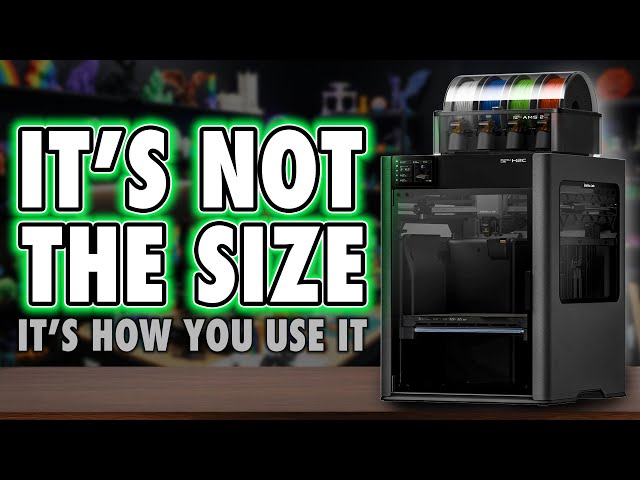
🚀 The Bambu Lab H2C sits in a strange and increasingly crowded space in modern consumer 3D printing. It combines enclosure heating, dual nozzles, colour changing via the AMS system, and Bambu’s Vortek nozzle swapping into a machine that promises high-end capability without stepping fully into industrial territory. On paper, it looks like a logical evolution of the Bambu ecosystem. In practice, it raises some important questions about build volume, workflow, colour changing tradeoffs, and how much complexity everyday makers actually want.
This video looks at the H2C as a complete system rather than a spec sheet. It covers how the dual-nozzle layout interacts with usable build area, how colour changing works in real use with the AMS and AMS HT, what the Vortek system enables (and what it doesn’t), and how these design choices affect print time, material handling, and day-to-day usability. It also explores where the H2C fits alongside the H2S and H2D, and why Bambu’s once-clear “good, better, best” positioning now feels more fragmented.
Show More Show Less View Video Transcript
0:00
I think we've all heard the old adage,
0:02
size doesn't matter, it's how you use
0:03
it. But when it comes to the H2C, this
0:06
is the first time I found myself firmly
0:08
on the other side of that argument. So,
0:10
I guess yes, apparently, or eventually,
0:12
my wife is always right. Anyway, the
0:15
Bamboo H2C is a weird one. And if you've
0:18
been watching this channel for a while,
0:20
you'll know I'm generally a big fan of
0:21
Bamboo. Not because they make perfect
0:24
machines, but because they changed how
0:26
people experience 3D printing. They
0:28
simplified the journey. normalized the
0:30
hobby and made it accessible to people
0:32
who just want things to work, which is
0:34
exactly who this channel is for.
0:36
Everyday makers who care more about the
0:39
results than the ritual of tuning a
0:41
machine. And with the H2C, I've got to
0:43
say, I like it a lot more than I
0:46
expected to. But I'm also in a slightly
0:49
awkward position. I get to use more
0:51
machines than most people ever will, and
0:53
that perspective makes the H2C feel
0:57
conflicted. On one hand, it feels like
0:59
printing in the future, stylish,
1:01
polished, and packed with genuinely
1:03
impressive tech. On the other, I keep
1:06
finding myself reminded of the past.
1:08
Long multi-day prints, compromises I
1:10
thought we'd move beyond, and a few
1:12
choices that don't quite line up with
1:14
how Bamboo used to simplify decisions.
1:18
And that's where this gets interesting.
1:20
Because where Bamboo once gave us clear,
1:22
laser focused choices of good, better,
1:25
best, the H2 lineup introduces just
1:28
enough variation that I worry it could
1:30
push its core audience towards analysis
1:33
paralysis rather than confidence. Now,
1:36
whether that's a real issue or just the
1:38
cost of progress is something we'll come
1:40
back to probably in a dedicated H2
1:42
comparison video. So, subscribe if you
1:44
don't want to miss that. But for now,
1:46
let's take a proper look at the H2C, the
1:49
printer you probably already know you
1:51
want next. Hi, I'm Ross and this is
1:54
Fammer Videos. And I've got to say, I
1:57
have been excited to play with this
1:59
right up until I had to lift it. I'm
2:02
old. I'm weak. This is heavy. But after
2:04
being challenged previously after I
2:06
asked my wife to help me with the H2D,
2:08
which was something I just thought was
2:09
nice and I'd bring her into the channel
2:11
a bit, I still got a load of shitty
2:13
comments about it. So, I lifted the
2:15
whole H2C onto the worktop myself, but
2:17
the box and I both recommend a twoperson
2:20
lift cuz again, heavy safety. Oh, and a
2:23
quick shout out to Joel, the 3D printing
2:25
nerd, because as I was actually filming
2:27
this, I was watching his charity live
2:29
stream. Anyway, this initial lift was
2:31
pointless because it's meant to be
2:32
unboxed on the floor. So, you can
2:34
actually lift the cardboard lid off the
2:36
printer. After doing that and removing
2:38
the rest of the card and bubble wrap,
2:40
there's two handles on either side of
2:42
the printer so you can lift the printer
2:44
itself. Again, I recommend two people
2:46
just to be safe. And be aware, this is
2:48
back heavy. Don't drop it. There's a ton
2:51
of tape on the body to remove and more
2:53
inside, but this is a hell of a pricey
2:55
machine. And I'm pretty glad that
2:56
everything is secured during shipping.
2:59
There's also the foam to remove and if
3:00
you get the combo, actually this this is
3:02
a color changer. It'd be daff not to get
3:04
a combo. I don't even think Bamboo sell
3:06
it without anyway. You also get the CFS,
3:08
so undo the screws securing that along
3:10
with the bill plate. They all need to be
3:12
removed. But in typical Bamboo fashion,
3:15
there's QR codes on the box with online
3:17
guides showing you all of this process.
3:19
If this is your first printer, well done
3:21
diving in at the pricey deep end. But
3:23
yeah, I recommend watching them, even if
3:26
you're experienced, just so you don't
3:27
miss anything. But okay, externally,
3:30
this is immediately different to the H2D
3:33
and 2S in that it has a darker plastic
3:35
housing, kind of like the H2D Pro, which
3:38
is a machine I I'm not really quite sure
3:40
on. Um, it's got Ethernet. It It's meant
3:43
to be more encrypted for businesses. But
3:45
yeah, this is that color. But it shares
3:48
most of the style in common with the H2D
3:51
by having the side windows and light up
3:53
bamboo logos. And before I move on, I've
3:55
had this comment so much. The way I say
3:58
H is H or sometimes I say H. Are we
4:01
meant to pronounce the H or not? Let me
4:03
know in the comments because I've never
4:05
considered it before. I did not expect
4:07
so many comments about it. I'm going to
4:09
say it how I talk. Anyway, ports wise,
4:11
there's a lot. So, let's have a look at
4:13
the rear.
4:14
At the top right, you've got the dual
4:16
PTFE inlet feeds, one for each nozzle.
4:18
To the left of that, you've got a
4:20
dedicated inlet for TPU. There's the
4:22
waist shoot and once again, a
4:24
dynamically opening fan on the rear. And
4:26
this closes to keep the chamber warm for
4:28
materials like ABS and opens for softer
4:30
materials like PLA. This is coupled with
4:33
a flap on the front at the top which
4:35
also opens and closes at the same time.
4:37
And that one is the air inlet. On the
4:39
back there's also the six pin port to
4:41
connect up AMS units and two four pin
4:44
ports which we now know is for things
4:45
like the bamboo cyber kit. And there's
4:47
also this odd red connector which is a
4:49
safety pin. Specifically, if you have a
4:51
laser, this is a safety key. If this is
4:55
removed from the machine, it simply
4:56
won't power up. It's not really common
4:58
or needed with a 3D printer, but it can
5:01
be removed to secure your device from
5:03
people using it when you're not around,
5:05
I guess. Additionally, these machines
5:07
have a button on the top right corner,
5:09
which is entirely redundant unless you
5:11
get the laser version of the machine.
5:13
Now, speaking of lasers, I've got a
5:15
separate video on that, which covers
5:17
performance on all three machines. It's
5:19
worth a watch separately if you are
5:20
considering picking up a laser variant
5:22
of any machine. If you're not bothered
5:24
about lasers, skip it. But I've also
5:27
covered the cutter and plotter add-ons,
5:28
which I really like, and that's also a
5:31
separate video. But if you're adding
5:33
those and don't get the laser variant,
5:35
I'd also recommend it's worth buying the
5:37
bird's eyee camera alongside them
5:39
because that'll make work with those
5:41
much easier. In fact, at the time of
5:43
recording, I think it's the only way to
5:45
get it working. Now, as we go through
5:47
setup, I think there's some more
5:48
important stuff that we need to know
5:50
right up front that I normally leave
5:51
till later, but this is where things can
5:54
get a little confusing and you need to
5:56
understand what you'll actually be
5:57
spending money on up front to get the
5:59
most out of this machine. Because the
6:01
main callout feature of this before we
6:03
get to its drawbacks that I'll come on
6:05
to is the color changer. So, in case
6:08
you're new to this, like the H2D, there
6:10
are two nozzles on the print head at any
6:12
one time, but the right nozzle uses the
6:14
vortex system on the right side. The
6:16
mechanics that swap out that nozzle with
6:18
five others. So, in total, that's six
6:21
changeable nozzles on the right and one
6:22
nozzle on the left for a total of seven
6:24
in the machine. And why this matters is
6:26
because when you come to buy this, what
6:28
you get in the box may not be enough kit
6:31
to get the most out of what I think most
6:33
people actually want this for, color
6:35
changing. Because with the normal combo,
6:38
you only get a single AMS2 Pro. And for
6:41
the Vortekch nozzles, you actually get a
6:44
variety of sizes. Four now standard 0.4
6:47
mm nozzles, a 0.2, and a 0.6 or 0. N is
6:54
is zero, guys. Again, this is something
6:56
I get comments about. It's just how I
6:57
talk. I'm British. N AU GHD. We have
7:01
knots and crosses. You have tic-tac-toe.
7:03
There's some interesting trivia. Anyway,
7:05
so out of the box, this is only a five
7:08
material changer, and you get the extra
7:10
two nozzles for when you want to do a
7:12
single color print, but using a
7:14
different size. And at least at the time
7:16
of recording, Bamboo still hasn't
7:18
directly implemented an easy slicer
7:20
function where a single print can use
7:22
different nozzle sizes as it's doing
7:25
different elements. And whilst we all
7:27
want to see the versatility of that, the
7:29
jur is still out on its usefulness until
7:31
we actually get it so we can apply it.
7:34
Now, we will get back to the vortex
7:35
system a bit more later on. That's most
7:37
of the focus of this video and mostly
7:39
what I did with this machine. The
7:41
printer will actually guide you through
7:42
mounting the nozzles, which essentially
7:44
is it moves the mechanics up and down
7:46
and you just magnetize each nozzle to
7:49
the different points on the system. But
7:51
I just want you to know going in that if
7:53
you're after 7 plus color changing,
7:56
yeah, you're going to need to buy more
7:57
AMS units. And yes, you also need to buy
8:01
two more of the 0.4 4 mm vorttech
8:04
nozzles. And like the other H2 machines,
8:07
this one also supports a total of up to
8:09
four AMS and eight AMS HTs in any
8:13
configuration, giving us access to 24
8:15
separate filament slots in total. Now,
8:18
my personal favorite setup is having two
8:20
AMS2 Pros for the right nozzle and two
8:23
smaller AMS HTs for the left. Now, you
8:25
could, of course, just stick with the
8:27
external spool holder and just get a
8:29
couple of extras or one extra AMS for
8:31
the right nozzle, but having two AMS HTs
8:34
on the left gives me a failover in case
8:36
of runout. And this is my first
8:38
experience with the AMS HT. And I've got
8:40
to say, I love these. If anything, they
8:44
are the unsung gem of Bamboo's AMS
8:46
lineup. And while they may seem limited
8:48
in scope that they can only hold a
8:49
single reel, they do have a built-in
8:51
heater with air flow controlled from the
8:54
printer along with a small UI showing
8:56
temperature and humidity. And genuinely
8:59
for everyone out there buying any bamboo
9:01
printer from the A1 mini to the H2C and
9:04
everything in between, I think rather
9:06
than having a fourcolor changer that is
9:08
rarely used because of the amount of
9:09
filament waste, simply having two of
9:12
these where one operates as a runout for
9:14
the next is just so much more
9:16
convenient. In fact, I actually now wish
9:18
they made a dual spool version. But
9:21
well, that won't be the first wishing
9:23
forward we do in this review. But yeah,
9:25
and wow. Okay, we're still at setup.
9:27
Move on, Ross. So, yeah, as standard,
9:29
this comes with a filament reel holder,
9:31
a single AMS, and the six variable
9:33
nozzles, and you might need to buy more
9:35
stuff. Now, if you get multiple AMS
9:38
units, you do just daisy chain one to
9:40
the next, and the printer has a process
9:41
to detect and add each one to the
9:43
relevant port. And that's what Bamboo
9:45
really excels at, simplicity and
9:48
automation. Well, in some areas. The USB
9:51
port for this machine is on the top left
9:52
corner. You're going to need a USB drive
9:54
in there if you want to record
9:55
time-lapses. Don't know why it doesn't
9:57
do it to the internal memory. It really
9:59
should. And it would be ideal to use a
10:01
lowprofile USB drive in here so you
10:03
don't risk damaging the socket or drive
10:05
if say you're removing the lid. Now
10:08
below that is the control screen which
10:10
sits flat against the body but tilts
10:11
upwards to your preferred viewing angle.
10:14
The removable lid and front door are
10:15
glass and the door opens to a full 180°
10:19
for easy access to the internals. Inside
10:21
we have the aforementioned hotend with
10:23
an easily removable face plate and all
10:25
of the aforementioned nozzle stuff. Now
10:27
because of the size of this like the
10:29
H2D, this is heavy and it causes the
10:32
machine to shake a lot. So printing time
10:35
just even with a single nozzle on one of
10:37
these I have found is a little bit
10:39
slower than the smaller lighter H2S. So,
10:42
whilst the dual nozzle setup certainly
10:44
has its benefits, there are drawbacks to
10:47
it because this is a far cry from what
10:49
Bamboo delivered to us with, say, their
10:51
first printer, the X1, where they were
10:53
so keen on making everything lighter in
10:55
that tool head because at the time that
10:58
was how they got the most out of the
11:00
printer. This is just a big step in a
11:02
different direction. There's also a
11:04
sidemounted part cooling fan, a built-in
11:06
chamber heater, a carbon filter in front
11:08
of the exhaust outlet in the back right,
11:11
and there's also, as always in Bamboo
11:13
printers, a corner-mounted camera, which
11:15
is brilliant for remote monitoring via
11:17
the app or taking time-lapses that you
11:20
can play back later. However, one thing
11:22
I've mentioned with all of these
11:23
machines is that the rear lead screw is
11:25
behind the rear guide rod, making
11:27
general maintenance, such as cleaning
11:29
and relubrication, a bit bothersome.
11:31
There are now some printable tools that
11:33
you can get to help with this, but I do
11:35
think many of us would just prefer
11:37
having more direct access. This isn't
11:40
one of those machines that's built
11:41
around easy maintenance or simple part
11:44
swappery. Now then, one of my main
11:47
hang-ups with this, as it was before, is
11:50
the build volume. And look, I'm not
11:52
going to belabor this point because
11:53
people proper kicked off at me before,
11:55
but I think this critique is fair. And I
11:57
even gave the Bamboo Rep a gentle poke
12:00
about it at Form Next. But of all the H2
12:03
printers, this is the most expensive and
12:06
technically also the smallest because
12:09
where the H2S has a fixed build volume
12:12
of 340x 320x 340, the H2D is 350x 320x
12:18
325, but the left nozzle can't actually
12:21
reach the last 2 1/2 cm on the right of
12:23
the build plate. and vice versa with the
12:26
other nozzle and the other side of the
12:27
plate. And with the slicer's auto layout
12:30
function completely ignoring those side
12:32
areas, what you end up with is a printer
12:35
there that most frequently just has a
12:37
usable width of 330.
12:39
But here, you've only got 330x 320x 325,
12:44
which made sense to me on paper because
12:46
that's what we got with the H2D. But the
12:49
bill plates on this machine are also
12:51
physically a different size to the other
12:54
H2 machines. And even then, with that
12:57
330 width, it's cut down more with the
13:00
right nozzle unable to reach the first 2
13:02
1/2 cm from the left and the left nozzle
13:04
unable to reach the last half centimeter
13:07
on the right. So here you only end up
13:09
getting 300 mil. And when other brands
13:12
have given us printers with a 350 cube
13:16
build volume that it becomes a
13:19
consideration and Bamboo has gone from
13:21
the brand that had things like
13:22
consistent nozzles and build plates
13:25
across almost their entire range of
13:27
printers and that also means third party
13:29
versions are also more readily available
13:31
too to now having one series of printers
13:34
this H range with different ancillary
13:37
hardware on each machine. And this is
13:39
what I was saying in the intro. Bamboo
13:41
have gone from the brand who kept it
13:43
simple and gave us a clear buying choice
13:45
with things like the P2 and X range
13:47
where it was good, better, best. Now we
13:51
have to work out what the trade-off is.
13:53
If you want the best in the H2 line,
13:55
well, we need to accept that we can have
13:57
size with the H2S, but the more nozzles
14:00
we add, the more space we lose. Which
14:02
perfectly brings me on to the tradeoff
14:04
or trade up, the color changing. So, the
14:08
Vortex system is so mesmerizing to
14:11
watch. Just staring at it as it switches
14:14
nozzles. It's so therapeutic and
14:16
satisfying. You can call me weird if you
14:18
want, but don't pretend you don't like
14:19
those videos you see of like bottling
14:22
factories that just grab your attention.
14:24
This is that, but it's in your home. And
14:27
this is where really we just need to
14:30
talk honestly about what this is because
14:32
I think color changing is going to be
14:34
the big deal of 2026, if not beyond. And
14:37
whilst Bamboo has given us this solution
14:39
of swapping nozzles, we can't pretend
14:41
that tool changes don't exist. And there
14:44
are benefits and drawbacks to each
14:46
approach. Here we've got the benefit of
14:48
the existing AMS system and therefore up
14:51
to 24 colors. Yeah, this doesn't limit
14:53
you like tool changer machines. I even
14:56
did a nine color print on this and the
14:58
slicer intelligently told me where to
15:00
load the different materials for the
15:01
least waste and therefore also the
15:04
fastest print time. And it also decides
15:06
which nozzles to swap colors and when.
15:09
And it's so easy, so versatile. And this
15:12
is what Bamboo absolutely nails. User
15:15
experience. And with more coloranging
15:17
machines now entering the market with
15:19
people wanting to use them because
15:22
beyond the Prime Tower, those buckets of
15:23
waste are no longer there. People are
15:26
going to be clamoring for these things.
15:28
And when more people have more printers
15:30
where they actually want to do multiolor
15:32
prints, the model designers will release
15:34
more multiolor models and it'll just
15:37
cycle. It's is it is it the rolling
15:40
stone that gathers moss? But
15:42
practically, yes. This is slower than a
15:44
tool changer. And I could go through and
15:46
give you a load of examples, but
15:48
honestly, just go and download the
15:50
slicers and apply your projects you'd
15:52
want to print and compare it because the
15:54
estimated print times are pretty
15:55
accurate on these machines. Just do the
15:58
project and and click slice. You'll see
16:00
the difference. I'd love to show you
16:02
here, but there's so many variables, and
16:04
the main one is going to be how many
16:06
color changes there are. This Majora's
16:08
Mask I did, which was at 140% scale,
16:11
took over 7 days, but that's because I
16:14
had a filament reel in the AMS, which
16:16
was incompatible. Then every hour or so,
16:18
I had to go back and give it a little
16:20
jiggle so the AMS would pull it
16:22
properly. Normally just clicking retry
16:24
in the app fixed it. But yeah, this is
16:27
slower than a tool changer because you
16:29
need to wait for the material to retract
16:31
all the way back to the AMS and then the
16:33
new material to feed in on pretty much
16:36
every change unless you're just going
16:38
from the left to the right nozzle.
16:39
That's 30 plus seconds depending on PTFE
16:42
tube length versus 10 or less for a tool
16:45
changer. And then you also need to know
16:47
that you can't use filaments like TPU
16:50
with any AMS star box either. But tool
16:53
changes also have their drawbacks of
16:55
multiple PTFE tubes everywhere and so
16:58
far no filament enclosures, no heating,
17:00
and no dynamic color changing, limiting
17:03
your print color count to the exact
17:05
amount of tool heads you have. Now,
17:07
right now, it's a case of swings and
17:09
roundabouts. And it will be exciting
17:11
going forward to see machines diverge
17:13
based on use case. And when that
17:15
happens, maybe we can get past the this
17:17
brand is better arguments that really
17:19
just don't serve anyone. Personally, I
17:22
do think a tool changer is the better
17:24
way forward. It's faster. Vortekch only
17:27
solves half the color changing problem,
17:29
and that's the waste side. But again,
17:31
I'm dreaming of a future where we have a
17:33
bamboo user experience with a tool
17:36
changer, but where, say, the idle heads
17:38
can purge and prepare the next color.
17:41
Dare I dream? But the thing is, we
17:43
aren't there now. In fact, as I write
17:45
this, there's only really one other tool
17:47
changer on the market, which I've got to
17:50
be honest, I do love. But this gives me
17:53
a much larger color selection. And I've
17:55
always been in the camp of I'd rather
17:57
have it and not need it than one day
17:59
need it and not have it. Even if this
18:01
has taken me back to the era just 2
18:03
years ago where I'm waiting days for
18:05
prints rather than hours, but I've never
18:08
been able to have single prints with
18:09
this many colors before. So, I am blown
18:12
away. Now, just a quick note on software
18:14
before I close. The UI is very standard
18:17
for Bamboo now. And I could give you the
18:19
boring details. Everything is sensibly
18:21
laid out. It's super intuitive. And
18:23
honestly, rather than say something that
18:25
comes across as me being no more than a
18:27
Bamboo fanboy, ignore my opinion. Ask
18:30
almost every other brand on the market
18:32
because I think it says enough about
18:33
Bamboo that this is the UI that almost
18:36
all the others are trying to copy. And
18:39
the same with the slicer. Bamboo took
18:41
prusser slicer, built on it and made a
18:43
more intuitive user experience and have
18:45
continued developing it still. For me,
18:48
Orca is good, but again, most of the
18:50
benefits I see in Orca because I'm just
18:52
a general user is the UI and Bamboo
18:57
created that. Now, there are plenty of
18:59
things I'd love. I'd love the ability
19:01
for it to know when I have a certain
19:04
color loaded in a certain nozzle, and
19:06
when I click auto arrange with models of
19:08
that same color, why can't it use that
19:11
info to spread the models across that
19:13
nozzle's usable area rather than just
19:15
default into the center of the plate?
19:17
And something I've seen other top brands
19:19
do is allow you to queue up multiple
19:22
prints on the machine. So when a print's
19:25
done, you just walk over to it, click
19:26
done, and it starts the next. In this
19:29
day and age, with the memory available
19:30
on that machine, we should be able to
19:32
queue up our next print while the
19:34
current one's active. So, I'd like to
19:36
see that here without having to install
19:38
some server and client application. But
19:40
overall, my experience with the H2C has
19:43
been, again, I'm straight with you guys,
19:46
it's been a dream. It was much better
19:48
than I thought it would be. Cuz the
19:50
second I saw it, I was like, "Yeah, that
19:52
only solves half the problem." And it's
19:54
easy to have a gut reaction to
19:56
something. I've been underwhelmed by
19:58
things that have been good before. I've
20:00
been over excited about things that have
20:02
turned out to be duts. But I've got to
20:04
be honest, now that I've used the H2C,
20:06
practically, it's neat. It's tidy. The
20:09
AMS system is limited in speed, but it's
20:12
also not a spaghetti junction, and it's
20:14
expandable. I'm not looking at any of
20:16
these machines and their technical
20:18
ability. I'm more interested in the
20:21
practical application for you guys as
20:23
home users. But I've got to be honest, I
20:25
am annoyed about the size. No matter
20:28
what H2 I get now, I'm limited in one
20:30
way or another. I've had all three and
20:32
they all feel like a tease for a
20:34
future machine which has a 350 build
20:36
volume to match its competitors whilst
20:39
at the same time having the Vortekch or
20:41
another colorchanging solution. For
20:43
years of having the X1, I wanted a
20:46
bigger bamboo printer. And even now I
20:48
have these, I still want a bigger bamboo
20:51
printer just for those few jobs that
20:53
need it. But at the same time, it is
20:56
those few jobs. And for most of you,
20:58
this is going to be more than big
20:59
enough. For a lot of people out there,
21:01
the A1 Mini is bigger than they need.
21:03
But in the most part, this just is the
21:07
most versatile machine on the market for
21:09
the home user, especially with all the
21:11
possible add-ons and with arguably the
21:14
easiest user experience. And due to the
21:16
growing popularity of the brand along
21:18
with the community growing, the more
21:20
support we collectively get. If
21:23
anybody's seen my laser reviews, bamboo
21:26
are like the X tool of 3D printing.
21:29
Yeah, they're not for everyone. Totally
21:30
fair. you might want something a bit
21:32
more open, just like Xool. All in, the
21:35
H2C is just the most high-tech consumer
21:38
printer on the market right now, and it
21:40
will be for the foreseeable future. It's
21:42
imperfect, but Bamboo have trained us to
21:44
believe they'll improve it over the long
21:47
run. And it's not the printer many of us
21:49
wanted, but knowing how Bamboo owned
21:51
their products for longer than most,
21:53
this isn't just going to be a stop gap,
21:54
either. So, should you get this printer?
21:57
Well, come on. Let's be honest. You
21:59
already knew you did or didn't want it
22:01
before watching the video. I'm not going
22:03
to try and convince you otherwise.
22:04
That's not my job. I just want to show
22:06
you what these things do and you make an
22:09
informed decision. Do the thing you
22:11
already plan to do. Just tell your
22:13
spouse or significant other it was my
22:15
fault. And if this video or that excuse
22:17
was helpful to you in any way, outlining
22:20
what you actually get and what you may
22:22
need to get the most out of this, please
22:24
consider using my affiliate link in the
22:26
description before making a purchase.
22:28
I'll make a commission on the sale at no
22:30
cost to you, but that's how I afford to
22:32
run the channel. I give my opinion on
22:34
printers. You make your decision. I
22:37
hopefully get a commission on the sale.
22:38
If you still aren't sure which H2
22:41
machine to get, check out my comparison
22:43
video, which at the time of writing will
22:45
be up soon or if you're watching this in
22:47
the future and that's what brought you
22:48
here. Thanks. Thanks to everyone for
22:51
watching more of my videos. Now, please
22:53
help me out further by engaging. Like,
22:55
comment, subscribe, hit that hype
22:57
button. I I don't know what it does. No,
22:59
nobody does, but people have been
23:01
hitting it. Hell, dislike the video if
23:03
you want. It all counts because
23:04
interaction boosts views. I want to say
23:06
a massive thanks to our members who are
23:08
on screen now. They get early access,
23:10
their name in the credits, exclusive
23:12
videos, and Discord rolls. Please
23:14
consider joining them or offering a
23:15
super thanks. I do like money because
23:19
that means I can keep doing this. Until
23:21
next time. He's not the hero we deserve,
23:24
but you know the rest. Fammer out.
#Business & Industrial
#Computers & Electronics
#Hobbies & Leisure